Audio/Hands–free phone system
! Phone volume settings
The call and ringtone volume can be
adjusted. A ringtone can be selected.
1. Display the “PHONE” screen. Refer to
“How to change the hands-free phone
system” F5-74.
2. Touch the
key.
3. Select the desired item to be set.
. On the “PHONE” screen, the screen
changes to the “Options” screen when you
select the
key.
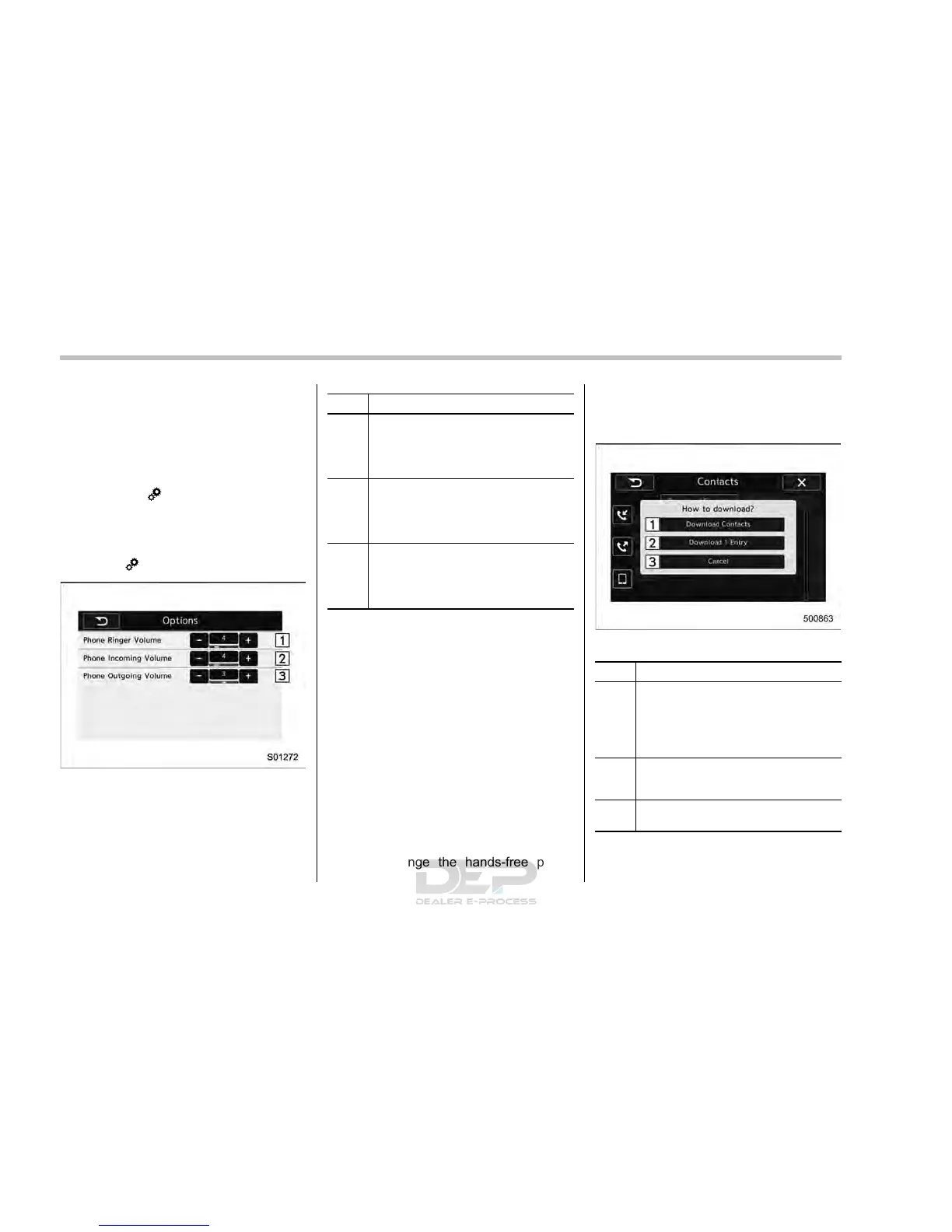
Options (volume settings) screen
No. Function
&
1
Adjust the ringtone volume. The “−”
key lowers the volume, and the “+”
key increases the volume. (Default
volume: 4 out of a total of 16 volume
levels)
&
2
Adjust the receive volume. The “−”
key lowers the volume, and the “+”
key increases the volume. (Default
volume: 4 out of a total of 16 volume
levels)
&
3
Adjust the transmit volume. The “−”
key lowers the volume, and the “+”
key increases the volume. (Default
volume: 3 out of a total of 5 volume
levels)
NOTE
. Depending on the type of phone,
certain functions may not be available.
. Contact data is managed indepen-
dently for every registered phone.
When one phone is connected, another
phone’s registered data cannot be
read.
! Update contacts from phone
Operation methods differ between PBAP
(Phone Book Access Profile) compatible
and PBAP incompatible but OPP (Object
Push Profile) compatible Bluetooth
phones.
1. Display the “PHONE” screen. Refer to
“How to change the hands-free phone
system” F5-74.
2. Touch the “Contacts” key, and then
select the “Download Contacts” key.
Contacts screen (Download selection)
No. Function
&
1
Open the download confirmation
screen. Confirm whether or not to
download. If the downloaded contact
(s) already
exist(s), confirm whether or not to
overwrite the existing data.
&
2
Download one set of contact data. To
download the data, you need to
operate from the connected device.
&
3
Cancel the download. The screen
returns to the “Contacts” screen.
5-80














 To Next Page