北米Model "A2600BE-B" EDITED: 2020/ 10/ 1
Touch “Default” to revert to the factory
setting.
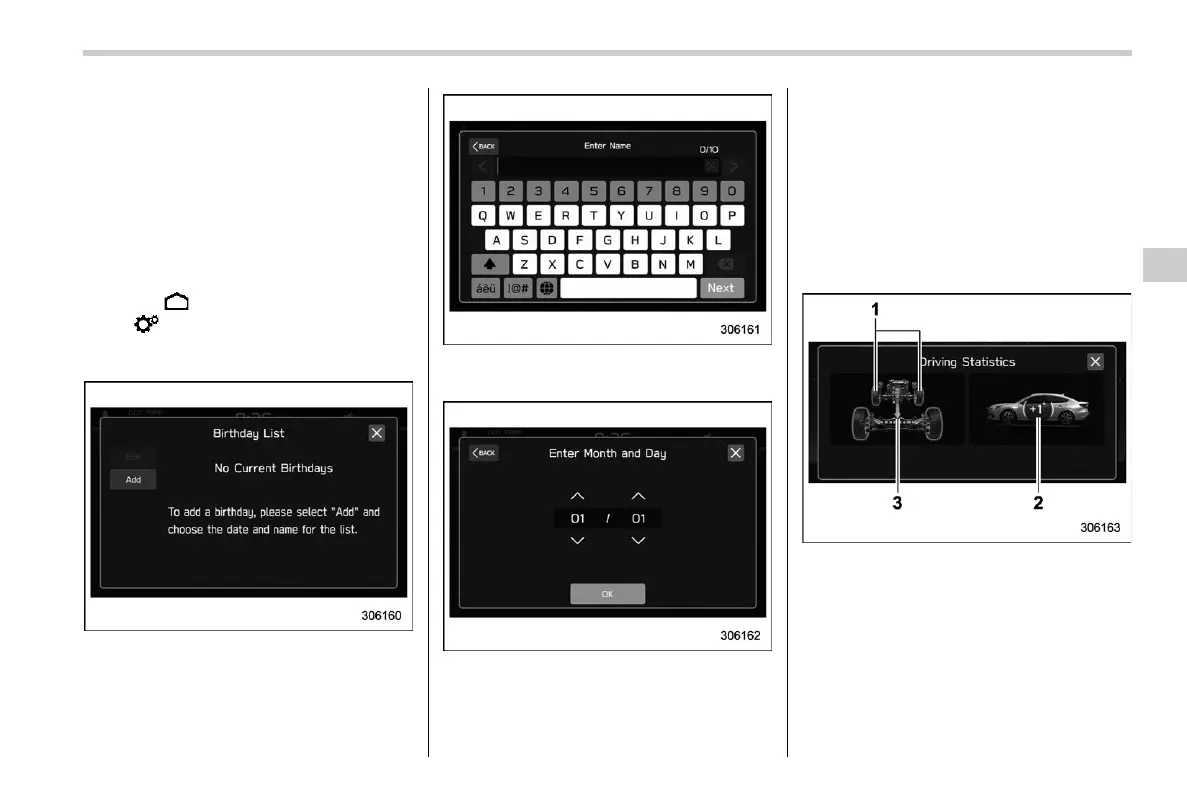
! Birthday List
s03bs061102
If a birthday or anniversary is approaching,
a message will be displayed when the
ignition switch is turned to the “ON”
position. This function can be set to on or
off by the “Reminder Screen”. For details,
refer to “General settings” FP234.
1. Touch
(HOME).
2. ?
(Settings)
3. ? “General”
4. ? “Birthday List”
5. ? “Add”
6. Enter the name.
7. ? “Next”
8. Enter the date.
9. ? “OK”
NOTE
A maximum of 5 birthdays can be
stored.
! Anniversary List
s03bs061103
The procedure for setting an anniversary is
the same as “Birthday List” FP243, except
that in step 4 “Anniversary List” is selected.
! Driving Statistics
s03bs0603
1) Steering angle
2) Vehicle posture
3) Running condition
This screen displays the driving status of
the vehicle and the operation status of the
functions. For functions that are operating,
the indicator will illuminate or flash.
– CONTINUED –
Center Information Display (CID)
243
3
Instruments and Controls














 To Next Page