7
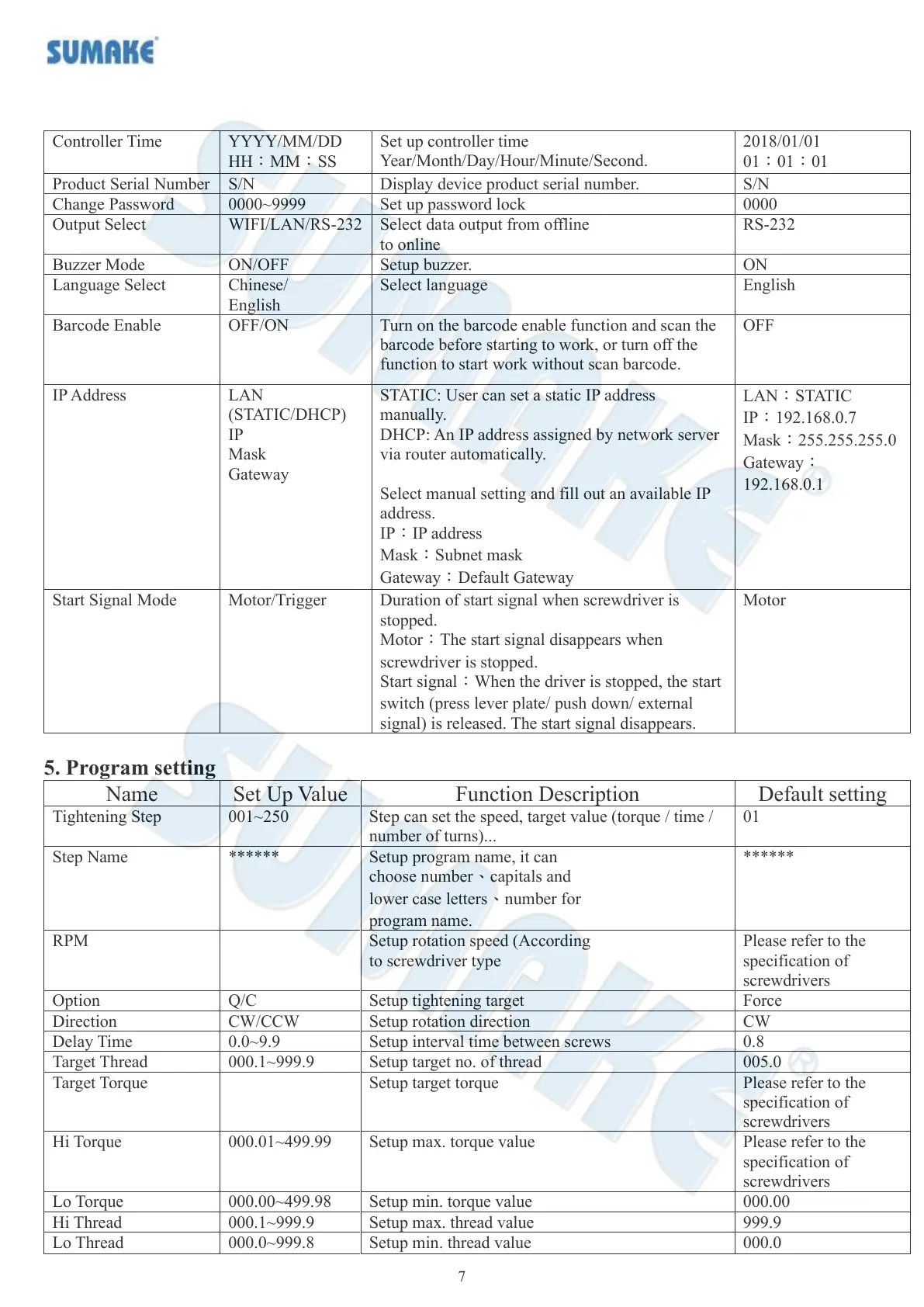
Set up controller time
Year/Month/Day/Hour/Minute/Second.
Display device product serial number.
Select data output from offline
to online
Turn on the barcode enable function and scan the
barcode before starting to work, or turn off the
function to start work without scan barcode.
LAN
(STATIC/DHCP)
IP
Mask
Gateway
STATIC: User can set a static IP address
manually.
DHCP: An IP address assigned by network server
via router automatically.
Select manual setting and fill out an available IP
address.
IP:IP address
Mask:Subnet mask
Gateway:Default Gateway
LAN:STATIC
IP:192.168.0.7
Mask:255.255.255.0
Gateway:
192.168.0.1
Duration of start signal when screwdriver is
stopped.
Motor:The start signal disappears when
screwdriver is stopped.
Start signal:When the driver is stopped, the start
switch (press lever plate/ push down/ external
signal) is released. The start signal disappears.
5. Program setting
Step can set the speed, target value (torque / time /
number of turns)...
Setup program name, it can
choose number、capitals and
lower case letters、number for
program name.
Setup rotation speed (According
to screwdriver type
Please refer to the
specification of
screwdrivers
Setup interval time between screws
Setup target no. of thread
Please refer to the
specification of
screwdrivers
Please refer to the
specification of
screwdrivers



 To Next Page