Basic Setup cont.
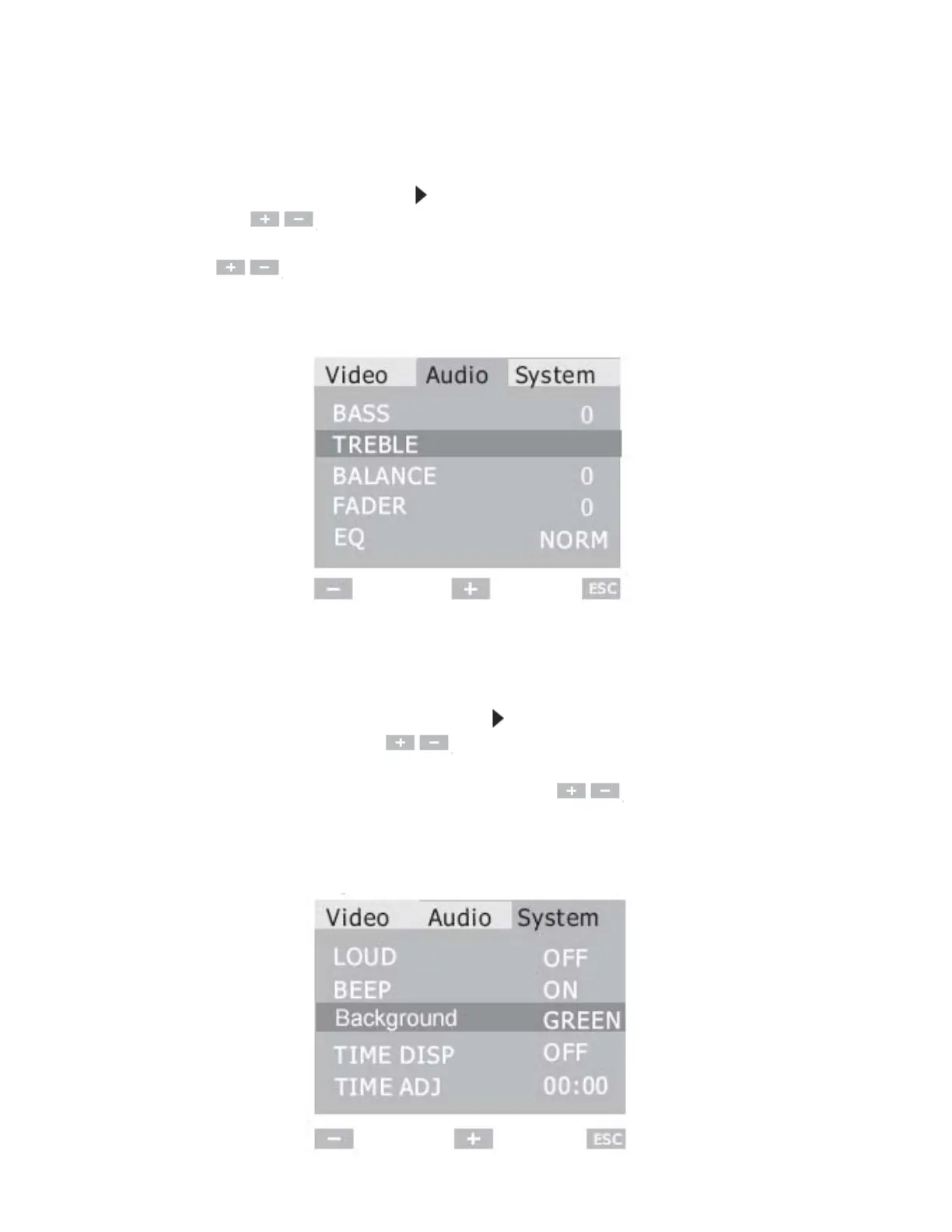
Audio Settings
- To change settings, press the Menu or Setup on the remote control, then touch
“AUDIO” tab on the screen or press
on the remote. Touch the screen on the desired
option, then press to change the settings. (Setup between 0-14) Play with
these options to get the desired audio output. For the preset equalizer settings, simply
touch EQ then
to cycle through NORM, ROCK, POP and CLAS.
System Mode Settings
- To change settings, press the Menu on the screen or Setup on the remote control
then touch “System” on the screen or press twice on the remote. Touch the screen
on the desired option then press to turn settings on/off. Play with these
options to get the desired setting. To change/set time touch or scroll down to TIME
ADJ, then touch the hour 00:00 section and press
to adjust time, repeat steps
to change minutes.
Note: Time is set to military time only, (24hr time mode).


 To Next Page