Basic Operation cont.
Music/MP3-4 CD Mode
- Inserting a CD: Press the “Release” to open front panel, then insert a Music or MP3 Disc
into the disc slot with label facing up. Then push front panel back into place. Unit should
automatically switch to “DISC” mode. The unit will start playing the first track on the CD.
- Track Select: To skip forward or backwards through
the tracks simply press
. Or
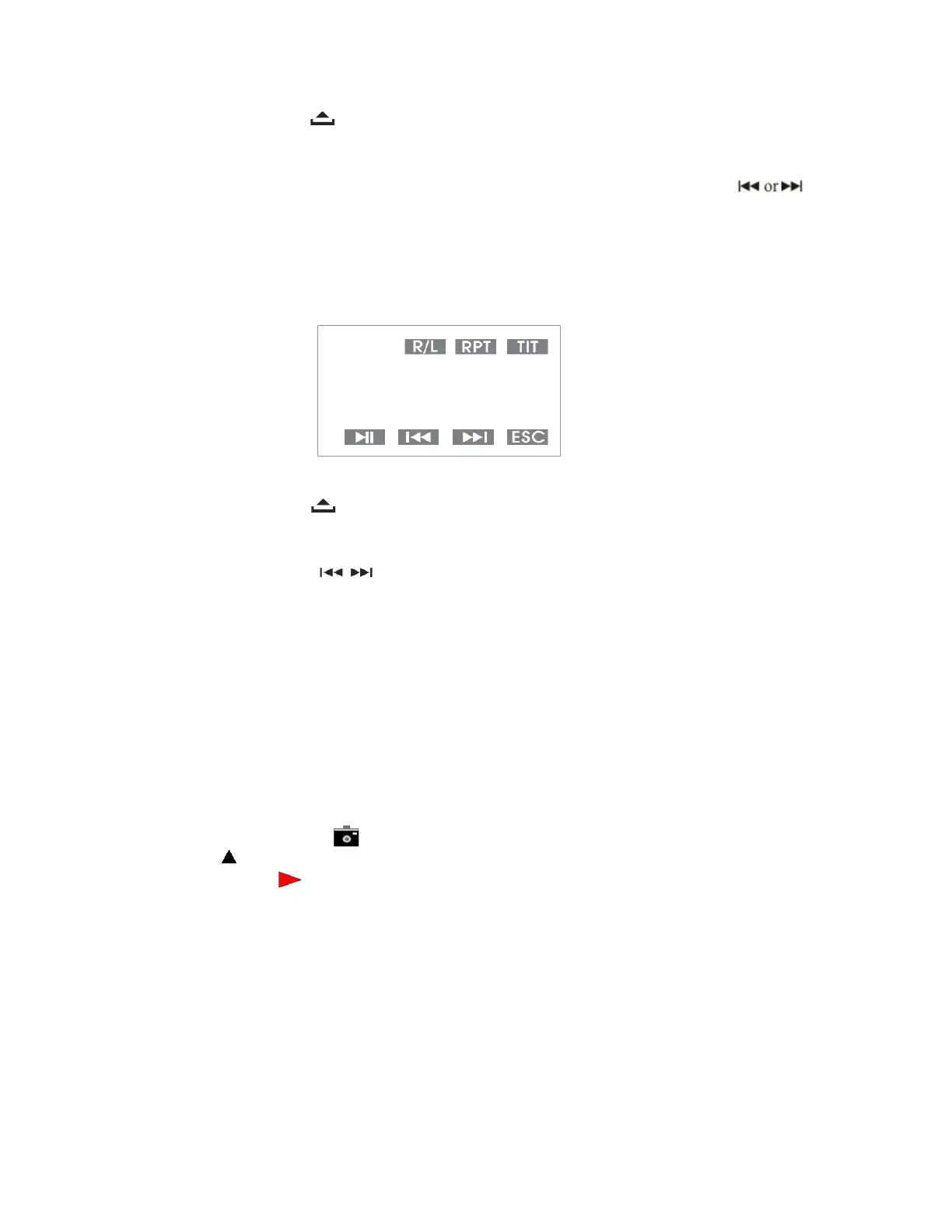
ouch screen and submenu will appear with play control functions. (See Fig. A)
- Random Playing: Press “B
and/RDM” button once
to play track in random order, press
again to turn random off.
- Repeat Pl
ay: Press “ST/RPT” button to repeat what’s curren
tly playing, press
again to turn off repeat play. For MP3 playing to repeat a whole folder press “RPT” 2x and 3x
to turn off random.
Fig. A
DVD Mode
- Inserting a DVD: Press the “Release” button to open front panel to insert DVD or VCD Disc
into the disc slot. (Make sure label is facing up), Flip the panel back into place. Unit should
automatically switch to “DVD” mode. The unit will start playing the content of the DVD.
- To skip or find chapters press
on the unit or touch the screen to bring up submenu
controls. (See Fig. A)
- Press ►II to pause and play mo
vie.
- For “Subtitle”. Simply press “SUB-T” on the remote to turn
on/off.
- For “Repeat playing” press “RPT” once to repeat “Chapter” (current track), twice
for “Title”
(the entire movie), and three times to end repeat play.
USB/SD/MMC Mode
(
Note: USB PORT is for flash drive only, will not work for IPOD).
- Inserting a USB media device: Remove the protective cover of the USB input, plug in
device into the unit. (Unit will automatically switch to USB mode). If audio files are
present, then the first track will play automatically. To view pictures press the ► right arrow on
the remote then ◄ left until the
is highlighted on the bottom of the screen, then press
“Enter” then press
up arrow and then “Enter” to play the first file. For playing Videos repeat
above steps but highlight
on the bottom of the screen.
- Inserting SD/MMC memory card: Remove front panel (see page 1). Then insert the memory
into the slot all the way in until the unit grabs the card, reinstall front panel back into the unit.
Turn unit back on, and select the SD mode from the main menu.
When removing memory card, first removed the panel, then lightly/ quickly push the memory card in for
make ejecting of the card, then pull card out to remove.
*Note: Random play is only available on pictures and audio files. Repeat play is available on all.
AUX MODE
- To use “AUX” (auxiliary) mode: Plug RCA audio/video cables into the “AUX input” on
the back of the unit to your device. Press the SOURCE button repeated
l
y to select
Auxiliary mode or go to the main screen and press “Input” icon.
*Note: You can only control your device functions through the inserted device.
11


 To Next Page