
 Need help?
Do you have a question about the Summer BabyTouch 02000 and is the answer not in the manual?
Keep cords out of reach of children (more than 3 feet) to prevent strangulation. Use security clips.
Use only the provided rechargeable battery. Follow charging, disposal, and short-circuit prevention guidelines.
Check pairing, power, and connections. Test reception by repositioning camera and handheld unit.
Press Video On-Off button. Ensure camera is not blocked and test reception by moving units.
Power cycle the handheld unit, re-insert battery, and turn up the volume control.
Adjust camera position, move away from electronics, and adjust screen brightness settings.
Increase distance between units, lower volume, or power cycle the handheld unit.
Information on ordering replacement parts and registering your product for support.
Device compliance with FCC rules, operational conditions, and interference precautions.
Details the 12-month warranty for repair or replacement of defective units.
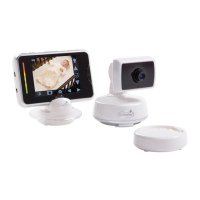
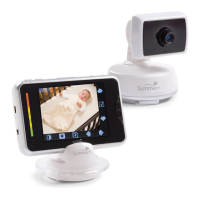
Identifies the monitor, camera, adapters, and hardware included in the system.
Instructions on how to power the monitor system on and off using the power button.
Test reception by positioning camera and monitor before permanent installation.
Guidance on placing the camera on a surface or wall-mounting it securely.
Step-by-step instructions for drilling, inserting anchors, and securing the camera on a wall.
Instructions for connecting and powering the monitor and camera using AC adapters.
Steps for charging and using the monitor on battery power for portability.
Procedure to re-pair the handheld unit and camera if they lose their connection.
Information on expanding the system to monitor multiple children or rooms.
Navigate and control monitor functions easily via the touchscreen display.
Control camera movement remotely to keep your baby in view.
Speak to your baby through the camera using the monitor's talk-back feature.
Provides a clear image in low-light conditions using infrared LEDs.
Add up to three additional cameras for multi-child or multi-room monitoring.
Conserve battery by turning off the video screen while audio remains active.
Visual indicator on screen showing sound levels from the baby's room.
Turn the video display on or off while keeping audio active.
Easily adjust audio volume and screen brightness for optimal viewing.
Features for portability and convenient tabletop placement of the monitor.
 General
| Brand | Summer |
|---|---|
| Model | BabyTouch 02000 |
| Category | Baby Monitor |
| Language | English |



 To Next Page