www.sunhydraulics.com ©2017 Sun Hydraulics Corporation 4
XMD User Manual
Please read and observe any precautions wherever this symbol is used in this document.
The latest version of the XMD datasheet and XMD Mobile App User Manual can be found at
http://www.sunhydraulics.com/models/electronics/i-o-modules/xmd-series
1. After selecting the correct model number, select FULL DATA
SHEET at the top of the product page to view the latest XMD
Datasheet.
2. Select Additional Resources below the product image to nd the
latest XMD Mobile App User Manual.
In order to download the latest XMD Mobile App, search “Sun
XMD Mobile” in the Apple App Store, Google Play, or follow the
links on Sun’s website:
http://www.sunhydraulics.com/models/electronics/software/
xmd-mobile-app
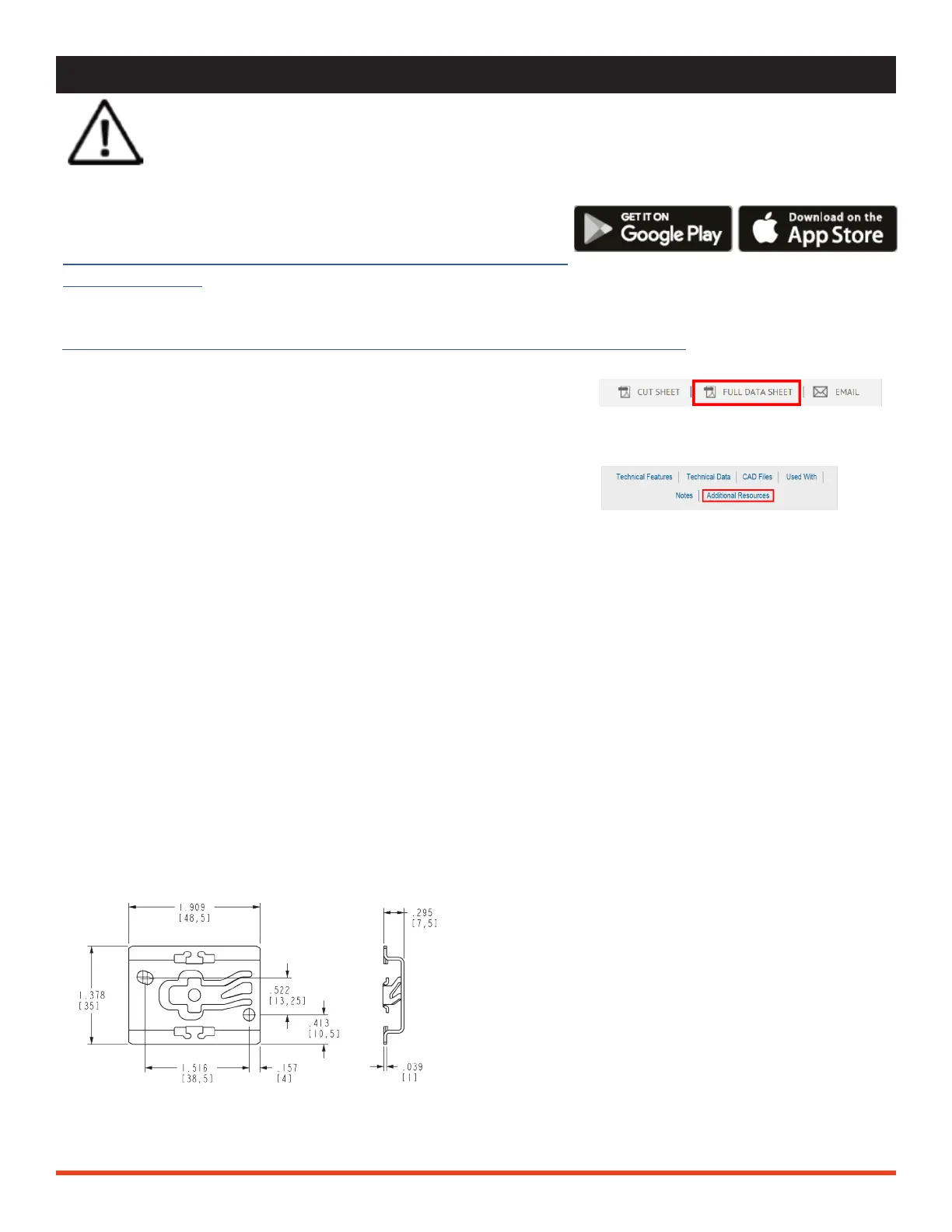
NOTE: The XMD is compatible with standard
35mm DIN Rail. Use the bracket dimensions to
source the proper DIN Rail size.
BEFORE YOU BEGIN
Compatible Devices
Android Compatibility:
Google Nexus 5+, Google Pixel series, Google Samsung
(Most Android devices manufactured after 2014 such
as Grand Prime+, Galaxy J5/J7, Galaxy S7/S8, Galaxy Tab
S/S2/S3)
Acer & Asus (Most Android tablets manufactured after
2014)
Mounting Bracket Dimensions
iOS Compatibility:
iPhone 6, 6S, 7, 7S, 8 and X series
iPad Air & Air 2, iPad (2017), iPad Pro Series


 To Next Page