
 Need help?
Do you have a question about the Sun Hydraulics XMD-01 and is the answer not in the manual?
Details the purpose and functionality of the XMD Mobile app for configuring the XMD Amplifier.
Highlights key features of the XMD, including CAN communication, quick setup, and diagnostics.
Essential precautions and recommended actions for safe and effective XMD operation.
Critical warnings and actions to avoid that could damage the unit or cause hazards.
Instructions on how to find and download the XMD Mobile application from app stores.
Lists the Android and iOS devices supported by the XMD Mobile app.
Provides dimensional drawings for the XMD mounting bracket and DIN rail compatibility.
Guidelines for orienting the XMD controller during mounting for optimal operation.
Step-by-step instructions for physically mounting the XMD unit.
Procedures for safely detaching the XMD controller from its mounting bracket.
Details the function of each pin on the XMD electrical connector.
Clarifies specific pin usage and grounding requirements for the XMD.
Best practices for wiring the XMD unit to ensure reliable performance and prevent issues.
Key operational parameters including supply voltage, current, weight, and dimensions.
Details regarding CAN communication protocols, baud rates, and standards.
Technical data for PWM outputs, current regulation, and dither amplitude.
Technical data for universal inputs, including types, voltage ranges, and current limits.
Operating and storage temperature ranges, vibration, shock, and EMC/EMI compliance.
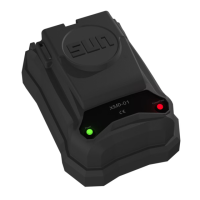
Explains the status indications provided by the Power LED.
Explains the status indications provided by the Comm/Fault LED.
Critical safety advice regarding the use and limitations of the equipment.
Describes the function of the navigation bar and its options like Share and Help.
Explains the information displayed in the Details section, including model and firmware.
Describes how fault conditions for inputs, outputs, and CAN are displayed.
Explains the Quick Setup function for selecting output counts and I/O curves.
Describes the Inputs screen for selecting input types and alarm values.
Explains the Configuration screen for enable/disable settings and I/O curves.
Details the Outputs screen for PWM settings, dither, and ramp settings.
Explains the functionality of Diagnostic mode for real-time monitoring without changes.
Shows the information available in the Details screen within Diagnostic mode.
Displays fault conditions for inputs, outputs, supply voltage, and communication.
Guides the user through setting up a password for device security.
Explains how to access the Home screen or Diagnostic Mode with a password.
Steps to launch and start the XMD Mobile application.
Instructions for selecting and connecting to the XMD Amplifier via Bluetooth.
Information on how password protection enhances system security.
Introduces the Quick Setup screen for simplified configuration.
Explains the use of pre-configured profiles for fast setup.
Demonstrates selecting a Quick Setup profile and viewing its configuration.
Guides users on selecting different input types for the XMD.
Explains how to configure alarm low and high values for inputs.
Provides a table of default error values for various input types.
Explains how the Configuration tab assigns input values to output values.
Details the 'Enable' function for controlling output current based on activation.
Lists the five different input types that can be mapped to coils.
Describes how to visually manipulate the input-to-output relationship using I/O curves.
Explains the PWM and Dither frequency settings for coils.
Describes Current Regulation mode for precise current control of electro-proportional valves.
Details how to add ramp times for soft shift applications and their calculation.
Explains manual control of outputs without a command signal.
How to receive and transmit custom CAN messages.
Setting up received CAN messages using PGN, SA, Data Length, and Start Bit.
Configuring transmitted CAN messages with PGN, SA, and Priority.
Defines key CAN parameters like Baud Rate, PGN, SA, and Data Length.
Lists specific data points and their start positions for CAN transmit messages.
How to save, name, and load existing XMD configurations.
Instructions for sharing saved configurations through email or text.
Links to the product page for up-to-date information.
Provides access to a tool for locating local distributors.
Links to informative videos on relevant topics and products.
Introduces the Faults page for monitoring inputs, outputs, and CAN traffic.
Details specific fault conditions related to input signals.
Details specific fault conditions related to output signals.
Details specific fault conditions related to CAN communication.
Introduces the Single Output Single Slope quick setup for directional control.
Details input settings for the Single Output Single Slope configuration.
Explains the configuration parameters for the Single Output Single Slope.
Describes output settings and PWM/Dither for Single Output Single Slope.
Shows how to calculate ramp times for the Single Output Single Slope.
Introduces the Dual Output Single Slope setup for bi-directional control.
Details input settings for the Dual Output Single Slope configuration.
Explains configuration parameters for the Dual Output Single Slope.
Describes output settings for the Dual Output Single Slope.
Shows calculations for output current and signal for Dual Output Single Slope.
Details calculations for ramp times in the Dual Output Single Slope example.
 General
| Operating Temperature | -40 to +85 °C (-40 to +185 °F) |
|---|---|
| Protection | IP69K |
| Material | Aluminum housing |
| Input Voltage | 8-32 VDC |
| Communication Interface | CANopen |
| Weight | 0.2 kg |

 To Next Page

