Chapter 2 Access Control 13
1. Log in to the XSCF console with the default login name from a terminal device
connected to the Service Processor. You must have physical access to the
system.
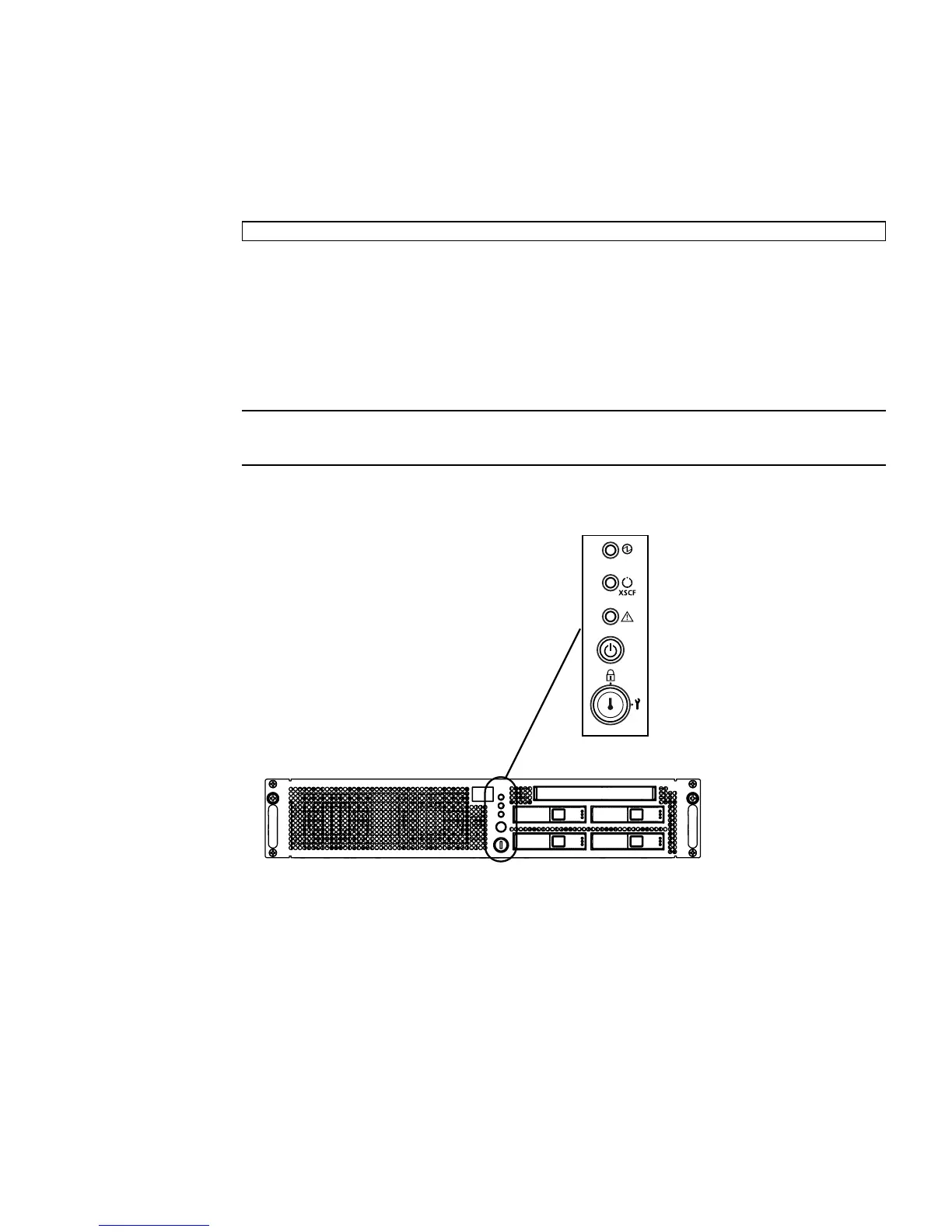
You are prompted to toggle the Operator Panel MODE switch (keyswitch) on the
front of the system. The location of the MODE switch on an entry-level server is
shown in
FIGURE 2-1. The location of the MODE switch on a midrange server is
shown in
FIGURE 2-2. And the MODE switch on a high-end server is mounted
horizontally rather than vertically, as shown in
FIGURE 2-3. The MODE switch has
two positions: Service and Locked.
Note – In the following illustrations, the three LEDs appear first, followed by the
POWER button, then the MODE switch.
FIGURE 2-1 Location of the Operator Panel MODE Switch on an Entry-Level Server
serial port log-in prompt: default


 To Next Page
 Loading...











