NOTE :
If you do not select the power level, the oven will
operate at power HIGH. To set HI-POWER
cooking, skip steps 4, 5 above.
2 STAGE OR 3 STAGE TIMED
COOKING
For Two or Three Stage cooking, repeat above
step 2 through 5 before touching the START pad
for every additional Time and Power program
you want to add.
EASY COOK
Easy Cook allows you to cook for 30 seconds at
100% power by simply touching the Easy Cook pad.
You can also extend cooking time in multiples of
30 seconds by repeatedly touching the Easy Cook
pad during cooking.
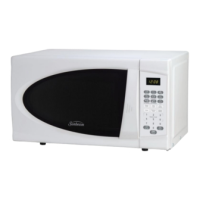
EXAMPLE: To set cooking for 2 minutes with
ADD 30 pad.
1. Touch STOP/CLEAR.
2. Touch Easy Cook 4 times. The oven begins
cooking and display shows time counting
down.
NOTE:
Maximum available time is 99 minutes 59
seconds.
TOUCH KEY SEQUENCE
TOUCH KEY SEQUENCE
TOUCH KEY SEQUENCE
➠
SETTING TIME OF DAY
When your oven is plugged in for the first time or
when power resumes after a power interruption,
the numbers in the display reset to 0.
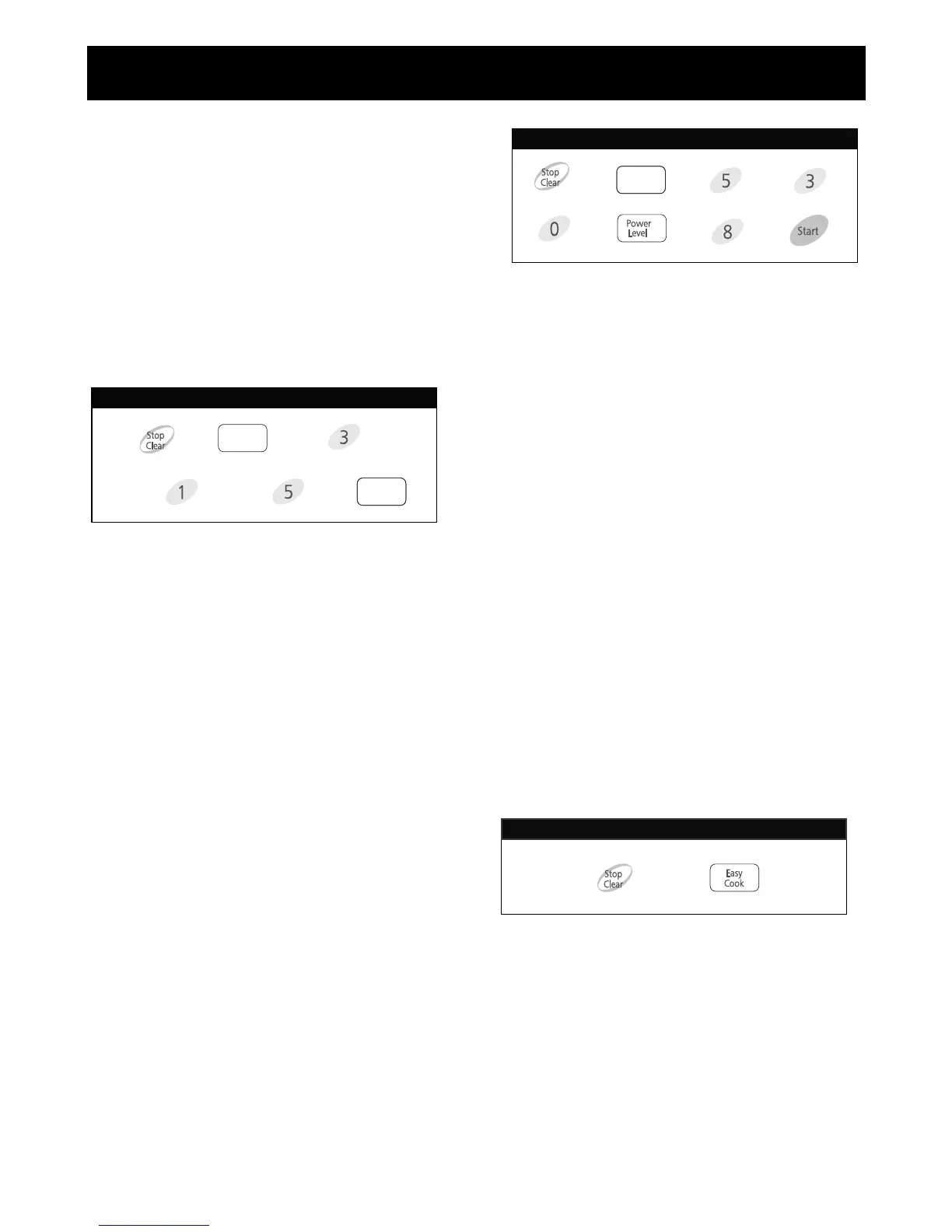
To set time of day:
1. Touch STOP/CLEAR.
2. Touch CLOCK.
3. Enter the time by using the number key pads.
Example: To set 3:15, touch number key
pads [3], [1], and [5].
4. Touch CLOCK.
The clock starts counting.
NOTE:
If the clock (or display) shows any abnormality,
unplug the oven from the AC outlet, plug it back
in and then reset the clock.
TIMED COOKING
Many foods need slower cooking (at less than HI
p
ower) in order to give you the best results.
In addition to HI-POWER, there are 10 multi-
power settings.
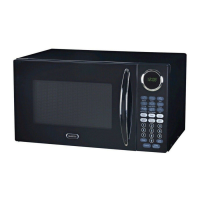
EXAMPLE: If you want to cook food on 80%
Power(Power 8) for 5 minutes 30 seconds.
1. Touch STOP/CLEAR.
2. Touch PROGRAM. Display shows 0.
3. Enter 5 minutes 30 seconds by touching [5],
[3], and [0].
4. Touch POWER LEVEL.
P-HI appears in the display.
This is to tell you that the oven is set on HI
unless a different power setting is chosen.
5. Touch [8] to select power level 8.
6. Touch START.
Two short and one long tone sound and the
word End shows in the display window when
the cooking time is over. Then the oven shuts
itself off.



 To Next Page