EasyManua.ls Logo

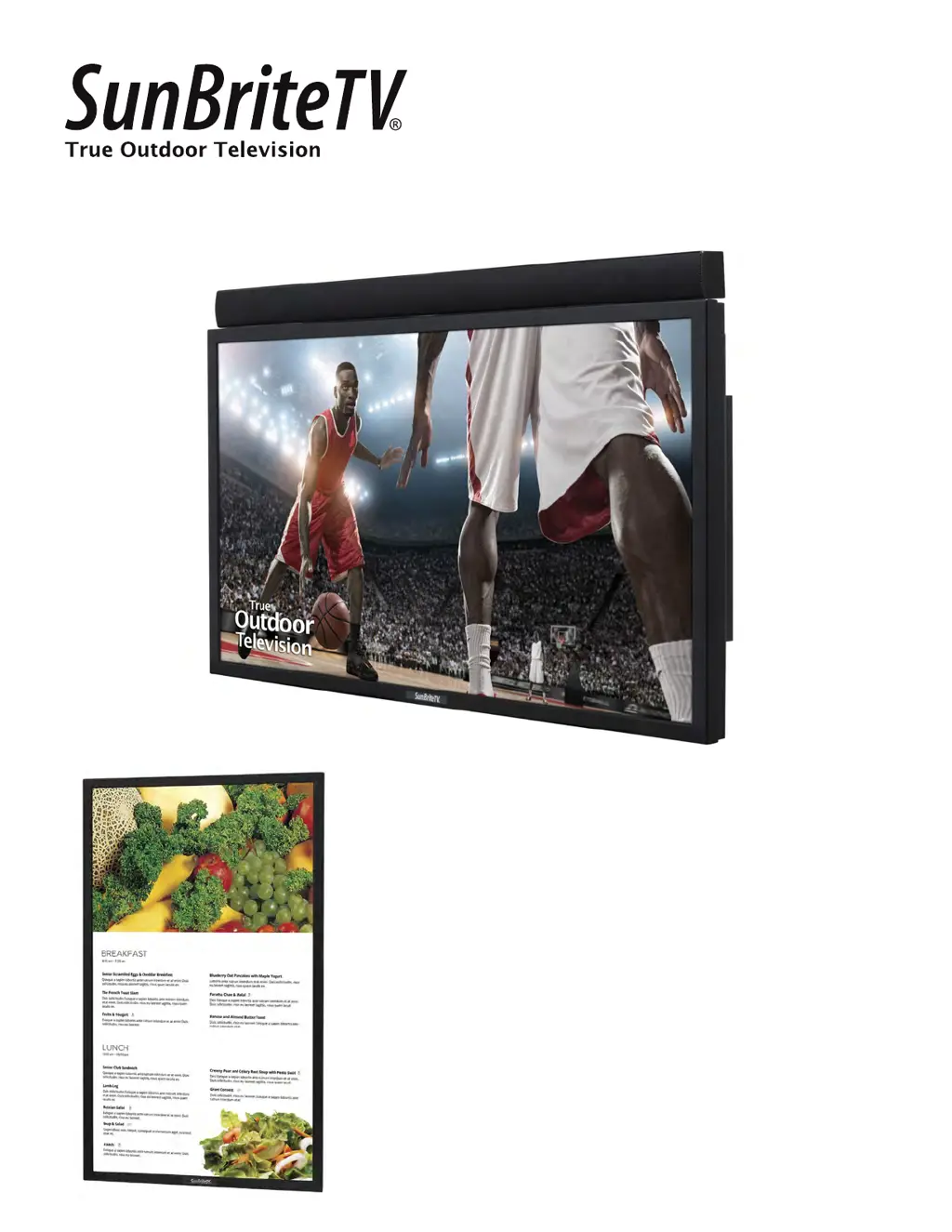
SunBriteTV SB-4917HD - User Manual

SunBriteTV SB-4917HD
42 pages
Print Icon
To Next Page IconTo Next Page
Loading...
Operator’s Manual
Revision 339-160513A
PN: M49-001-00_DRAFT
Model DS-4917P
Model SB-4917HD

Questions and Answers

Summary

Important Safety Instructions

General Safety Rules

Covers fundamental instructions for safe operation, installation, and maintenance of the TV.

Electrical and Installation Warnings

Details critical requirements for GFCI outlets, grounding, water proximity, and proper installation.

FCC Statement and Compliance

Outlines compliance with FCC rules for digital devices and potential radio frequency energy.

Antenna Grounding and Lightning Protection

Provides guidelines for grounding antenna systems to protect against voltage surges and lightning strikes.

Operational Safety and Maintenance

Covers ventilation, heat sources, water exposure, pressure washing, self-servicing, and repair procedures.

Supplied Accessories

Unpacking and Contents Check

Instructions for unpacking the TV and verifying all included accessories are present and in good condition.

TV Installation

Choosing a Suitable Location

Guidance on selecting an optimal and safe location for the outdoor television, considering sunlight and water.

Rear Panel Connectivity

Instructions for connecting cables through the rear panel's access door and connecting the power cord.

Rear Panel Connection Ports

Detailed explanations of all rear panel input and output connectors and their functions.

Connecting External Devices

Guides for switching sources, connecting antennas, cable boxes, DVD players, and PCs.

TV Controls and Indicators

Side Panel Controls

Explains the functions of buttons located on the side panel of the TV for operation.

Front Panel Indicators

Describes the indicators on the front panel, including IR sensor and LED power indicator.

Remote Control Operations

Remote Control Functions

Details the layout and operation of the remote control for navigating TV menus and functions.

Water-Resistant Remote Features

Information about the durability and maintenance of the water-resistant remote control.

On-Screen Display (OSD) Navigation

Navigating OSD via Remote Control

Explains how to use the remote control's directional buttons to navigate OSD menus.

Navigating OSD via TV Side Panel

Explains how to use the TV's side panel buttons to navigate and adjust OSD settings.

On-Screen Display Menus

Channel Menu Functions

Details the options available in the Channel menu for managing TV channels and signal strength.

Picture Menu Settings

Explains the various settings within the Picture menu for adjusting image quality.

Audio Menu Settings

Describes the options within the Audio menu for adjusting sound settings and equalizer.

Time Menu Settings

Covers settings for sleep timer, time zone, clock, and wake-up functions.

Setup Menu Options

Details various setup configurations including language, captions, and software updates.

Lock Menu Functions

Explains how to use system lock, hotel mode, and password settings to secure the TV.

Adjusting Channel Settings

Air;Cable and Auto Scan

Guides for selecting antenna or cable input and performing an automatic channel scan.

Managing Favorite Channels

Instructions on how to add and delete channels from the favorite channel list.

Adjusting Picture Settings

Picture Mode and Contrast

How to select picture modes and adjust contrast for optimal viewing.

Brightness, Sharpness, and Color

Adjusting brightness, sharpness, and color saturation for personalized picture quality.

Color Temperature and Zoom

Settings for color temperature and adjusting picture zoom modes for different signals.

Adjusting Audio Settings

Equalizer and Sound Modes

How to adjust equalizer frequencies and select sound modes for audio output.

MTS, Audio Language, and Surround Sound

Settings for MTS stereo, audio language selection, and surround sound effects.

Adjusting Time Settings

Sleep Timer and Time Zone

Configuring sleep timer duration and selecting the correct time zone for accurate time display.

Clock and Wake-Up Functions

Setting the clock and configuring automatic wake-up times for the TV.

Adjusting Setup Options

Menu Language and Captions

Setting the menu language, transparency, and closed caption modes.

Restore Default and Software Update

Restoring TV settings to factory defaults and updating software via USB.

Blue Screen and HDMI Mode

Configuring blue screen display and selecting HDMI mode for optimal video output.

Ambient Light Sensor Settings

Adjusting ambient light sensor for automatic backlight control based on room lighting.

Lock Menu and Security

System Lock and Password Management

Setting up system lock, changing passwords, and managing access to locked inputs.

Hotel Mode Configuration

Setting up the TV for hotel use, including preset picture, sound, and source settings.

USB Input Usage

Accessing and Selecting Media

Instructions for connecting a USB drive and accessing photos, music, or text files.

Viewing and Listening to USB Content

How to view pictures and play music files stored on a USB drive.

Troubleshooting Common Issues

Picture and Sound Problems

Solutions for issues like no picture, distorted colors, no audio, or poor picture quality.

Remote and Signal Issues

Troubleshooting steps for remote control malfunctions and insufficient channel reception.

TV Power and Display Anomalies

Addressing slow power-up, screen distortion, and automatic turn-off issues.

Maintaining Your SunBriteTV

Cleaning the LCD Panel and Unit

Guidelines for safely cleaning the LCD screen and the TV's exterior surfaces.

Fiber Filter Maintenance

Instructions for cleaning or replacing the fiber filter located on the rear of the unit.

Product Specifications

LCD Screen and Video Specifications

Details on resolution, aspect ratio, brightness, contrast, and TV formats.

Input;Output Connectors and Power

Information on available input/output ports, accessory power, and input power requirements.

Physical Dimensions and Mounting

Landscape and portrait dimensions, weight, and VESA mounting pattern details.

Advanced Features and Policies

Universal Remote Control Programming

Guidance on programming universal remotes to control the SunBriteTV.

Pixel Quality Policy

Explains the criteria for replacing the LCD screen based on pixel defects.

Internal Heater and Climate Operation

Information on the thermostatically-controlled heater and extreme climate operating limits.

IR Emitter Installation

Installing the IR Emitter

Step-by-step instructions for installing the IR emitter for external control.

RS232 Control Cable Pinout

DB9 F Connector Pin Assignments

Diagram and pin assignments for a typical DB9F connector used for RS232 control.

RS232 Control Codes

Command Codes for TV Control

A table listing RS232 commands for controlling TV functions like power, input, and channels.

SunBriteTV SB-4917HD Specifications

General IconGeneral
BrandSunBriteTV
ModelSB-4917HD
CategoryLCD TV
LanguageEnglish

Related product manuals