6. After the firmware update is complete, remove the USB drive, and, using the
remote, press the power button to turn on the TV.
7. The TV powers on and initializes the menu and internal settings. This process takes
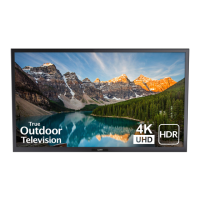
2–3 minutes to complete. During this process the startup icon appears in the lower
right corner of the screen. (Image 1.3)
1.3
Section B – Firmware Completion – initialize settings
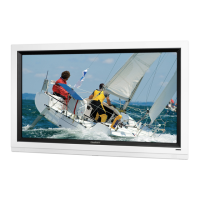
1. Exit the channel scan menu by pressing Enter on the remote on the Antenna, then
using the Arrow keys to move down to Skip, and Exit Setup (Images 1.4 – 1.6)
1.4
Press enter on Antenna
1.5
Arrow down to Skip
1.6
Press Exit Setup


 To Next Page