User Manual
_______________________________________________________________________________
SunComm Technologies Co., Ltd.
48
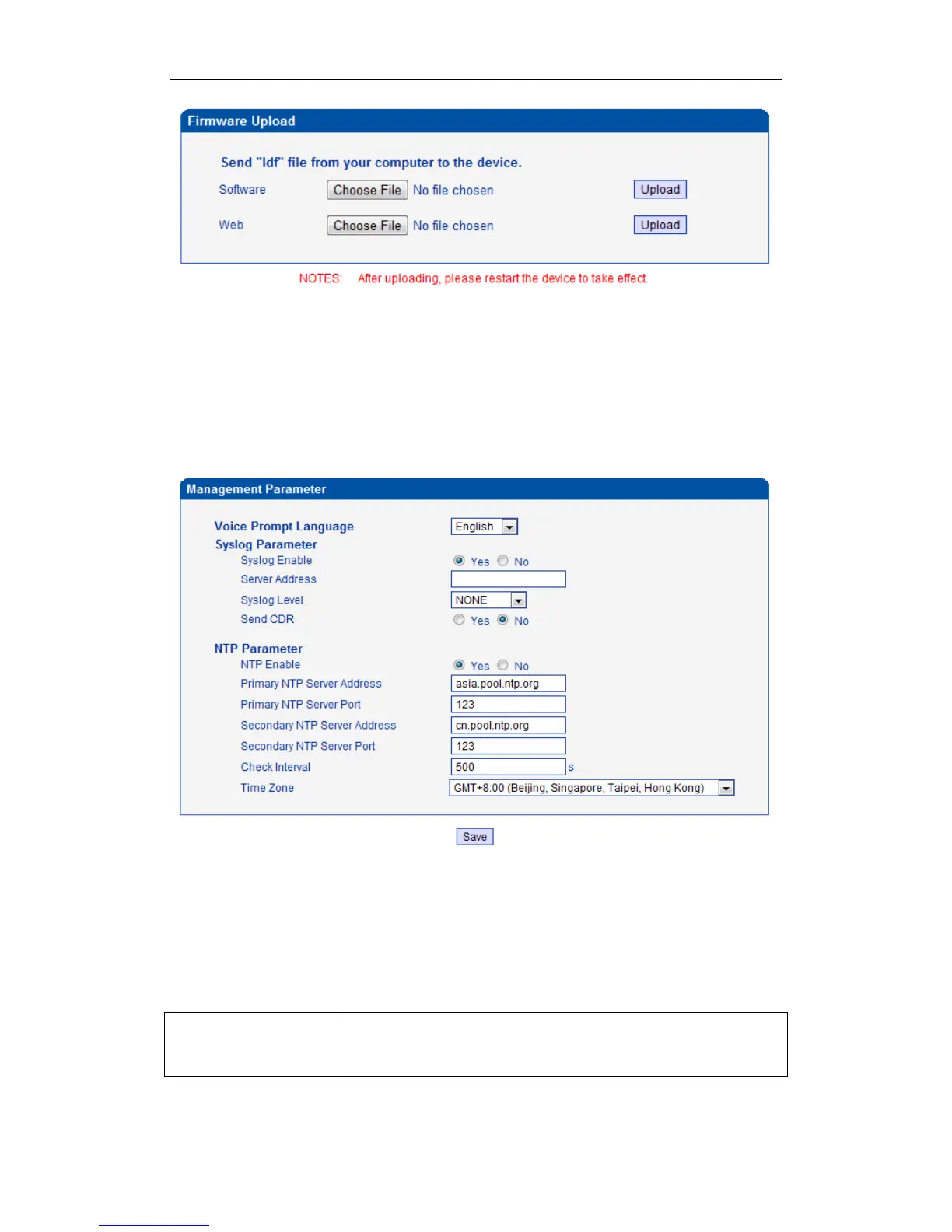
Select the software or Web program under correct directory services, and then click upload will
complete upgrade the firmware. During the upgrade process, please do not swtich off the power
supply, equipment may paralyze.
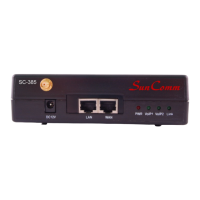
4.14.2 Management Parameter
Figure 4-14-2 Management Parameter
Table 4-14-1 Management Parameter
Voice Prompt Language Select the language of voice prompt. There are two kind of voice :
English and Chinese


 To Next Page