38
2.4 Run Information
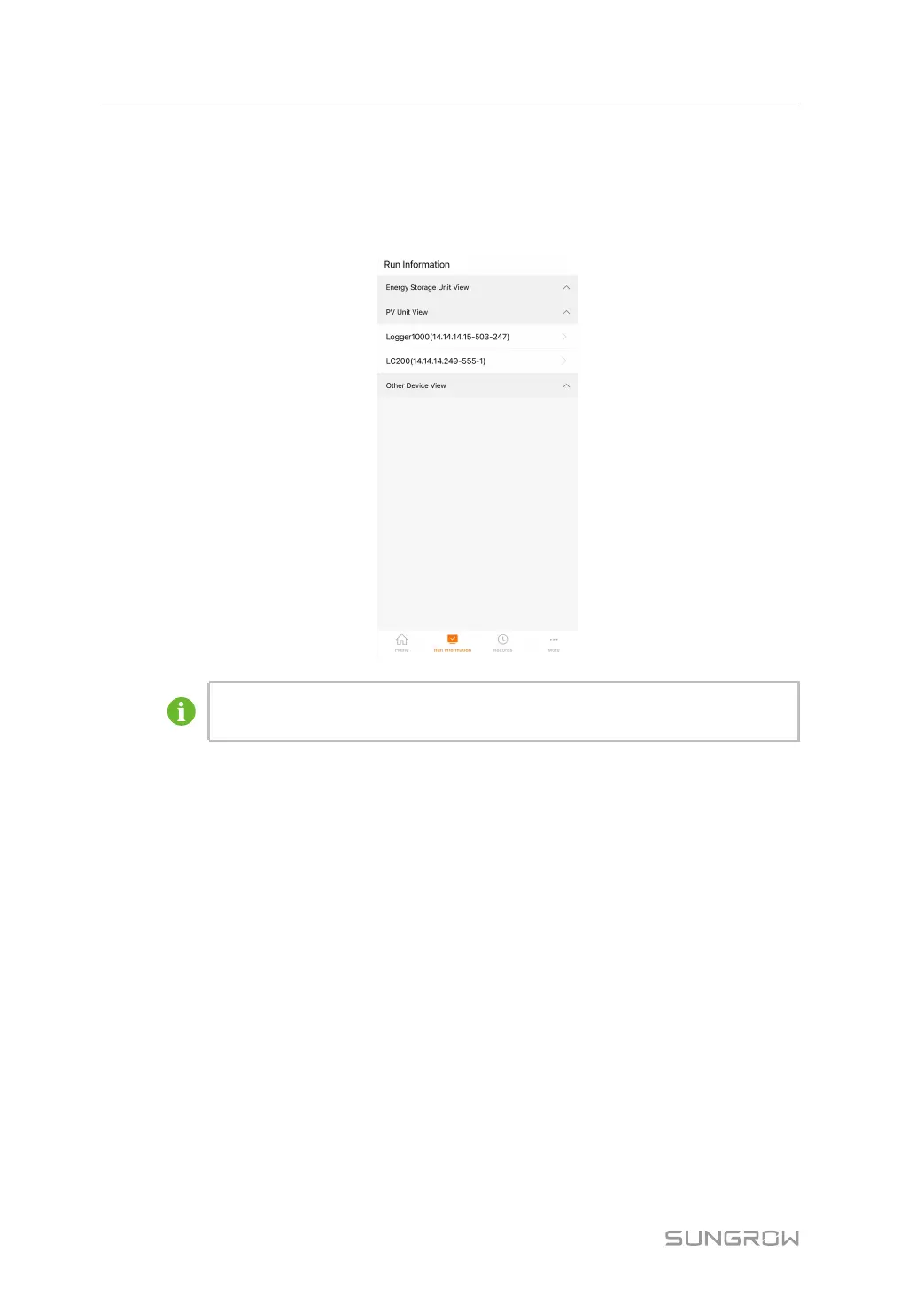
If units and devices have been added to the plant according to "1.5.2.1 Add Device", the
operation of the devices in the plant can be viewed on this interface.
The view lists are as follows.
The figure is for reference only. The actual interface may be different and shall
prevail.
Energy Storage Unit View
1 Tap Run Information→Energy Storage Unit View to expand the list of LC devices.
2 Tap an LC to view information such as work mode, system chargeable/dischargeable
energy, system available charging/discharging power, total charge/discharge, daily
charge/discharge, etc.
PV Unit View
1 Tap Run Information→PV Unit View to expand the list of logger devices.
2 Tap a logger to view information such as total active/reactive power, total yield, daily
yield, and number of on/off-grid devices.
Other Device View
1 Tap Run Information→Other Device View to expand the list of devices.
2 Tap a device, such as a meter, to view information such as voltage, current, total active/
reactive power, etc.
2 WLAN Login (Near End) User Manual



 To Next Page