64
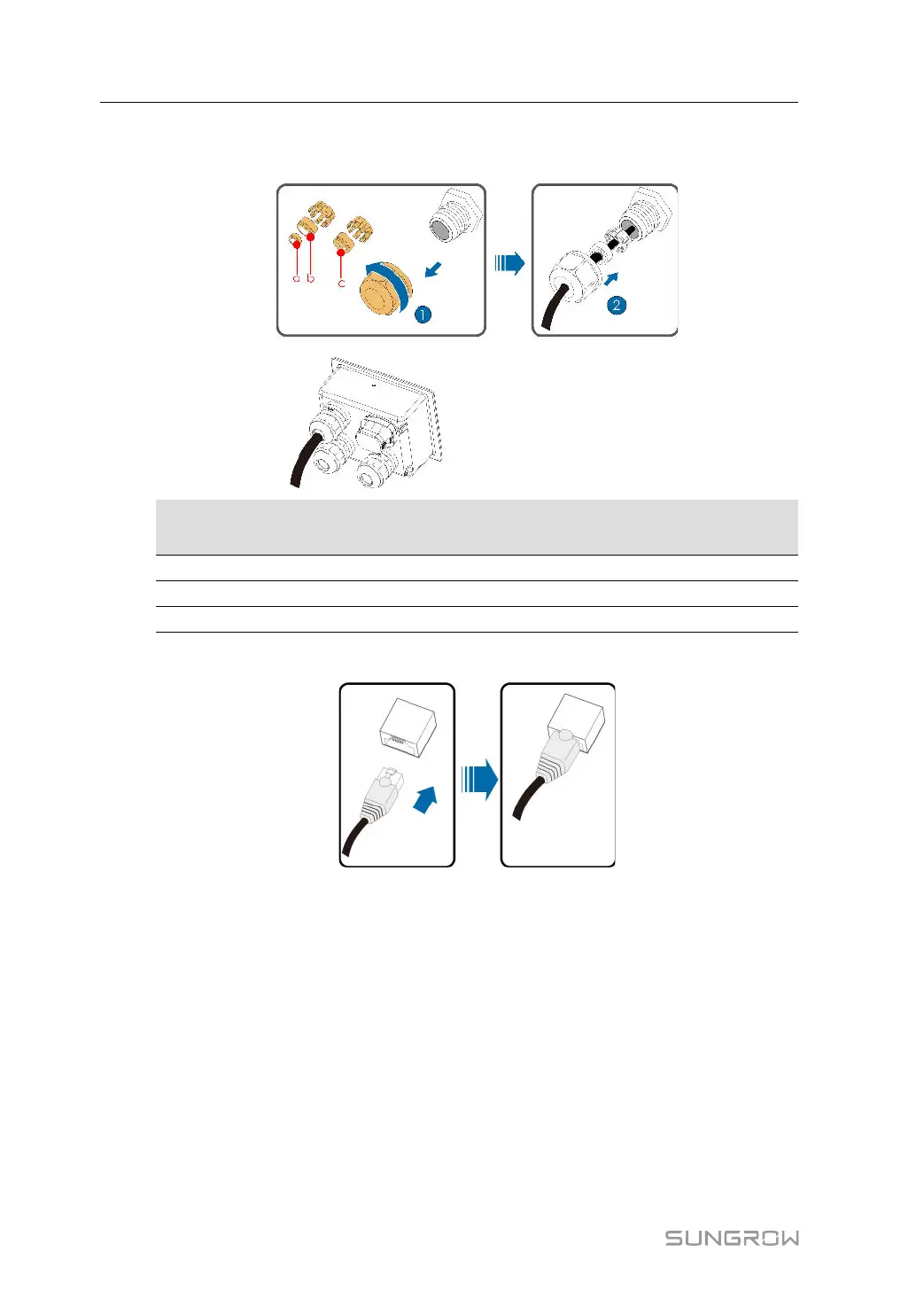
Step 3 Loosen the swivel nut and select an appropriate seal according to cable outer diameter. Lead
the cable through the swivel nut, and seal successively.
Outer Diameter D
(mm)
Seal
4.5 ~ 6
c
6 ~ 12 a + b
12 ~ 18 b
Step 4 Insert the RJ45 connector to the RJ45 jack.
Step 5 If other wiring operations need to be performed on the communication board, finish the wiring
operations before performing the following steps. If otherwise, continue to perform the fol-
lowing steps.
Step 6 Install the junction box, see
" Install the Junction Box".
5 Electrical Connection User Manual




 To Next Page