69
7.3 Function Overview
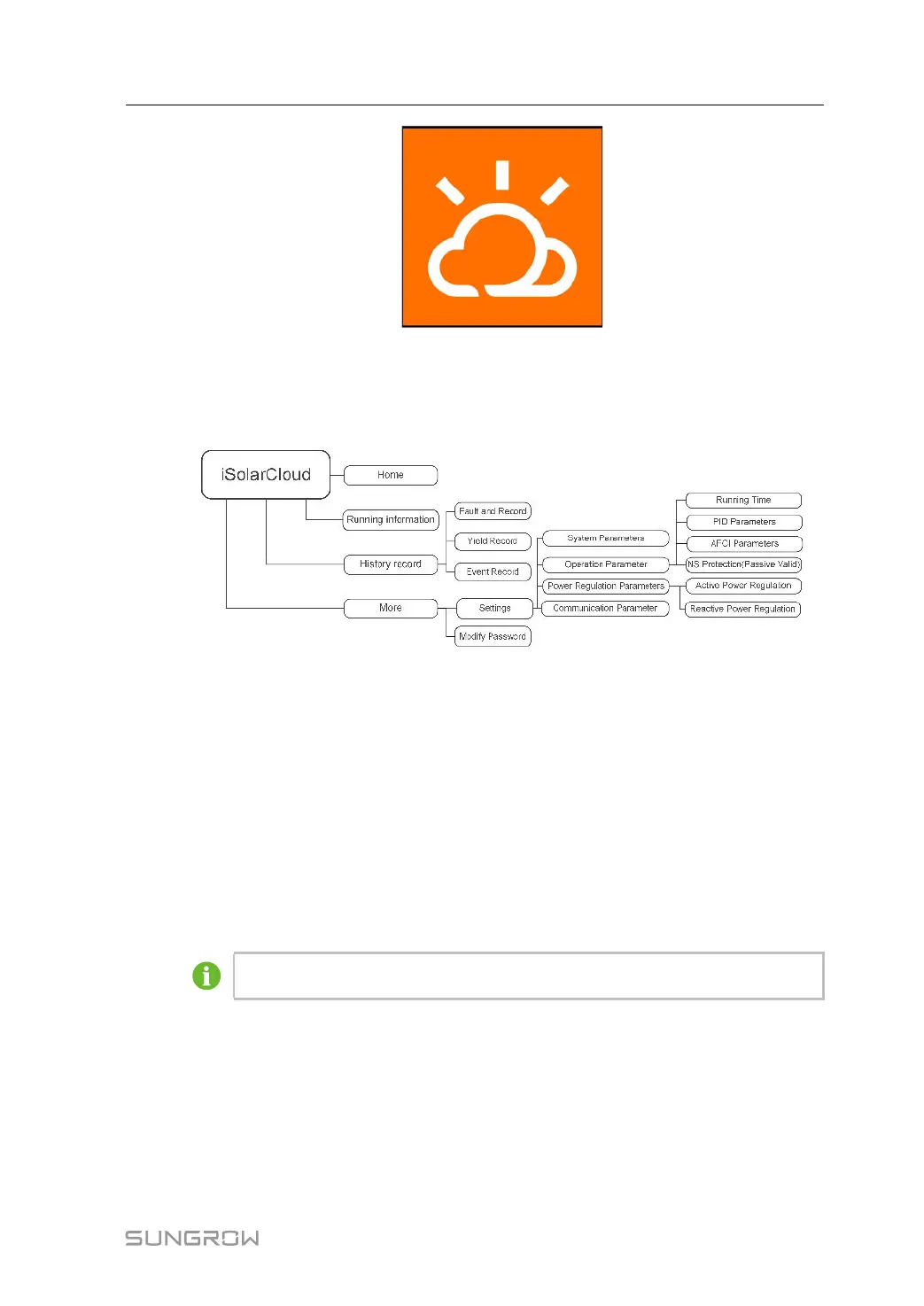
The App provides parameter viewing and setting functions, as shown in the following figure.
figure 7-1 App Function Tree Map
7.4 Login
7.4.1 Requirements
The following requirements should be met:
• The AC or DC side of the inverter is powered-on.
• The mobile phone is within 5 meters away from the inverter and there are no obstructions
in between.
• The Bluetooth function of the mobile phone is enabled.
The inverter can only pair with one phone at a time through Bluetooth.
7.4.2 Login Procedure
Step 1 Open the App to enter the login page, tap Local Access at the bottom of the page to go to
the next page.
User Manual 7 iSolarCloud App




 To Next Page