18
Not selected: The PC won’t start automatically if the ignition is turned on. It has to be activated via
the main power button on the front side of the OBU.
Black-Panel after IGN-OFF
Selected: The display turns off when the ignition is turned off. You can setup a timer to delay the turn
off.
Not selected: The display state is not related to the ignition state.
Shut Down after IGN-OFF
Selected: The PC shuts down when the ignition is turned off. You can setup a timer to delay the shut
down.
Not selected: PC shut down is not related to the ignition state.
Wireless Standby off delay
Selected: The PC stays for the selected time in wireless standby mode after PC or ignition is turned
off. Note:Wireless standby mode is always active when ignition is on while PC off.
Not selected: The wireless standby mode is not timer controlled.
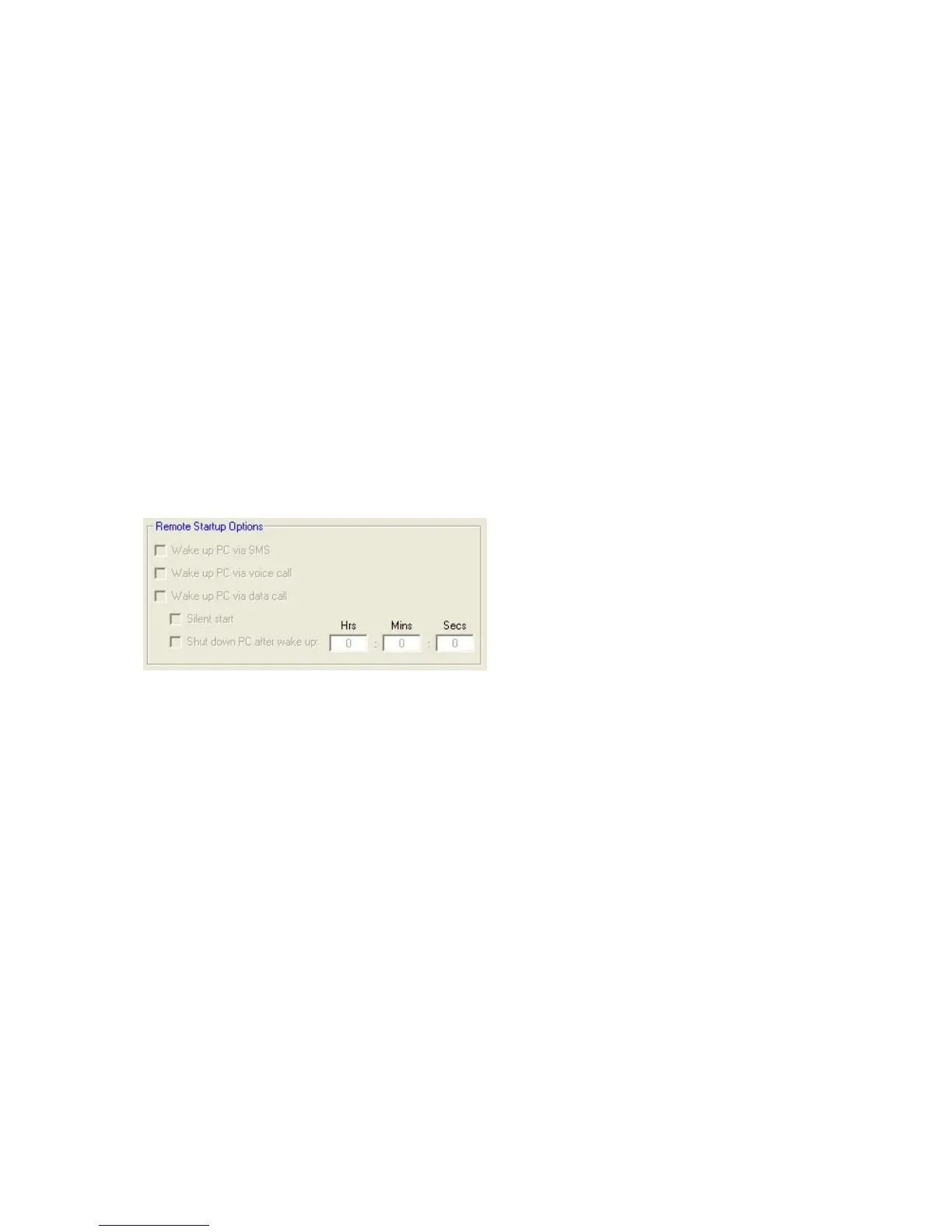
REMOTE STARTUP OPTIONS
Wake up PC via SMS, voice call or data call
Selected: the PC can be started by reception of a SMS and by detecting an incoming voice or data
call.
Not selected: The PC start cannot be triggered by SMS, voice or data call.
Silent Start
Selected: The PC starts up in silently, no picture, no LED activity and no sound. If the ignition is
turned on or the power button is pressed the display and the sound system return to their active
state.
Not selected: The PC starts up normally.
Shut down PC after wake up
Selected: If the PC has been started by one of the wake up triggers, you can select a time after
which the PC shuts down automatically. Note: You can override the shut down timer by pressing
the power button or by turning the ignition on after the PC has been activated.
Not selected: The PC stays on continuously.


 To Next Page