Need help?
Do you have a question about the Sunlux XL-3500 and is the answer not in the manual?
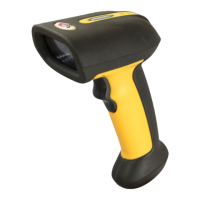
Provides an overview of the XL-3500 scanner's capabilities and applications.
Explains the purpose of the manual and how to use programming barcodes.
Details the scanner's area-imaging technology for fast and accurate decoding.
Introduces the two methods for configuring the scanner: barcode and command programming.
Explains how to configure the scanner by scanning programming barcodes found in the manual.
Describes configuration via serial commands, including default communication parameters.
Details the syntax and parameters for reading register contents from the engine.
Details the syntax and parameters for writing contiguous registers in the engine.
Explains the command to save register data into external EEPROM.
Compares programming commands with serial commands for configuration.
Details the 7-character programming command structure for serial configuration.
Lists serial commands for programming specific parameters like sensitivity and timeouts.
Explains the need for write and save commands to persist register data in EEPROM.
Details bit-level settings for Good read LED, mute mode, aiming, illumination, and scan mode.
Details bit-level settings for CODE ID prefix, decode result notification, and video reverse.
Details the Image Stabilization Timeout setting.
Details the Timeout between Decodes setting.
Details the Decode Session Timeout setting.
Details Good Read Beep Frequency settings.
Details Good Read Beep Duration settings.
Details settings for Data Matrix, 1D symbologies, AIM ID prefix for PDF417, and PDF417.
Details settings for QR Code and USB interface modes.
Details settings for Beep on Unknown Character and Good read beep.
Configures AIM ID prefix for 1D symbologies.
Details settings for AIM ID prefix, ISSN, EAN-13 add-on codes, and check digit.
Details settings for Code 93 check digit, AIM ID prefix, and ISBN format.
Details settings for EAN-8 zero extend, add-on codes, and check digit.
Details settings for UPC-E add-on codes, system character, and check digit.
Details settings for UPC-E extend, UPC-A add-on codes, preamble character, and check digit.
Details settings for AIM 128 and Code 128 check digit, FNC1, and AIM ID prefix.
Details settings for FNC3 Code 128, UCC/EAN-128 check digit, FNC1, and AIM ID prefix.
Details settings for ITF-14 check digit, AIM ID prefix, and Interleaved 2 of 5 appended '0'.
Details settings for Industrial 25 check digit, AIM ID prefix, and ITF-6 check digit.
Details settings for Standard 25 check digit, AIM ID prefix, and Matrix 2 of 5 check digit.
Details settings for RSS-Expand, RSS-Limited, and RSS-14 application identifiers and AIM ID prefixes.
Details settings for Code 39 full ASCII, check digit, start/stop characters, and AIM ID prefix.
Details settings for Code 11 check digit, and AIM ID prefix.
Details settings for Codabar check digit, start/stop characters, and format.
Details settings for MSI-Plessey check digit, AIM ID prefix, and Plessey check digit.
Details settings for AIM ID prefix for MSI-Plessey, Plessey, and Codabar.
Lists available baud rates for serial communication.
Details settings for Data Matrix image size, decoding mirrored images, and FNC1.
Details settings for decoding rectangular Data Matrix.
Details settings for terminating character suffix, Caps Lock, and keyboard mapping.
Lists supported USB country keyboard types.
Details settings for inter-keystroke delay and case conversion.
Details whether to display original or visible Code ID.
Details settings for decoding mirrored Micro QR codes and enabling Micro QR.
Details the TTL-232 serial interface and default communication parameters.
Explains baud rate and provides barcodes to set different baud rates.
Describes available USB interface modes: DATAPIPE, HID-KBW, COM Port Emulation, and HID-POS.
Explains the USB DATAPIPE protocol and the requirement for a driver.
Details the USB HID-KBW feature for keyboard input simulation.
Configures the scanner to use the standard keyboard emulation mode.
Enables sending ASCII characters via numeric keypad emulation.
Enables sending function characters as ASCII sequences via the numeric keypad.
Provides a table mapping ASCII values to function keys for custom mapping.
Lists supported keyboard layouts for different countries.
Sets the delay time between emulated keystrokes.
Controls the inversion of upper and lower case characters in scanned data.
Allows conversion of barcode data to upper or lower case.
Enables or disables the emulation of numeric keypad input.
Allows host to receive data via USB as a serial port.
Describes the HID-POS interface for efficient communication without custom drivers.
Provides instructions for accessing the scanner using programming interfaces.
Details the input report format for decoded barcode data.
Explains VID/PID usage for device identification and lists product IDs.
Describes the default scan mode where a trigger pull activates a decode session.
Explains the scan mode where the engine automatically activates decode sessions.
Sets the maximum duration of a decode session.
Sets the pause duration between consecutive decode sessions.
Describes the scan mode that activates sessions based on ambient illumination changes.
Sets the maximum duration for a decode session in Sense Mode.
Sets the pause duration between decode sessions in Sense Mode.
Sets the timeout for image stabilization before activating a decode session.
Adjusts the engine's response to ambient illumination changes.
Activates decode sessions via host commands.
Sets the maximum duration for a decode session in Command Trigger Mode.
Switches to IR Trigger mode by holding the trigger, with a specific trigger distance.
Configures the illumination LED during image capture (Normal, Always ON, OFF).
Configures the aiming beam behavior (Normal, Always ON, OFF).
Turns off all notification beeps.
Enables or disables the beep sound upon successful barcode reads.
Sets the frequency of the beep sound for successful reads (Low, Medium, High).
Sets the duration of the beep sound for successful reads (40ms, 80ms, 120ms).
Controls the behavior of the Good Read LED indicator.
Configures notification for successful ('S') or failed ('F') decode attempts.
Enables or disables the addition of AIM symbology identifiers to scanned data.
Enables or disables the addition of Code IDs to identify barcode types.
Appends characters like CR, CRLF, or TAB to mark the end of data.
Provides global controls for enabling/disabling all symbologies.
Enables or disables all barcode symbologies.
Enables or disables all 1D barcode symbologies.
Enables or disables all 2D barcode symbologies.
Allows reading of inverted barcodes (bright image on dark background).
Enables or disables the Code 128 barcode symbology.
Enables or disables the UCC/EAN-128 barcode symbology.
Enables or disables the AIM 128 barcode symbology.
Enables or disables the EAN-8 barcode symbology and check digit transmission.
Configures decoding of 2-digit and 5-digit add-on codes for EAN-8.
Enforces reading only EAN-8 barcodes with add-on codes.
Enables zero extension for EAN-8 barcodes to match UPC-A length.
Enables or disables the EAN-13 barcode symbology and check digit transmission.
Configures decoding of 2-digit and 5-digit add-on codes for EAN-13.
Enforces reading only EAN-13 barcodes with add-on codes.
Enables or disables the ISSN barcode symbology.
Enables or disables the ISBN barcode symbology and sets the format.
Enables or disables UPC-E, add-on codes, and check digit transmission.
Configures decoding of 2-digit and 5-digit add-on codes for UPC-E.
Enforces reading only UPC-E barcodes with add-on codes.
Controls transmission of the UPC-E system character '0'.
Enables extension of UPC-E barcodes to match UPC-A length.
Enables or disables UPC-A, add-on codes, and check digit transmission.
Configures decoding of 2-digit and 5-digit add-on codes for UPC-A.
Enforces reading only UPC-A barcodes with add-on codes.
Controls transmission of the UPC-A preamble character '0'.
Enables or disables Interleaved 2 of 5 and check digit verification.
Configures check digit verification for Interleaved 2 of 5 barcodes.
Controls transmission of an appended '0' for odd-length Interleaved 2 of 5 barcodes.
Enables or disables ITF-6 and check digit transmission.
Enables or disables ITF-14 and check digit transmission.
Enables or disables Matrix 2 of 5 and check digit verification.
Configures check digit verification for Matrix 2 of 5 barcodes.
Enables or disables Industrial 25 and check digit verification.
Configures check digit verification for Industrial 25 barcodes.
Enables or disables Standard 25 and check digit verification.
Configures check digit verification for Standard 25 barcodes.
Enables Code 39, check digit, start/stop characters, and full ASCII.
Enables or disables full ASCII character support for Code 39.
Enables Codabar, check digit, start/stop characters, and format.
Configures check digit verification for Codabar barcodes.
Controls transmission of start/stop characters for Codabar.
Sets the format for Codabar start/stop characters.
Enables or disables Code 93 and check digit verification.
Configures check digit verification for Code 93 barcodes.
Enables or disables Code 11 and check digit verification methods.
Specifies various check digit verification methods for Code 11.
Enables Plessey, check digit verification, and check digit transmission.
Configures check digit verification for Plessey barcodes.
Enables MSI-Plessey and check digit verification.
Configures check digit verification for MSI-Plessey barcodes.
Enables RSS-14 and transmission of application identifiers.
Enables RSS-Limited and transmission of application identifiers.
Enables RSS-Expand.
Enables or disables the PDF417 barcode symbology.
Enables or disables Data Matrix and rectangular barcode decoding.
Configures decoding of unmirrored, mirrored, or both Data Matrix images.
Enables or disables QR Code decoding.
Enables or disables Micro QR Code decoding.
Configures decoding of mirrored Micro QR codes.
Lists default settings for communication interfaces like TTL-232 and USB.
Lists default settings for various scan modes.
Lists default settings for notification and data formatting parameters.
Lists default settings for various symbologies like Code 128, EAN-8, EAN-13, and ISSN.
Lists default settings for UPC-E, UPC-A, Interleaved 2 of 5, ITF-6, ITF-14, and Matrix 2 of 5.
Lists default settings for Industrial 25, Standard 25, Code 39, and Codabar.
Lists default settings for Code 93, Code 11, Plessey, MSI-Plessey, and RSS symbologies.
Provides AIM IDs for Code 128, EAN-8, EAN-13, UPC-E, and UPC-A.
Provides AIM IDs for Interleaved 2 of 5, ITF-6, ITF-14, Matrix 2 of 5, Industrial 25, and Standard 25.
Provides AIM IDs for Code 39, Codabar, Code 93, Code 11, Plessey, MSI-Plessey, and RSS.
Provides AIM IDs for QR Code and Data Matrix symbologies.
Lists original and visible Code IDs for various 1D symbologies.
Lists original and visible Code IDs for various 2D symbologies.
Provides ASCII values (Hex and Decimal) and their corresponding characters.
Lists ASCII values and characters, including symbols and numbers.
Lists ASCII values and characters, including uppercase and lowercase letters.
Lists ASCII values and characters, including special symbols and control characters.
Demonstrates programming the decode session timeout using barcodes.
Demonstrates programming the timeout between decodes using barcodes.
Demonstrates programming the image stabilization timeout using barcodes.
Demonstrates programming the sensitivity level using barcodes.
Lists barcodes for digits 0-5 used for programming.
Lists barcodes for digits 6-9 used for programming.
Lists barcodes for hexadecimal digits A-F used for programming.
 General
| Scan Rate | 100 scans per second |
|---|---|
| Resolution | 4 mil |
| Scanning Technology | Laser |
| Decode Capability | 1D barcodes |
| Interface | USB, RS-232, Keyboard Wedge |
| Operating Temperature | 0°C to 50°C |
| Storage Temperature | -20°C to 60°C |
| Operating Humidity | 5% to 85% RH, non-condensing |
| Input Voltage | 5V DC |
| Drop Specification | 1.5 m |
| Power Supply | External power supply |
| Humidity | 5% to 85% relative humidity, non-condensing |

 To Next Page