EasyManua.ls Logo

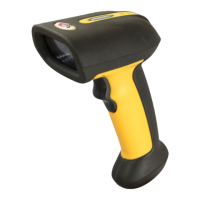
Sunlux XL-9620C - User Manual

Default Icon
58 pages
Print Icon
To Next Page IconTo Next Page
Loading...
1
Wireless 2D Barcode Scanner
Full Manual
V4.5

Table of Contents

Question and Answer IconNeed help?

Do you have a question about the Sunlux XL-9620C and is the answer not in the manual?

Summary

Scanner Configuration Basics

Factory Default Settings

Restore the scanner to its default factory settings.

Data Transfer Mode Selection

Choose the mode for transferring scanned data (e.g., Immediate).

Scanner Operation Modes

Inventory Mode Operation

Save scanned barcodes automatically for later retrieval.

Communication Mode Configuration

Select the wireless communication method (2.4G, Bluetooth).

Wireless Communication Protocols

USB Interface Type Selection

Choose between USB HID and USB VCOM interfaces.

Scanner Scan and Sound Settings

Inventory Mode Actions

Manage inventory data: clear, view statistics, or upload.

Scanner and Base Station Audio Settings

Scanner Sleep Timer Settings

Configure when the scanner automatically enters sleep mode.

Barcode Identification and Editing

Code ID Settings and Output

Configure Code ID output options and custom IDs.

AIM ID Settings and Output

Configure AIM ID output options.

Data Customization and Transfer

Data Edition Functionality

Customize barcode data fields (Start/Center/End) via length settings.

Field Length Configuration

Set the length for start and end data fields.

Transfer Configuration Options

Choose to transfer full data or only the start field.

Barcode Type Enable;Disable Control

All Barcode Types Management

Enable or disable all barcode types simultaneously.

1 D Barcode Type Management

Enable or disable all 1D barcode types.

2 D Barcode Type Management

Enable or disable all 2D barcode types.

Codabar Barcode Specific Settings

Codabar Enable;Disable

Activate or deactivate Codabar barcode reading.

Codabar Start;End Character Transfer

Control transfer of Codabar start/end characters.

Code 39 Barcode Specific Settings

Code 39 Enable;Disable

Activate or deactivate Code 39 barcode reading.

Code 39 Check Digit Handling

Manage Code 39 check digit transfer and validation.

Code 39 Advanced Settings

Code 39 Full ASCII Mode

Enable full ASCII character support for Code 39.

Code 39 Start;End Character Transfer

Control transfer of Code 39 start/end characters.

Code 32 and Interleaved 2 of 5 Settings

Code 32 Enable;Disable and Prefix

Configure Code 32 and its prefix settings.

Interleaved 2 of 5 (ITF25) Enable;Disable

Activate or deactivate ITF25 barcode reading.

Interleaved 2 of 5 (ITF25) Advanced Options

ITF25 Check Digit Handling

Manage ITF25 check digit transfer and validation.

Interleaved 2 of 5 (ITF25) Length Range Control

Industrial 2 of 5 Enable;Disable

Activate or deactivate Industrial 2 of 5 barcode reading.

Matrix 2 of 5 Barcode Settings

Matrix 2 of 5 Enable;Disable

Activate or deactivate Matrix 2 of 5 barcode reading.

Code 93 Enable;Disable

Activate or deactivate Code 93 barcode reading.

Code 11 Barcode Settings

Code 11 Length Range and Enable;Disable

Configure Code 11 length range and reading status.

Code 11 Check Digit Configuration

Manage Code 11 check digit output and settings.

Code 11 Length Options and Code 128 Settings

Code 128 Enable;Disable

Activate or deactivate Code 128 barcode reading.

Code 128 Advanced Features

Code 128 Leading Zero Handling

Configure whether to ignore leading zeros in Code 128.

GS1-128 and ISBT Barcode Settings

Enable or disable GS1-128 and ISBT barcode reading.

Code 128 Length Range and UPC-A Settings

UPC-A Enable;Disable and Check Digit

Configure UPC-A reading and check digit output.

UPC-A and UPC-E Leading Character Settings

UPC-A Leading Character Options

Configure UPC-A conversion to EAN-13 and system characters.

UPC-E Expansion and Leading Character Settings

EAN;JAN-8 Barcode Settings

EAN;JAN-13 and Additional Code Settings

GS1 DataBar and EAN13 Conversion Settings

GS1 DataBar Limited;Expanded and PDF417 Settings

2 D Barcode Settings: Micro PDF417 and QR Code

2 D Barcode Settings: Micro QR, Data Matrix, Aztec Code

Data Editor: Suffix and Hidden Character Settings

Hidden Character Configuration Details

Prefix and Suffix Addition Settings

Sunlux XL-9620C Specifications

General IconGeneral
Light Source650 nm visible laser diode
Scan Rate100 scans per second
TypeHandheld
Scanning TechnologyLaser
Resolution5mil
Operating Voltage5V DC
Operating Current100 mA
Weight150 g
Decode Capability1D barcodes
InterfaceUSB

Related product manuals