WTP-801 User Manual
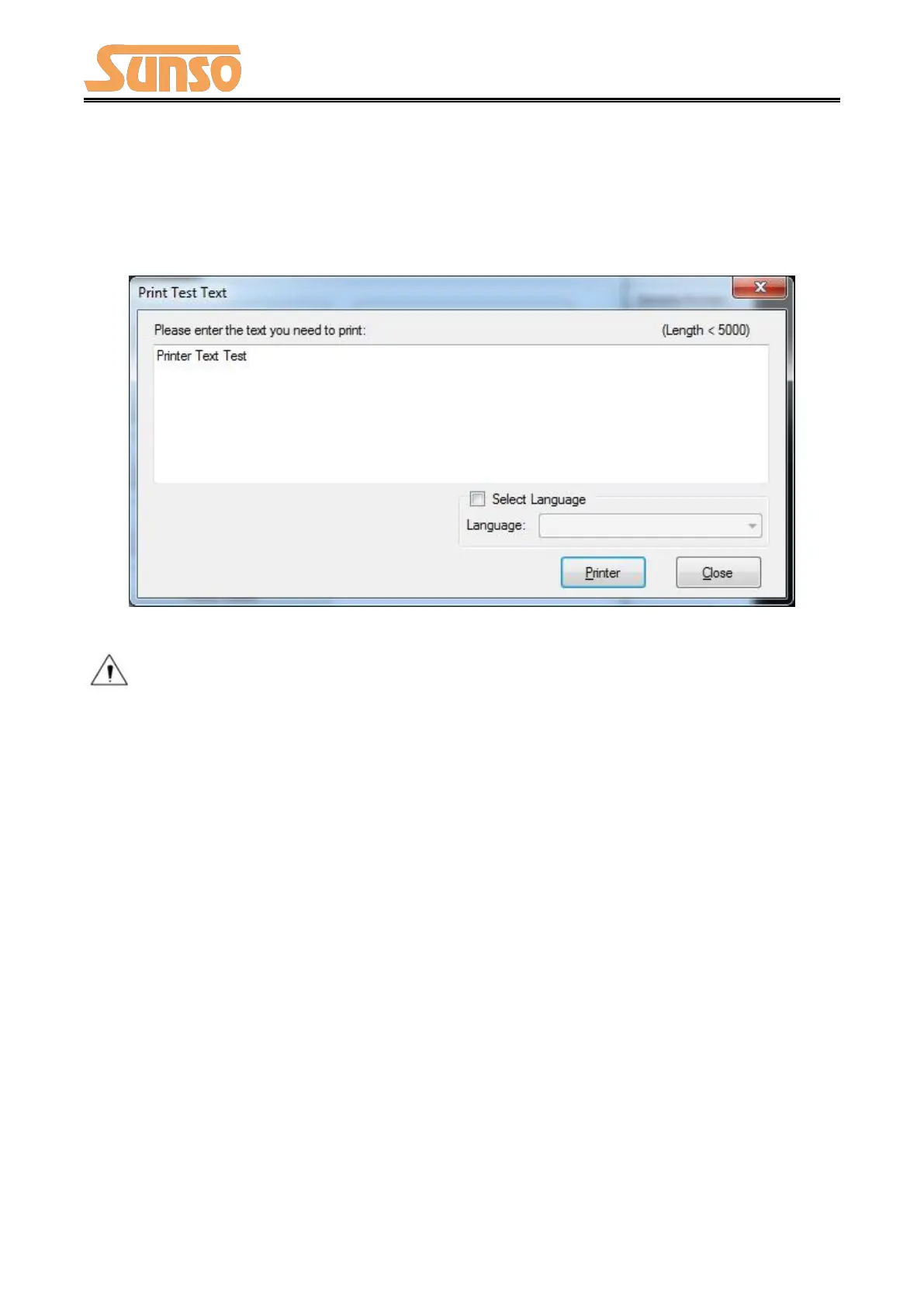
4) Print Test Text
Click "Print Test Text", input the text you want to print. When you click "Print", the printer starts
printing text content. Such as: Print Text Test.
Note: The language option in the lower right corner is checked according to the input text.
(For example: The input is Simplified Chinese, the language is checked for Simplified Chinese,
the printer prints the input text according to the setting options, and if you check other
languages, the printer does not print the text)


 To Next Page