15
6 Operating Modes
Safe Removal in MAC OS
When the player is connected to your MAC computer, two drive icons labelled “IBIZA4GB”
and “Micro SD/TF Card” will appear on the desktop. Respectively click on this two drive
icons and select from the drop-down menu the “Eject IBIZA4GB”, “Eject Micro SD/TF
Card” option. Once the two drive icons both disappear the player is safe to remove from
your computer.
6.1 Music
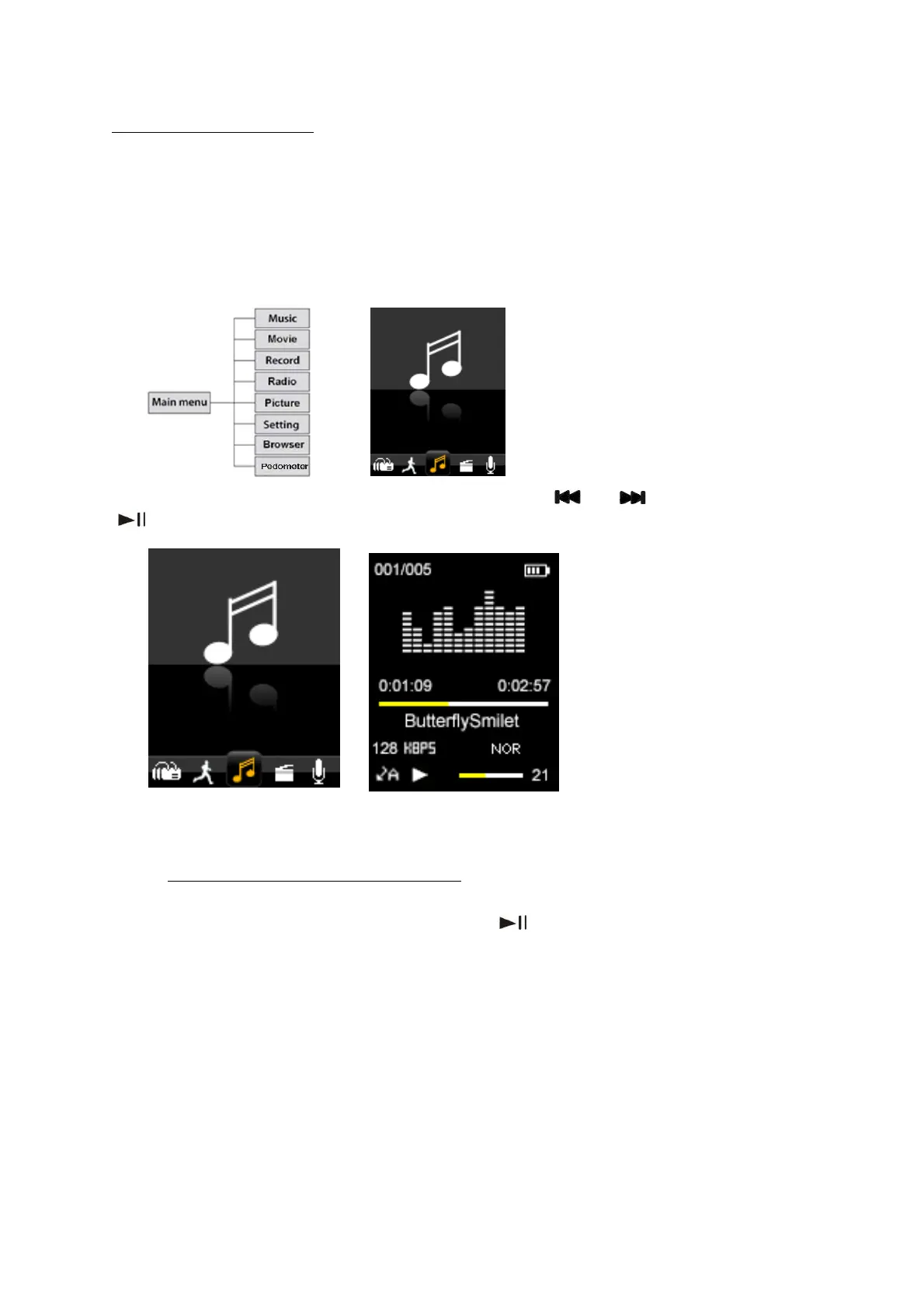
On the main menu, select the “Music” option using the “ ” or “ ” keys and then press
“
” to enter music playback mode.
To return to the main menu from the Music mode screen shown above, long press the
“Menu” key repeatedly until main menu is once again displayed.
6.1.1
From the “music playback mode” screen, press “
Browse and Select / Delete Music
” to pause playing and short press
“Menu” key. Then Music files operation mode will be shown. You can select the memory
from “Local folder” or “Card folder” which you would like to browse, or delete files.



 To Next Page