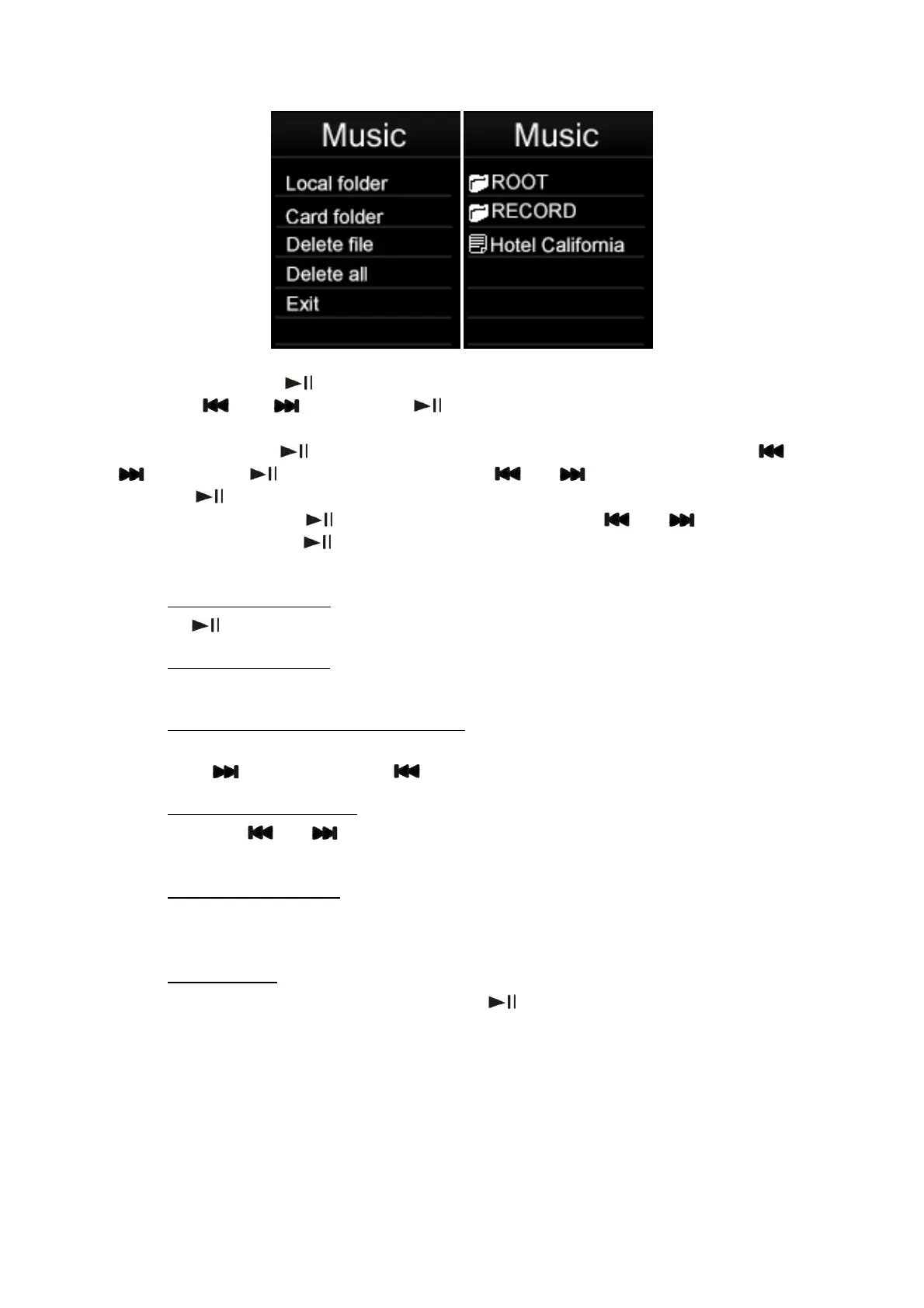
16
Select Music: Press “
” to enter “Local folder “or “Card folder”. Browse files or folders
using the “ ” or “ ” keys, Press “ ” to select a file or enter a folder. When in a
subfolder, press “Menu” to return to the upper folder.
Delect Music: Press “ ” to enter “Delete file “. Browse files or folders using the “ ” or
“ ” keys, Press “ ” to delect a file. Using the “ ” or “ ” keys to select “No” or “Yes”,
and Press “
” to confirm.
Delect all Music: Press “ ” to select “Delete all “. Using the “ ” or “ ” keys to select
“No” or “Yes”, and Press “ ” to confirm.
6.1.2
Press the “
Play / Pause Music
” key to pause / resume playback of audio.
6.1.3
Press “+” or “-” keys to increase or reduce the volume respectively.
Adjusting Volume
6.1.4
When an audio file is playing, you can fast forward or fast rewind it by pressing and
holding the “
Fast Forward / Fast Rewind Music
” to fast forward or “ ” to fast rewind.
6.1.5
Briefly press the “
Next / Previous Track
” or “ ” keys to skip to the previous or next audio track respectively
while playing audio files.
6.1.6
When music playing, long press “Menu” key. Song Lyrics will be shown if song lyrics file is
saved in the folder.
Browse Song Lyrics
6.1.7
From the “music playback mode” screen, press “
Music Setup
” to play music. When music playing,
short press “Menu” key. Then enter to music settting.



 To Next Page