27
2. Click “ ” input file button to add a source video file and configure the conversion
settings.
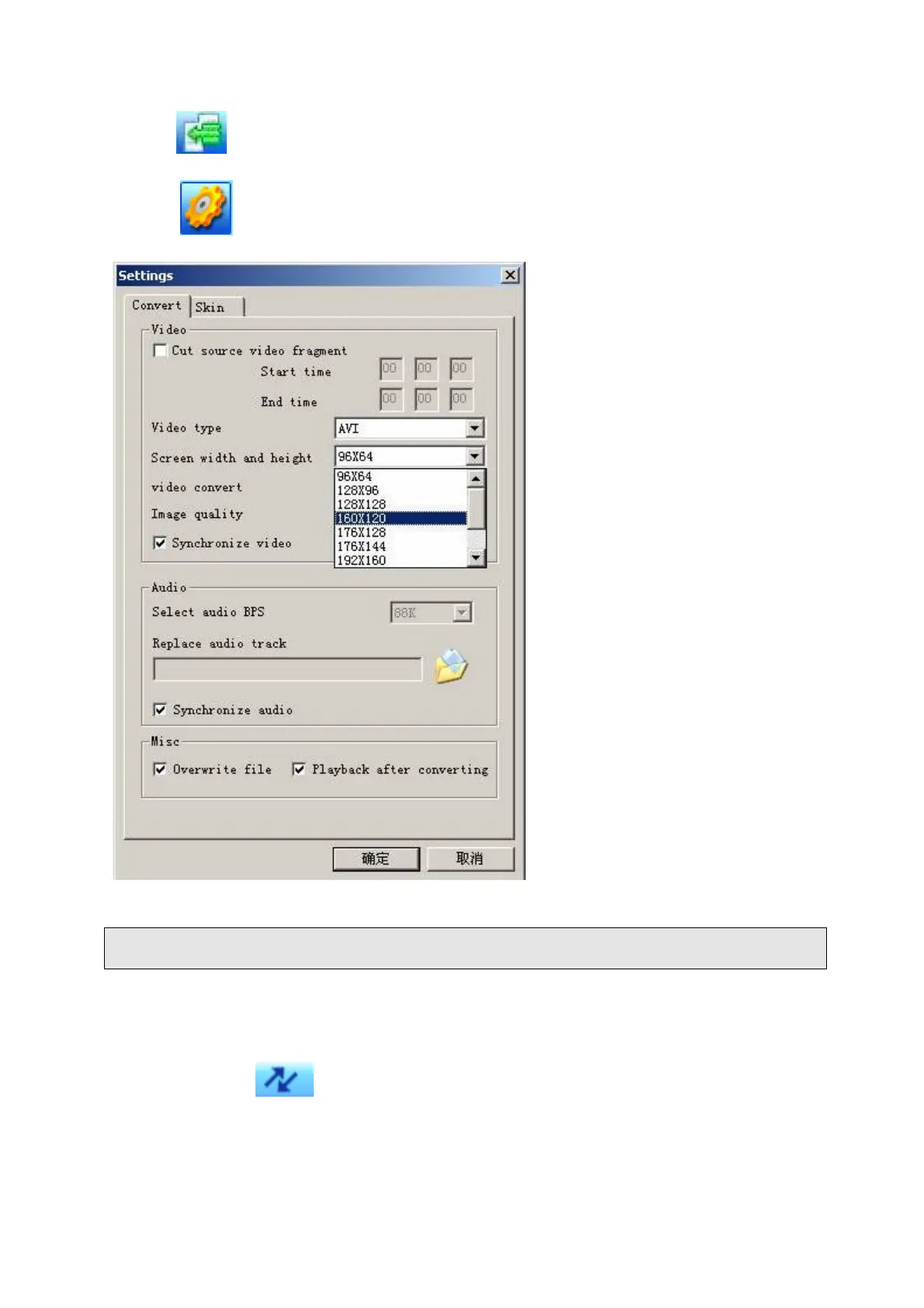
3. Click “ ” button to setup the option parameters as desired and click “Confirm” to
save the conversion entry.
Note: Please always select “160 x 120” as the resolution which is compatible with this unit.
4. Repeat step 2-3 to add more conversion entries.
5. Once all required conversion entries have been entered as listed in the main window
view, click on the “
” button to begin the conversion process. During the conversion,
the process column will indicate the conversion progress status.



 To Next Page