RP-DS800 ENGLISH MANUAL
10
Note:
1. Ignore the decimal point for FM band when input the
frequency numbers.
For example, FM 89.0 MHz, Just ENTER 8 9 0 .
2. If the entered frequency rate is not within the covering
area, the display would display " " error symbol.
WORKING WITH MEMORIES
Method 1:
number
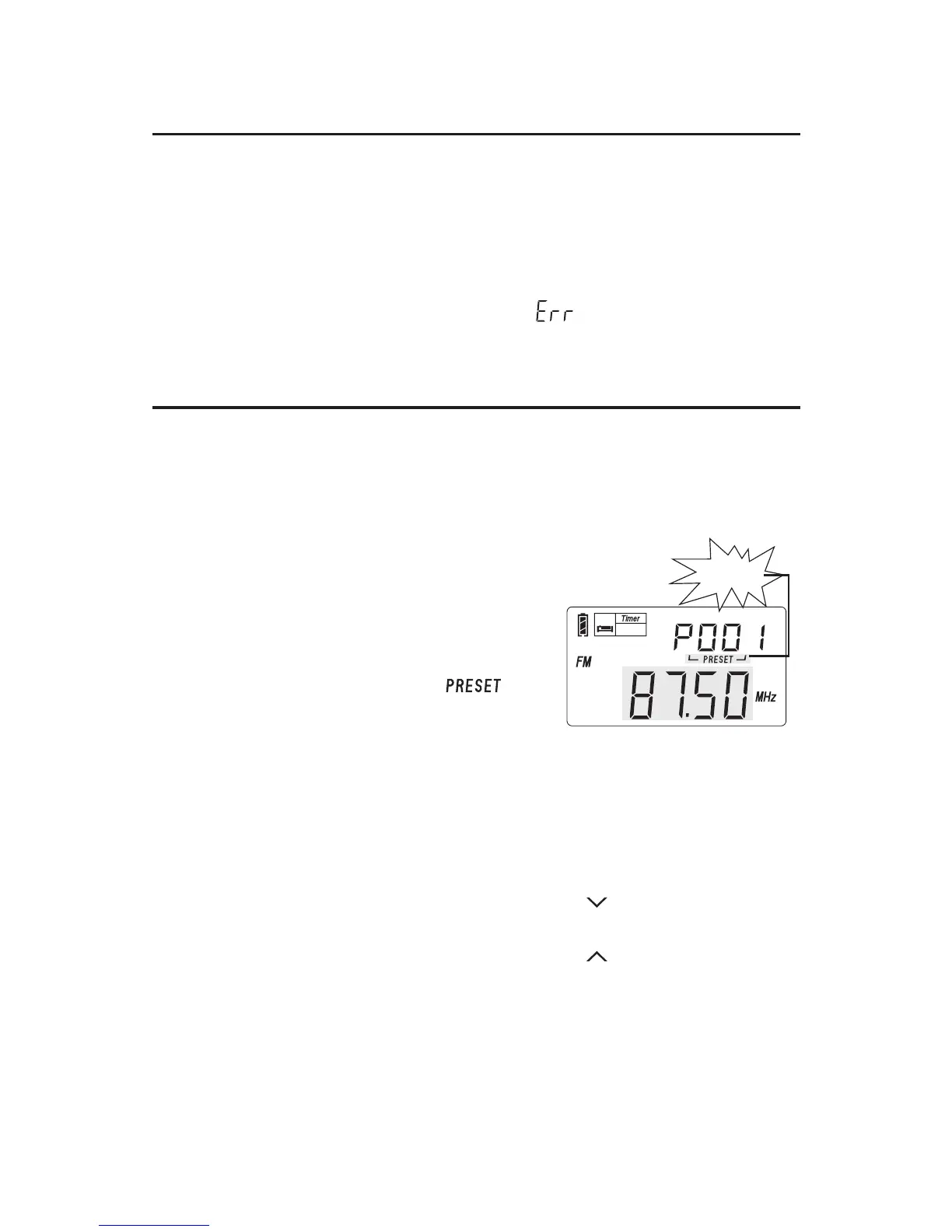
ATS - Auto Tuning Storage
Turn on the radio and select the
band that you want to ATS to take
place in, either FM or MW/LW.
Long press the [FM] or [MW/LW]
button and notice that the " "
(P001) appears in the
display's upper right corner with the
presets to the right increasing as
the band is scanned and frequencies
are stored into memory.
There are two modes for SW ATS function:
Mode A: In SW band, long press the [A / ] button to ATS
the stations within all meter bands.
Mode B: In SW band, long press the [B / ] button to ATS
the stations within present meter band only.
Note:
During ATS process in FM, MW / LW or SW (mode A),
pre-stored radio stations will be replaced automatically by
the new searched stations.
flashing
Auto Tuning Storage
SLEEP
There are total 550 preset memories within RP-DS800. For
FM, MW, and LW, each band has 100 preset memories;
and 250 preset memories for SW.


 To Next Page