RP-DS800 ENGLISH MANUAL
DELETE MEMORY
12
Method 1: MANUAL DELETE MEMORY
1. Turn on the radio and press the [VM] button causing
PRESET stations appears in the display's upper right
corner.
2. Rotate the [TUNING] knob to select the memory that you
want to delete.
3. Long press [DELETE] button with "DEL" flashing in the
display, press the [DELETE] button again to confirm.
Note: If " " is flashing more than 3 seconds without
confirmation, it will exit the delete function automatically.
flashing
SLEEP
Timer
Delete all memories
Method 2:
Method 3:
SEMI AUTO-DELETE MEMORY
In VM mode, long press the [VM] button to activate the
Auto-Browse function of memory. Once previewing your
unwanted station, simply press the [DELETE] button with
" " shows for 2 seconds and then keep on browsing
other stations. To stop the browsing function, short press
the [VM] button to exist.
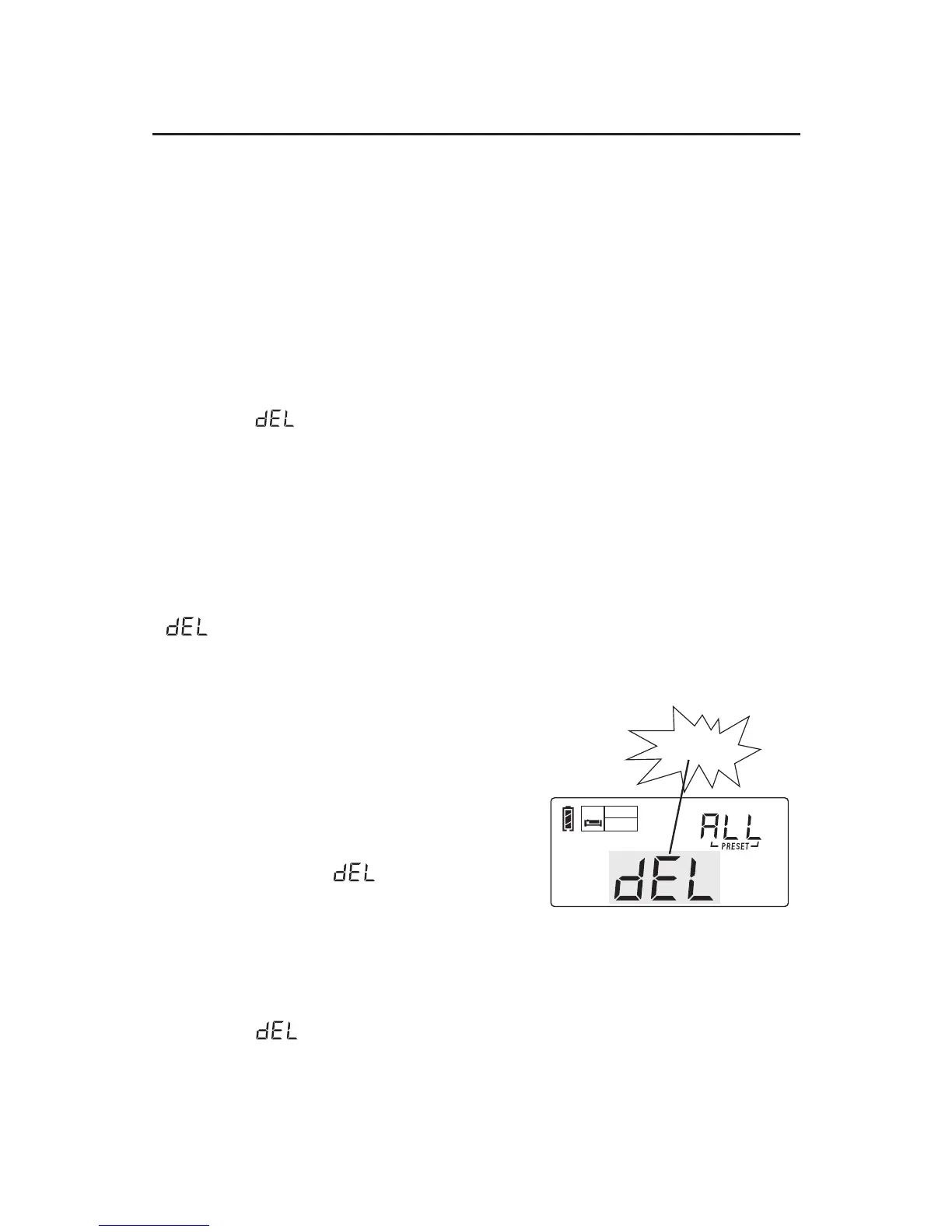
DELETE ALL MEMORY
Short press the [VM] button to
enter VM / Memory mode, long
press the [DELETE] button for
3 seconds with " " shows on
the upper right corner of the
display, press again the
[DELETE] button to remove all
memory.
Note: If " " is flashing more than 3 seconds without
confirmation, it will exit the delete function automatically.


 To Next Page