RP-DS800 ENGLISH MANUAL
8
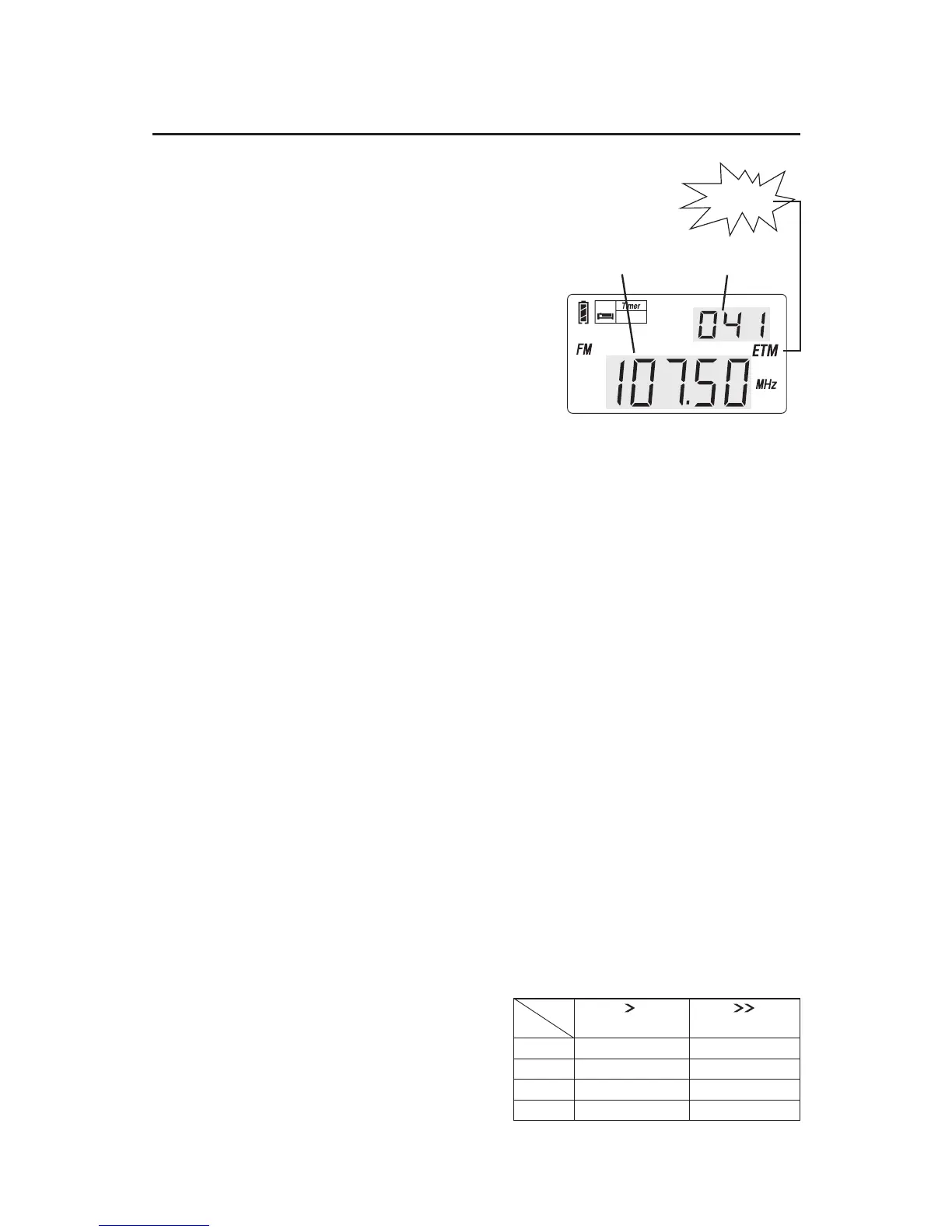
3. Long press the [ETM] button until
the frequency running to auto
scan the stations within present
band.
4. When the frequency stop running,
turn around the [TUNING] knob
for those scanned stations.
5. Short press either the [VF] & [VM]
button with frequency flashing
and the disappearance of ETM
on the display to exist ETM mode.
flashing
SLEEP
Station
Frequency
running
Notes:
FM station: When you are in a different city or country, you
should perform the ETM function again, because this will not
delete any of the stations already within the memory.
MW station: It is recommendable to perform the ETM
function during day time as well as night time, because
there usually are more stations that start broadcasting at
night
SW station: It is recommendable to perform the ETM
function in the morning, afternoon as well as night time,
because the transmitting signal of SW is very unstable and
there usually are more stations that start broadcasting in
the late afternoon.
Method 2: MANUAL TUNING
Turn on the radio, short press
the [VF] button to switch into
frequency mode. Rotate the
[TUNING] knob to select your
station.
FAST/SLOW tuning is shown in the chart
below for each band.
0.01 MHz
1kHz
1 kHz
1 kHz
0.1 MHz
9 /10kHz
9 kHz
5 kHz
FM
MW
LW
SW
step
band
Slow tuning mode
Fast tuning mode


 To Next Page