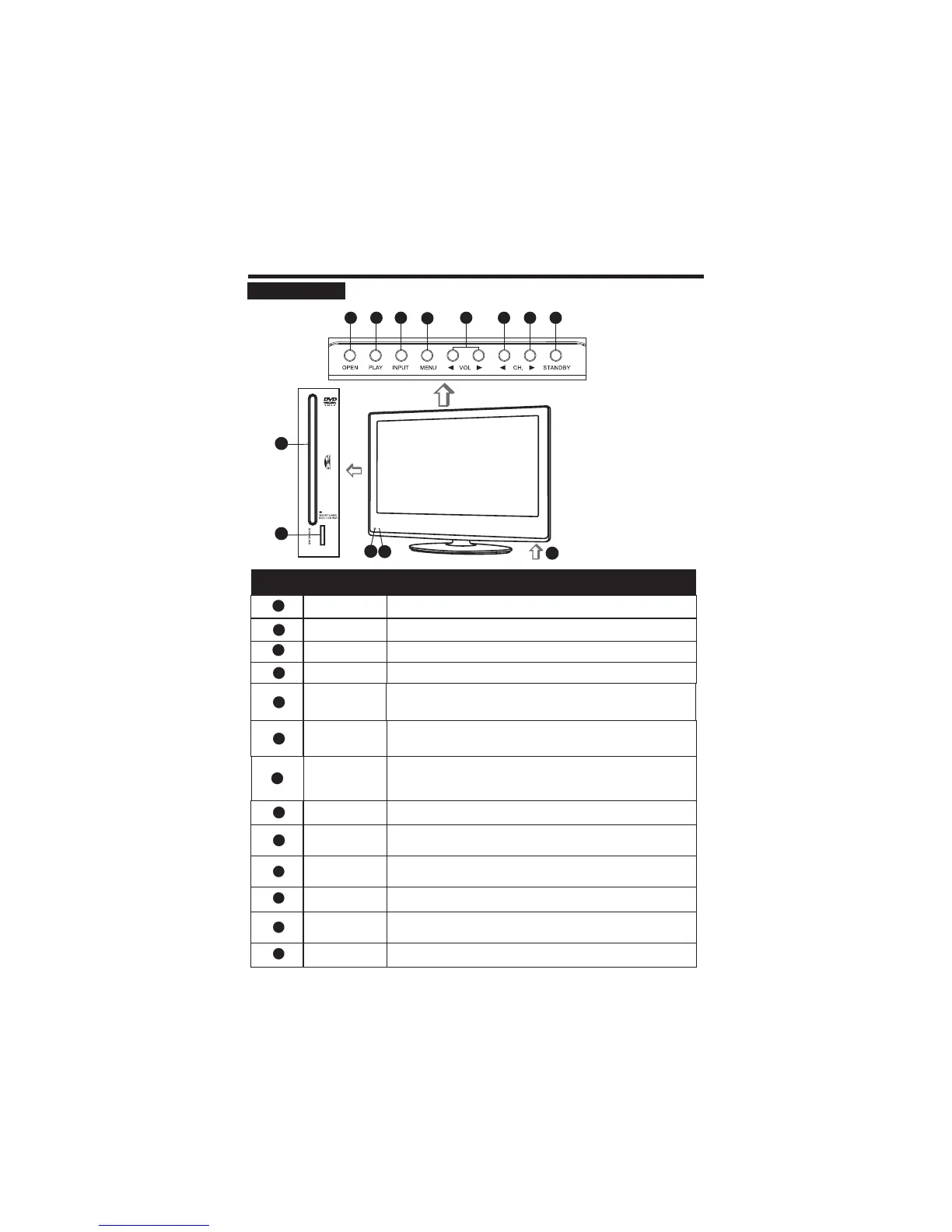
FRONT PANEL
CONTROL BUTTONS AND TERMINALS
Select a input sources.
To eject the disc.
When you are watching the TV program, press this button to
decrease channel number.
6
Increase or decrease the volume
Adjust the values of the selected menu item in the OSD menu.
.
5
Button Name
Description
Item
Power Indicator
Remote Sensor
Switch on the LCD TV when at standby mode or vice versa.
Illuminates red in standby mode
Illuminates green when the LCD TV is switched on
.
.
Infrared sensor for the remote control.
9
10
8
INPUT
3
MENU
4
Enter or exit from the menu.
11
When you are watching the TV program, press this button to
increase channel number.
In the main-menu, press to select lower menu item.
7
STANDBY
VOL tu/
CH. ◄
CH. ►
OPEN
1
PLAY
2
Press to play the disc.
12
13
10
9
4
8
1
2
3
11
5
6 7
Main Power Switch
Turn on /off the power.
12
13
5
DVD window
Memory card port
Connect the memory card.
Insert and exit the disc place.



 To Next Page