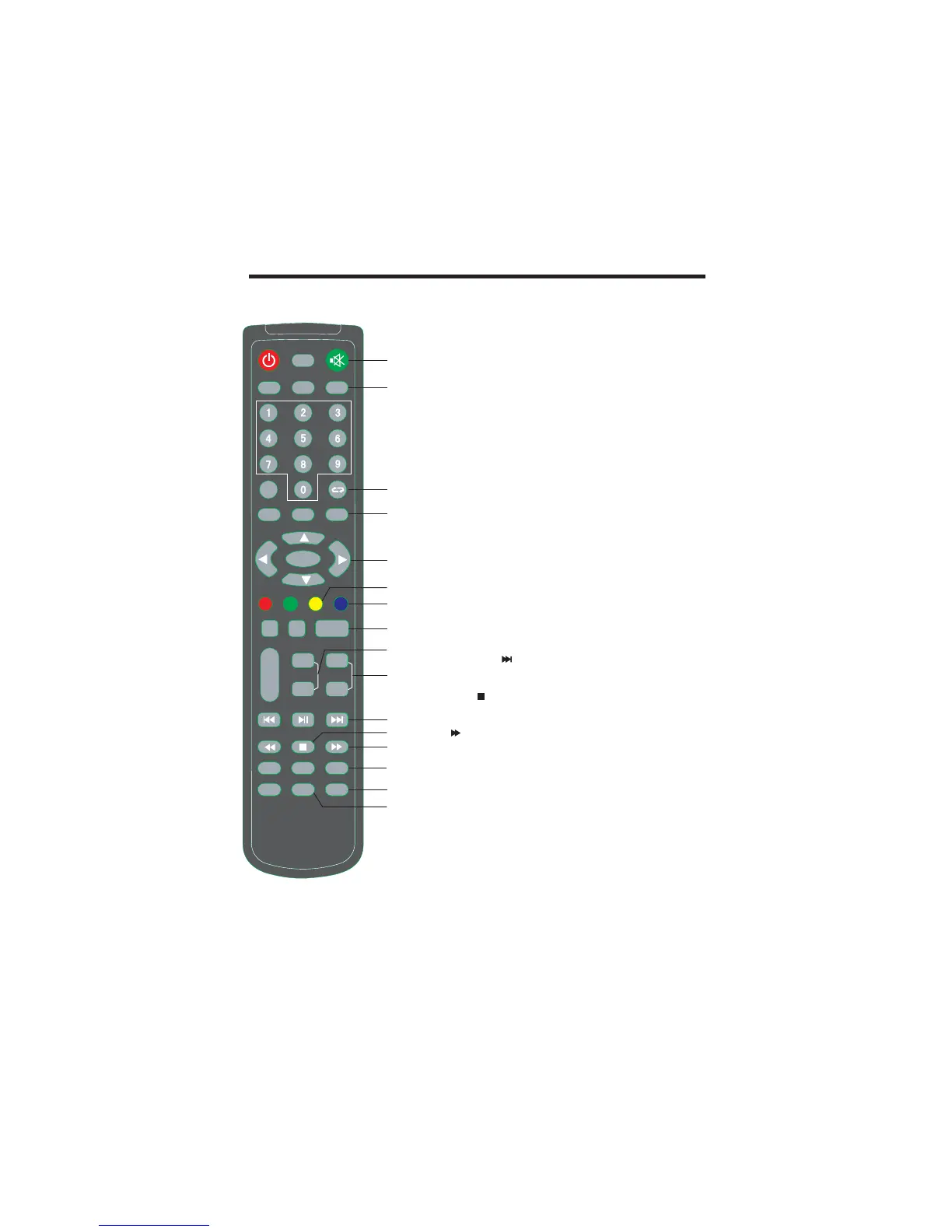
CONTROL BUTTONS AND TERMINALS
8
21.
.
23.
30.
MUTE
RETURN
DVD-SETUP
CH-/+ PROGRAM UP DOWN
TIME SHIFT
.
/)
.
To switch the sound on or off
22
To select a display mode.
To return to previously selected program number in TV mode
24.
To enter or exit from the DVD menu in DVD mode.
(
To select the program in ascending or descending order
34.
In DTV mode, press to execute the time shift function.
ASPECT
.
25.
To adjust menu settings
To select a menu item
C
26
In DVD mode, select different angle to view
InATV/DTV mode, used the program edit and teletext function.
27.
In mode, press to the section you like.
InATV/DTV mode, used the program edit and teletext function.
28.
To exit the current menu.
29. (
To increase or decrease the volume
31.
Teletext sub page. Come into subpage, and again to cancel.
In Media Player/DVD mode, for select the next chapter or song
32.
Teletext size selection, Double height rendering.
In Media Player/DVD mode, press to stop the play
33.
In Media Player/DVD mode, press to select forwarding play.
35.
In EPG menu, press INFO to display the information of digital
channel.
36.
In DVD/DTV mode, p
tu
pq
/
.
/
.
.
.
.
/
.
.
.
ENTER
YELLOW button / ANGLE
CYAN button / GOTO
EXIT
VOL-/+ VOLUME UP DOWN)
SUBPAGE /
SIZE /
INFO/TITLE
onfirm the selection
DVD
Note
SUBTITLE
: the TITLE function is disabled.
ress to display the caption.
STANDBY
DISPLAY
NICAM/EJECT
MUTE
SLEEP ASPECT
FAV
TV MENU- SOURCE DVD SETUP-
REPEAT ZOOM ANGLE GOTO
EXIT
VOL-
VOL+
CH-
CH+
MENU
INDEX REVEAL SUBPAGE
TV RADIO/
SIZE
HOLD/A B
REC LIST
-
.
REC/SLOW TIME SHIFT
SUBTITLE
PROGRAM
TITLE
EPG
AUDIO
TEXT
PMODE
INFO
ENTER
SMODE
21
22
23
24
25
26
27
28
29
30
31
32
33
34
35
36



 To Next Page