NMS Configuration
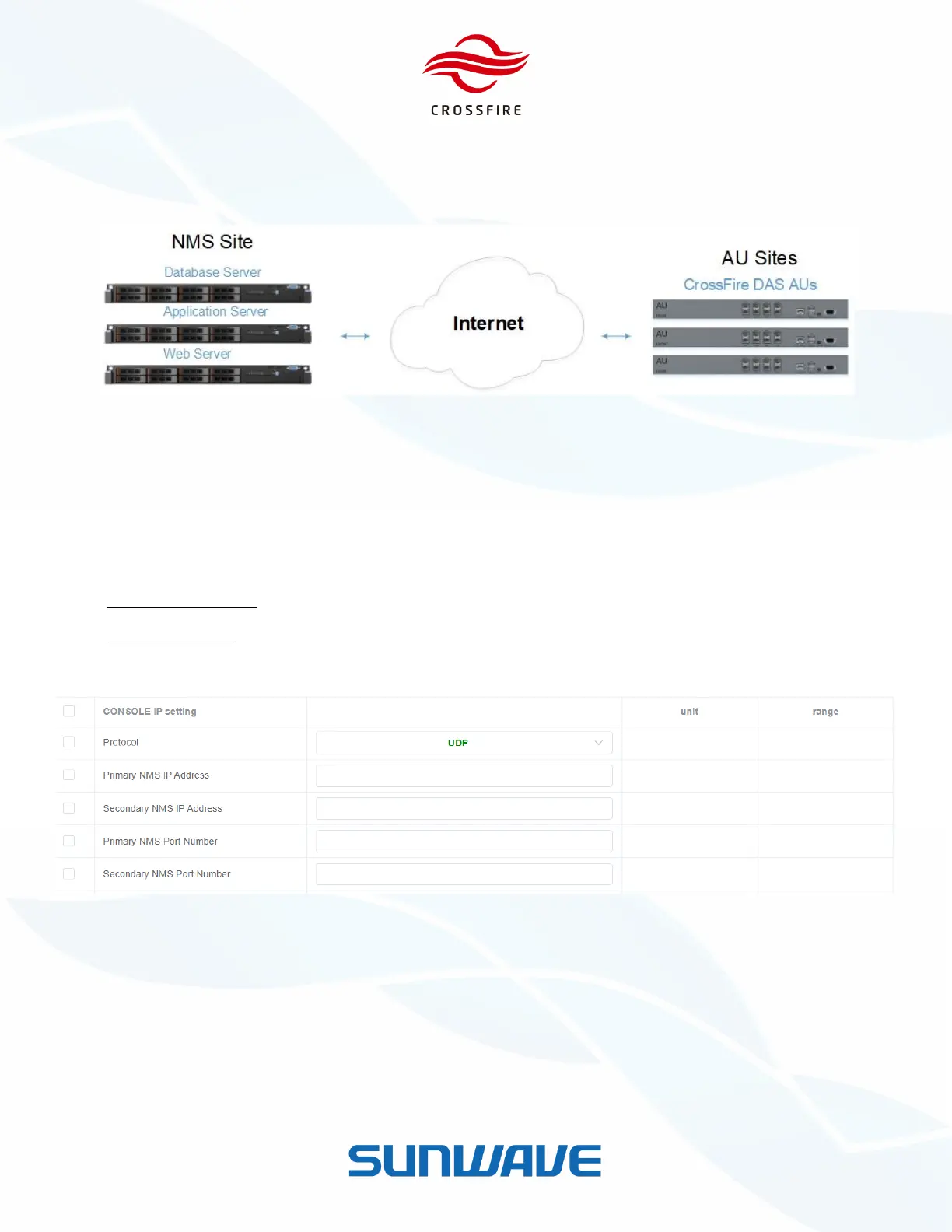
SUNWAVE Network Management System (NMS) is a software system to achieve remote monitoring, alarm reporting,
and remote configuration of all the devices.
Figure 15. NMS System Architecture
Use the following steps to configure NMS IP settings.
1. Log in the Master A2 OMT, and go to the LAN Connectivity section.
2. Go to the IP Settings section and select UDP protocol, as shown in Figure 14.
3. Locate the fields and set the appropriate values:
NMS IP Address (1~2) - The target IP address of NMS Server.
NMS Port Number - The target port of NMS Server (default defined port of 80).
4. Click Set to save the setting.
Figure 16. NMS Configuration


 To Next Page