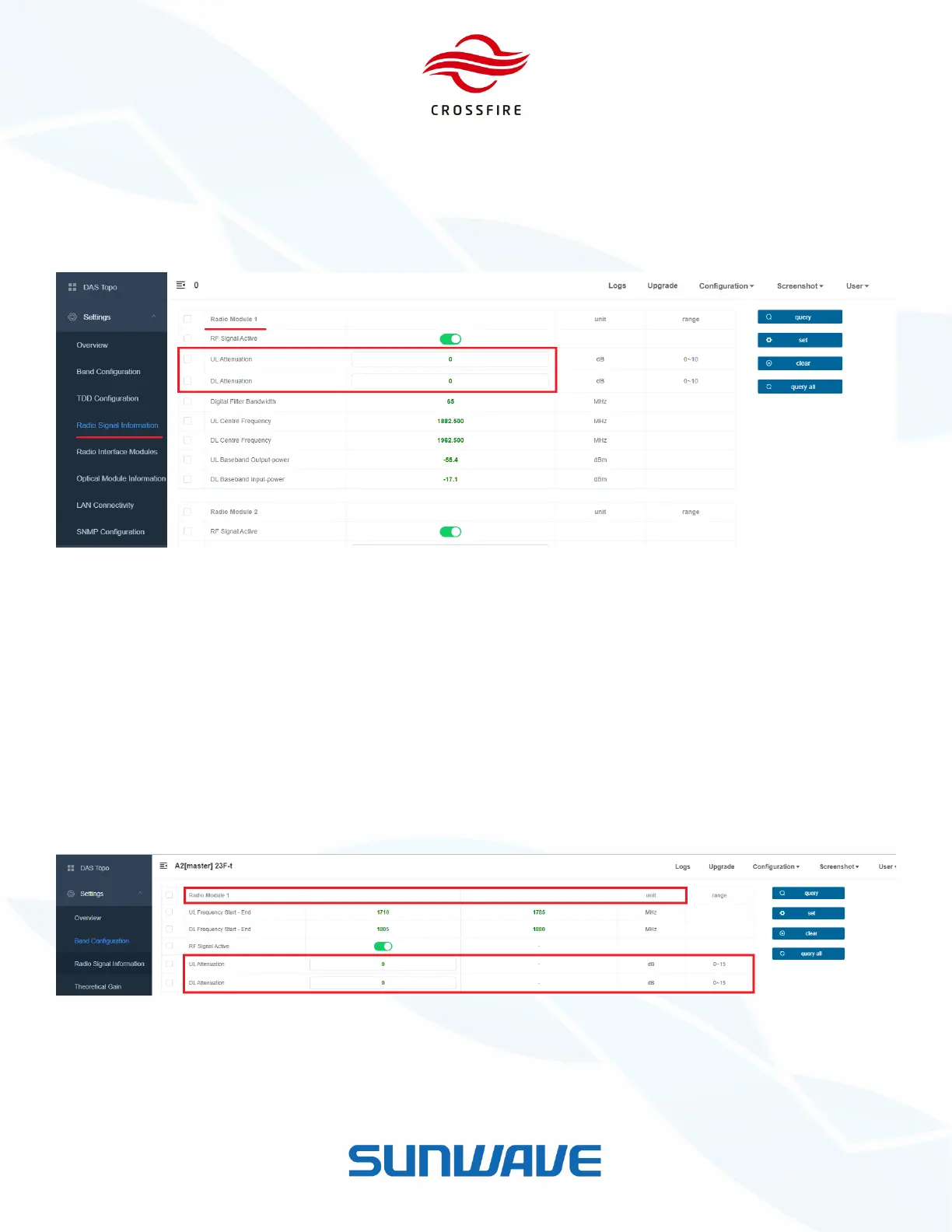
Gain Adjustment on A2 (Digital Board)
1. Go to Settings -> Radio Signal Information -> Radio Module.
2. Input attenuation value in UL and DL Attenuation.
3. Click the checkbox to select these parameters and click Set to validate them.
Figure 28. Attenuation in Radio Signal Information
Gain Adjustment on M2RU
To set attenuation in M2RU:
1. Jump to M2RU OMT.
2. Go to Settings -> Band Configuration.
3. Input attenuation value in UL and DL Attenuation.
4. Click the checkbox to select these parameters and click Set to validate them.
Figure 29. Gain Adjustment on RU WebOMT


 To Next Page