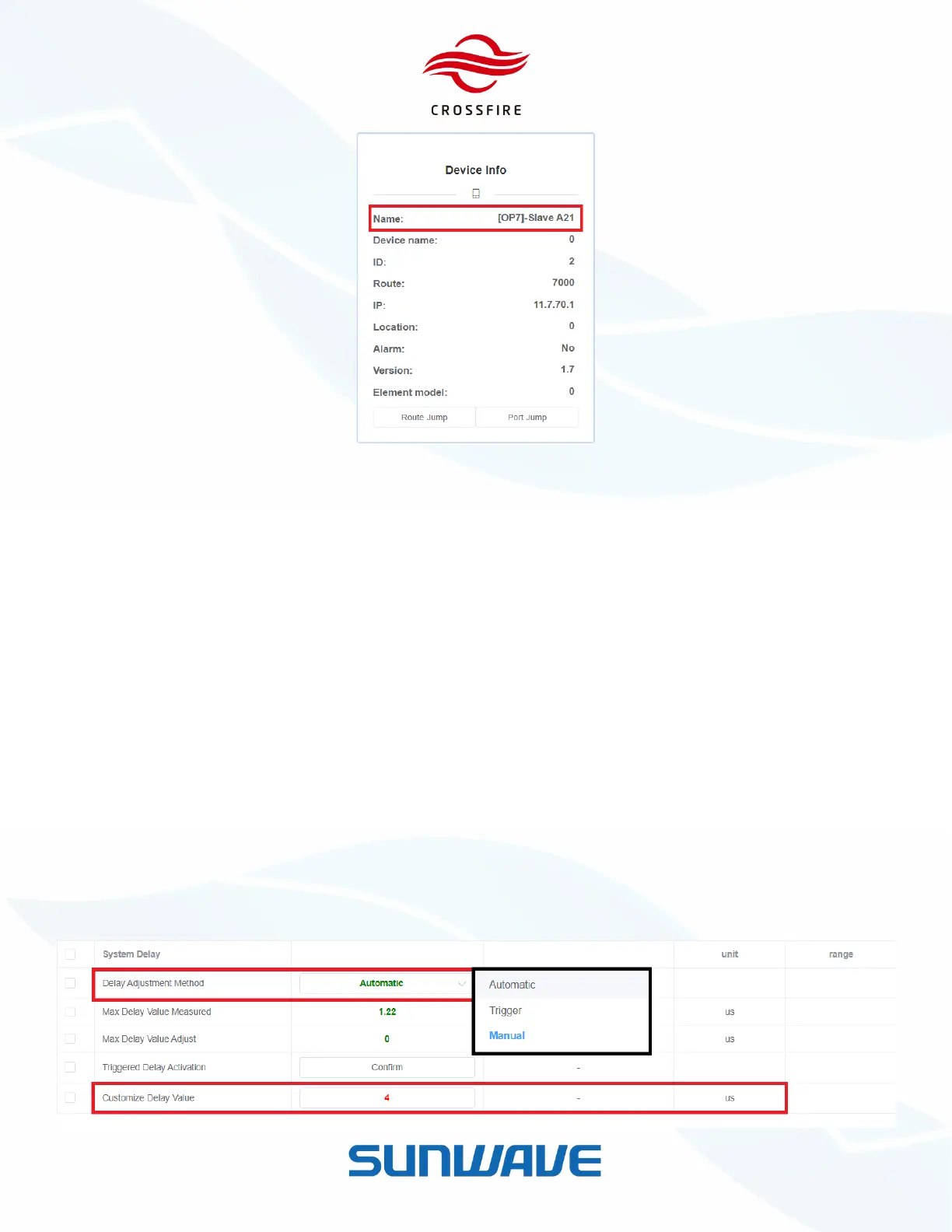
Figure 44. Device Type Check
System Delay Configuration
CrossFire provides 3 methods to balance the system delay - Automatic, Manual, and Triggered.
Automatic: The system adjusts the delay automatically.
Manual: Delay value can be customized equal to or larger than max delay value.
Triggered: Click the Confirm button to adjust the system delay or set the max delay value automatically per
minute.
To set the system delay procedure:
1. Open A2 OMT
2. Go to Setting -> Band Configuration -> System Delay
3. Select the required method in Delay Adjustment Method
4. Click Set to validate.


 To Next Page