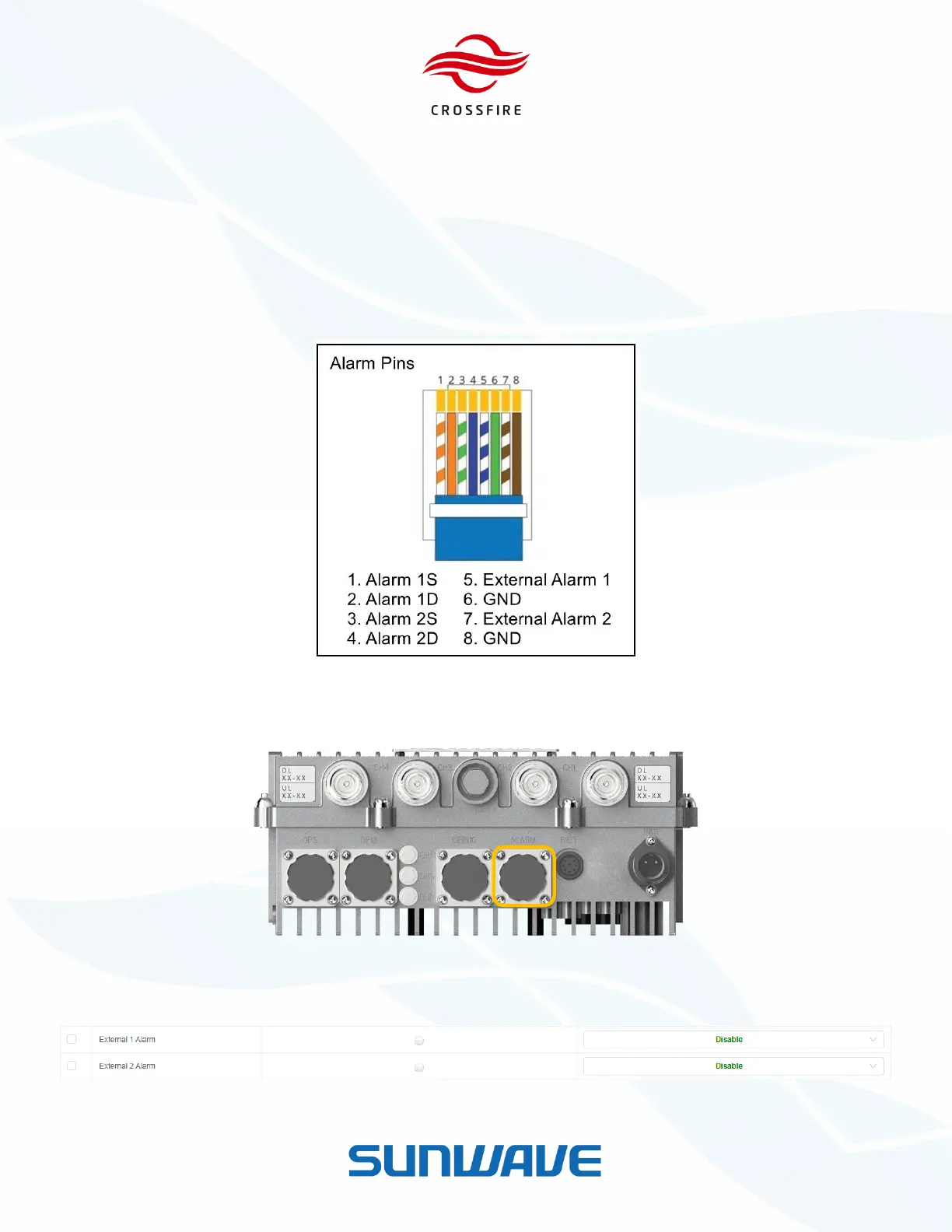
1. Log in the M2RU OMT, and go to the Element Alarms section.
2. Select the appropriate alarm level for external alarm in use at the bottom of the page.
3. Click Set to save the settings.
4. Go to the External Alarm section
5. Type External Alarm Label, External Alarm Level and select Normally closed or Normally open mode.
6. Click Set to save the name.
Figure 38. RJ45 Pins Description
Figure 39. External Alarm Port (RJ45) in M2RU
Figure 40. External Alarms on M2 OMT


 To Next Page