22 23
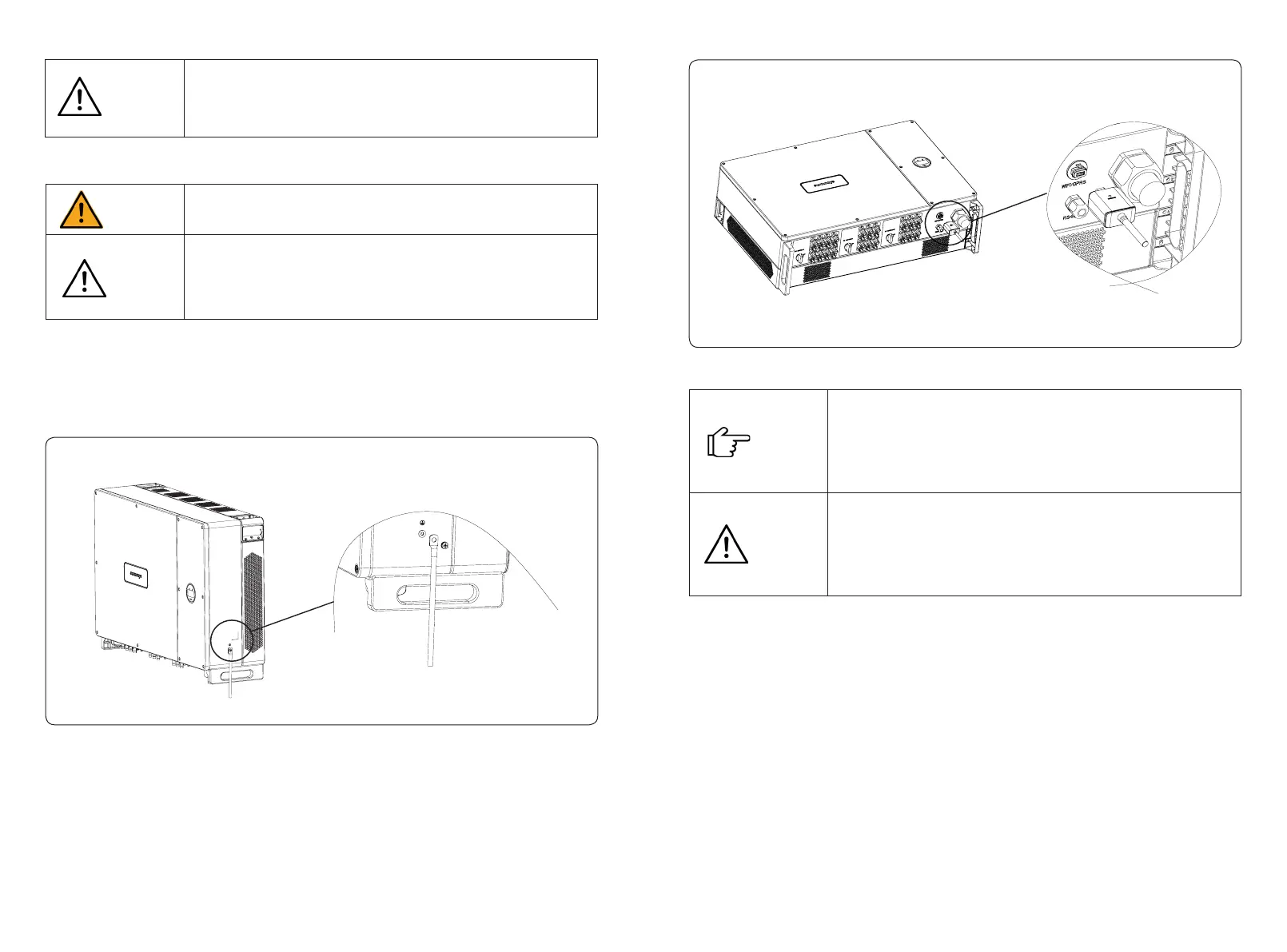
Ground terminal connection steps:
1) The external grounding terminal is located in the lower right side of the inverter.
2) Fix the grounding terminal to the PE wire with a hydraulic clamp and lock the grounding
terminal to the grounding hole in the inverter. As shown in Figure 4-19:
Figure 4-19 Grounding terminal connection
4.3.3 External ground connection
Do not connect the N-wire as a protective ground wire to the inverter casing.
Otherwise, it may cause electric shock.
Good grounding is good for resisting surge voltage shock and improving EMI
performance. Inverters must be well-grounded.
For a system with only one inverter, just ground the PE cable.
For a multi-inverter system, all inverters PE wire need to be connected to the
same grounding copper bar to ensure equipotential bonding.
Danger
Attention
Figure 4-20 Monitoring device installation
4.5 RS485/DRED Connection
4.5.1 Terminals denition
Inverter communication ports are located at the ARM board inside of the inverter and include
RS485 port (used for Meter or Datalogger connection), DRED port, and display port, as shown
in Figure 4-21:
1.The GPRS version module does not need to be congured.
2.The WiFi version module needs to be congured to the router for the rst
installation, and if the router name or password changed, you need to congure
it again. For details, please refer to the [QUICK INSTALLATION GUIDE] which
attached in the accessory bag.
Don't touch the waterproof plug in the card slot unless replace the SIM card. If
the SIM card needs to be replaced, please make sure the card slot is completely
sealed by waterproof plug after replacing. Any damages caused by the
waterproof plug sealing problem will be invalid of warranty.
Attention
Note
4.4 Monitoring Device Installation
Sunways STT 80~125kW series three-phase inverter supports WiFi, GPRS and RS485
communication, you can choose any of them according to your needs.
Plug the WiFi or GPRS module into the COM port in the bottom of inverter by following the
direction that the side with indicator is up (as shown in Figure 4-20). A slight “click” sound
during the installation represents that the assembly is in place.
If there’re more than one inverter in a project, do not open all inverters roof
cover at the same time if you cannot nish the AC connection immediately.
Any damages caused by the moisture and dust that came into the inverter on
account of exposed to the air for a long time are out of Sunways warranty.
Attention



 To Next Page