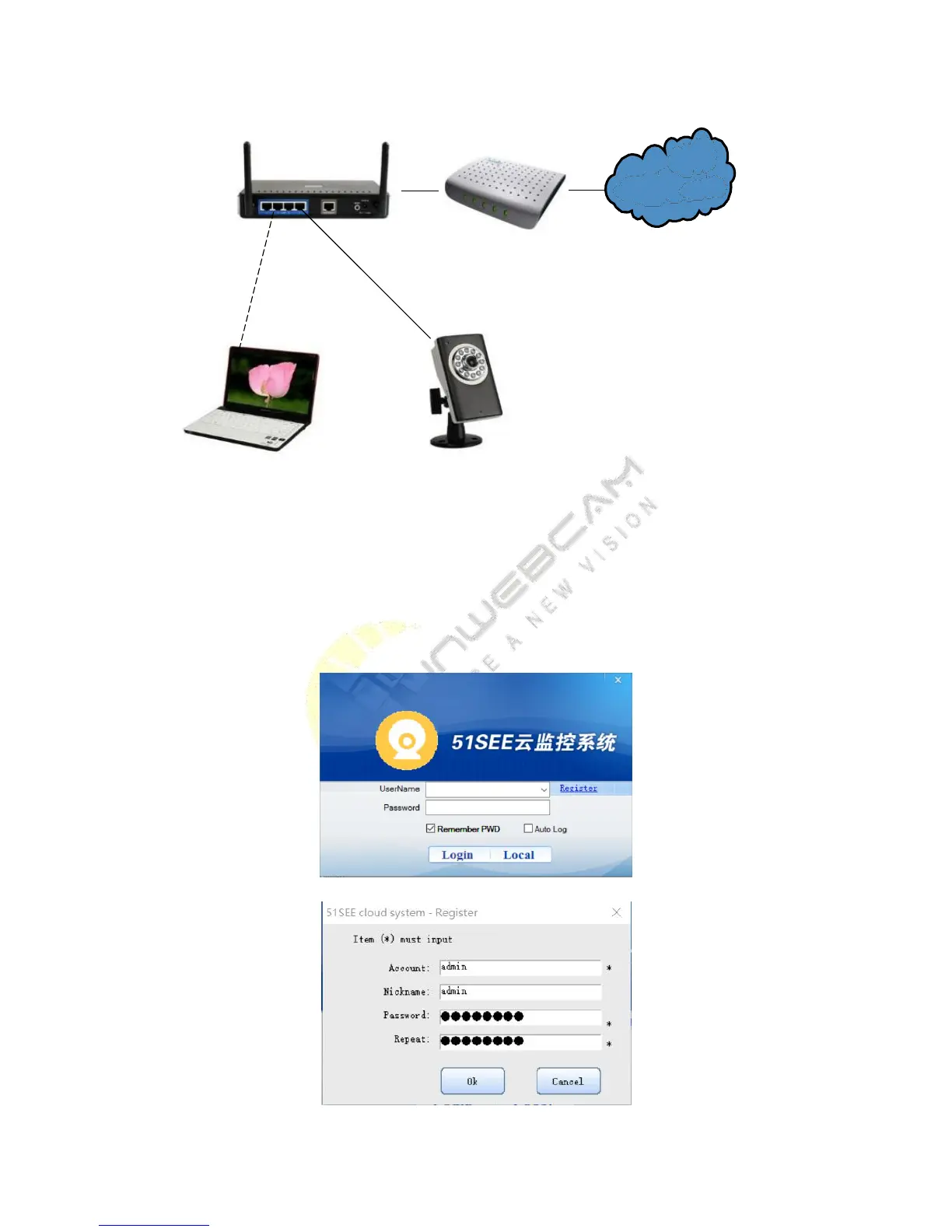
1. Plug in the power adapter.
2. Connect the CAM and the router with the network cable as shown above. Note that PC and the camera need to
be in the same router.
Step 2: Set the 51See CAM process
Run 51SEE cloud system setup.exe. Noting: You must click to provide your permission when the firewall software
prompts the software need the access to the network.
1) Initial interface of 51SEE cloud monitoring system


 To Next Page