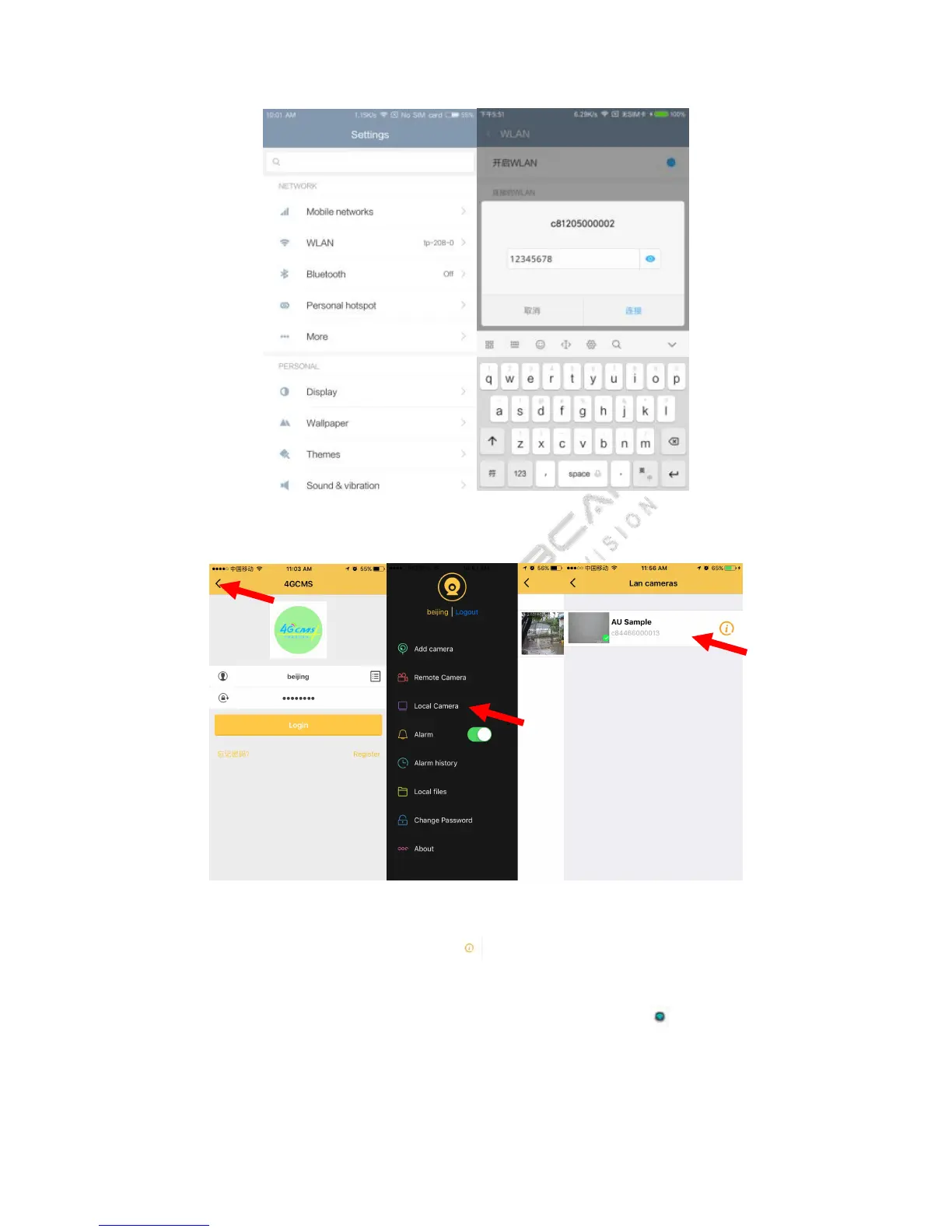
Open the 4GCMS app, click the local device, you will see the camera after you drop down to refresh the list.
Set the camera connect the Wi-Fi. Click the button , you can see the device information, click the setting
button, choose the wireless Network Parameters, open the Wi-Fi client. SSID is the Wi-Fi name which one you
want to connect, then you should input the password, click the save button
(
click you will see the Wi-Fi list,
choose the Wi-Fi you want to connect).


 To Next Page