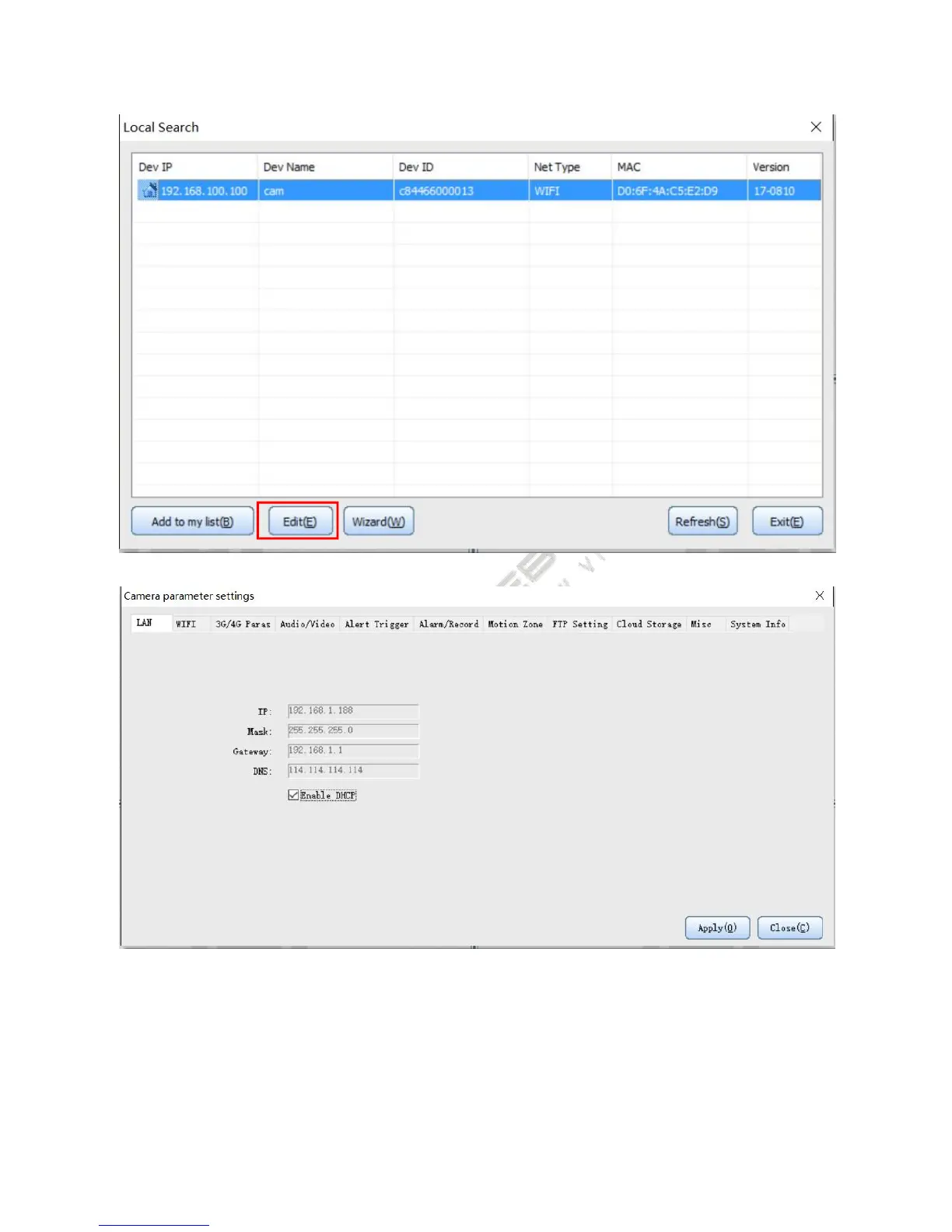
Note: The parameter settings of Wi-Fi version
Select Wi-Fi items in the settings interface, input the SSID and password, and then click ‘apply’.
If you want to use WPS to set Wi-Fi, press and hold the Reset button for more than 4 seconds, release within 10
seconds, press the router's WPS button after the camera system indicator light flashing and the camera will
automatically connect to the router within about 3 to 5 minutes.


 To Next Page