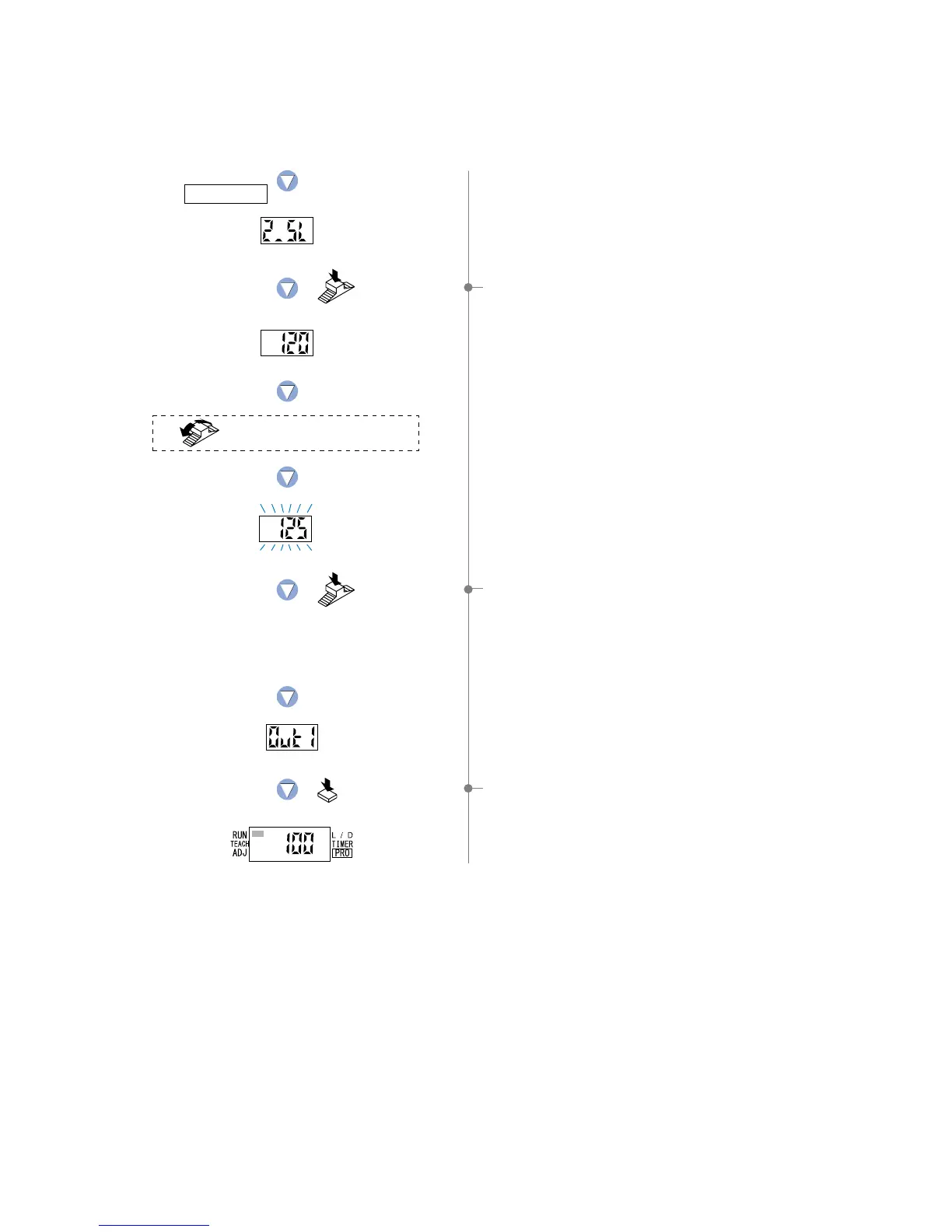
0 Press the [MODE key] 4 times or keep it pressed for 2 sec.
or more, the amplifier will return to ‘RUN mode’ (normal
sensing operation).
8If the [Jog switch] is pressed, the threshold
value for ‘2_SL’ will be displayed.
If an increased ‘threshold value’ is desired,
turn the [Jog switch] toward the ‘
’ direction.
If a decreased ‘threshold value’ is desired,
turn the [Jog switch] toward the ‘
’ direction.
9If the [Jog switch] is pressed, the display will blink quickly
3 times and the threshold value for ‘2_SL’ will be confirmed.
Press the MODE key
4 times or keep it pressed
for 2 sec. or more.
The digital display will quickly
blink 3 times to confirm the value.
In case of
changing
threshold value
to 125.
Turn the Jog switch to set
the desired threshold value.
Press the
Jog switch.
Press the
Jog switch.
Setting for 2_SL
21



 To Next Page