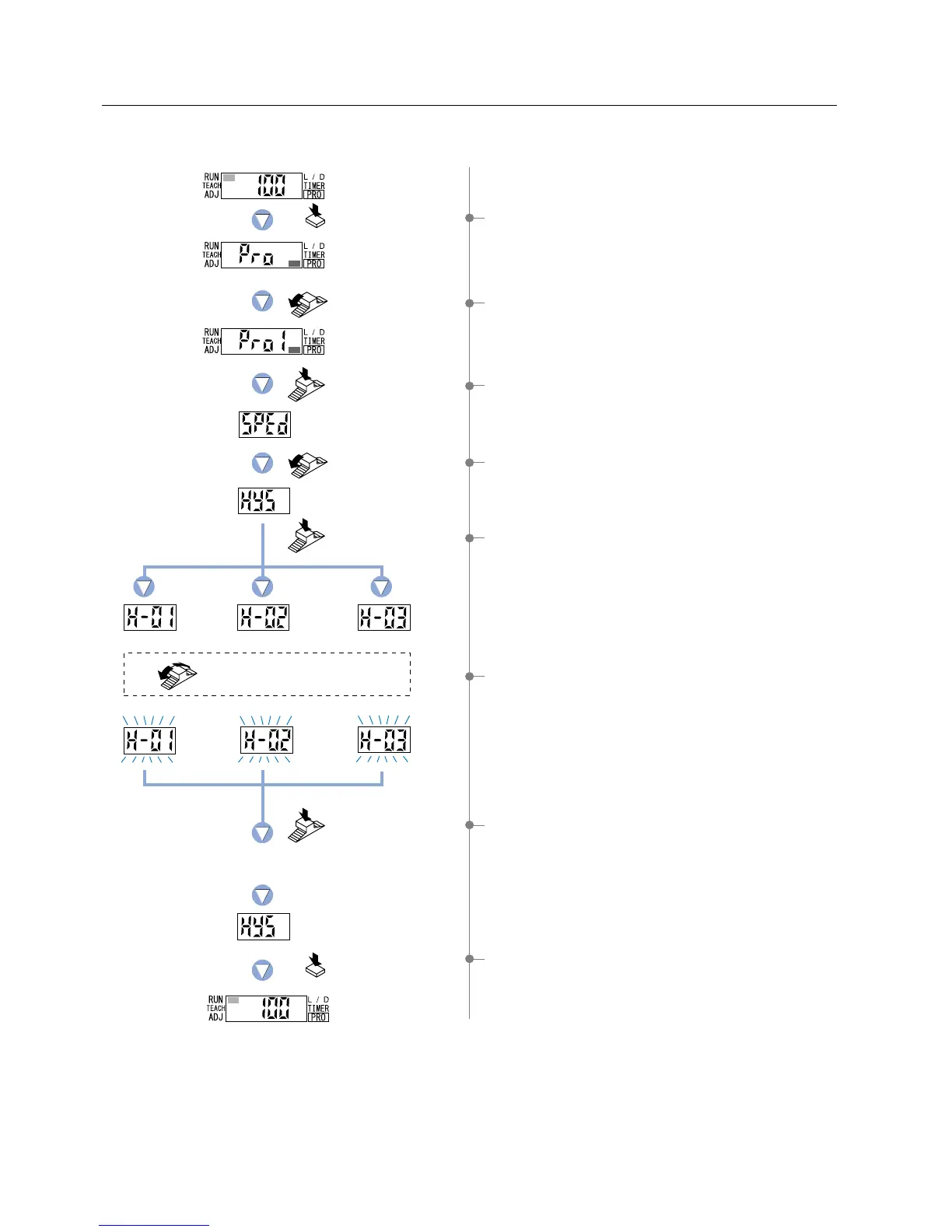
5-5. Hysteresis Function
This function selects the hysteresis from among three different levels (small / standard / large).
1Press the [MODE key] 5 times to select ‘PRO mode’.
2 Turn the [Jog switch] once toward the ‘’ direction,
to select ‘PRO1 mode’.
3 Press the [Jog switch] to enter the ‘response time change’
state.
4 Turn the [Jog switch] twice toward the ‘’ direction,
to enter the ‘hysteresis setting’ state.
5 If the [Jog switch] is pressed, the current
‘hysteresis’ level will be displayed.
* The factory setting is ‘H-02 (standard)’.
6 If the [Jog switch] is turned, the digital display will blink.
Select the desired ‘hysteresis’ level.
7If the [Jog switch] is pressed, the digital display will quickly
blink 3 times, confirming the ‘hysteresis’ setting.
8 Press the [MODE key] 3 times or keep it pressed for 2 sec.
or more, the amplifier will return to ‘RUN mode’ (normal
sensing operation).
The digital display will quickly
blink 3 times to confirm the setting.
H-01
(small)
H-02
(standard)
H-03
(large)
Press the MODE key
5 times.
Turn the Jog switch
once toward
the ‘
’ direction.
Press the
Jog switch.
Press the
Jog switch.
Press the
Jog switch.
Turn the Jog switch to select
the desired hysteresis.
Press the MODE key
3 times or keep it pressed
for 2 sec. or more.
Turn the Jog switch
twice toward
the ‘’ direction.
31



 To Next Page