Release 06/2019 7
Spectroquant
®
NOVA 60A - Operating Manual
– To switch on the photometer, open the cover.
– Press .
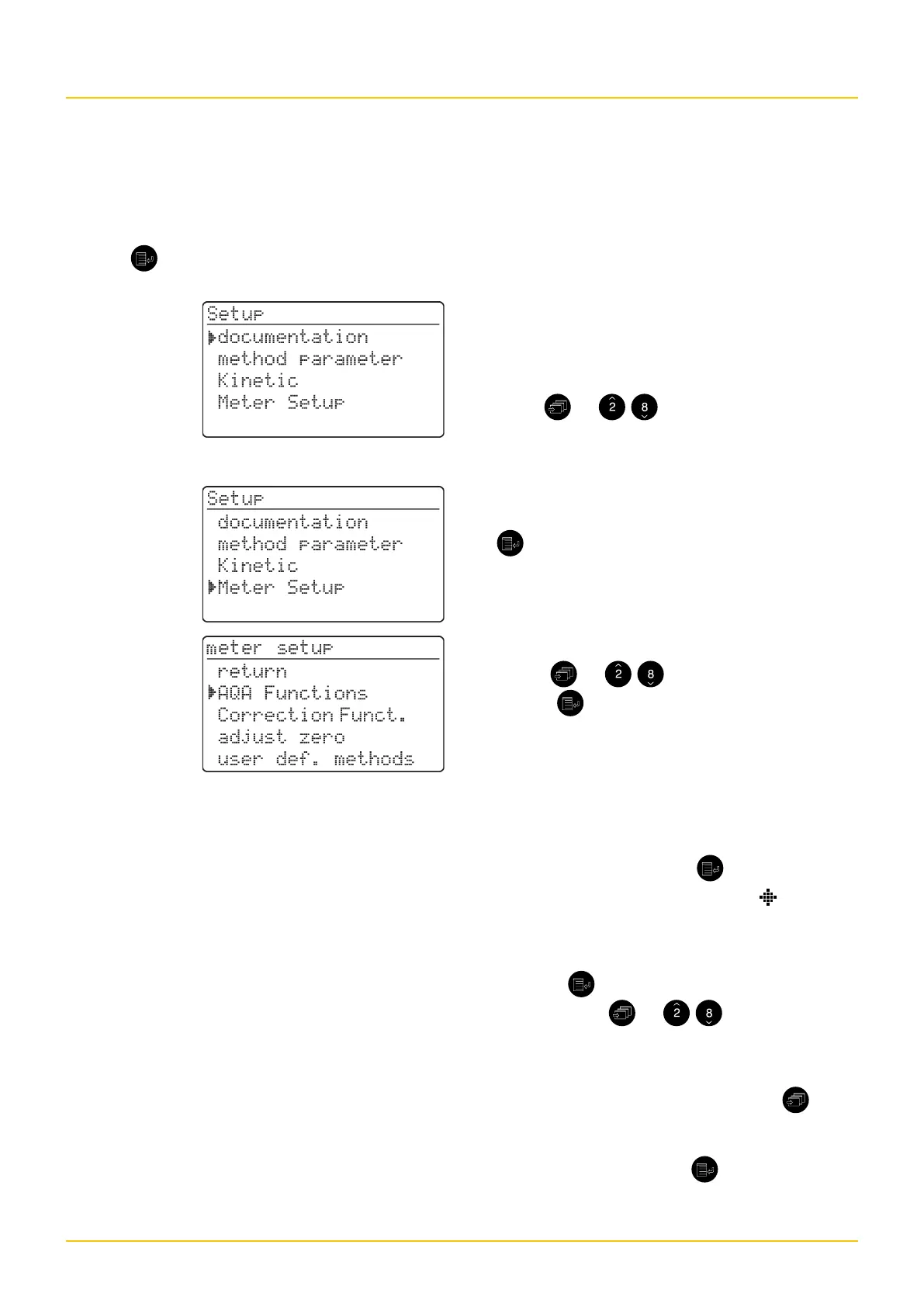
The following display appears:
The following display appears:
Overview
Example:
The documentation menu item is preselected in
the setup menu (}).
Select a menu item, e. g. meter setup:
– Press or
.
The meter setup menu item is preselected (}).
– Call up the meter setup submenu by pressing
.
The required menu item is
– Select or
– Call up .
Selection lists:
– Changes to the settings are accepted after
confirmation by pressing .
– Current settings are marked by " ".
– Change to other configuration levels by
• Selecting the menu item, return
• Pressing
– Scrolling with or
.
Character input:
– via the numeric keypad or by using , the
character to be input is shown in reverse
video.
– Confirm each input with .
Selecting and calling up the menu items


 To Next Page