Release 06/2019 15
Spectroquant
®
NOVA 60A - Operating Manual
– To switch on the photometer, open the cover.
– Press
– In the setup menu, call up the meter setup
submenu.
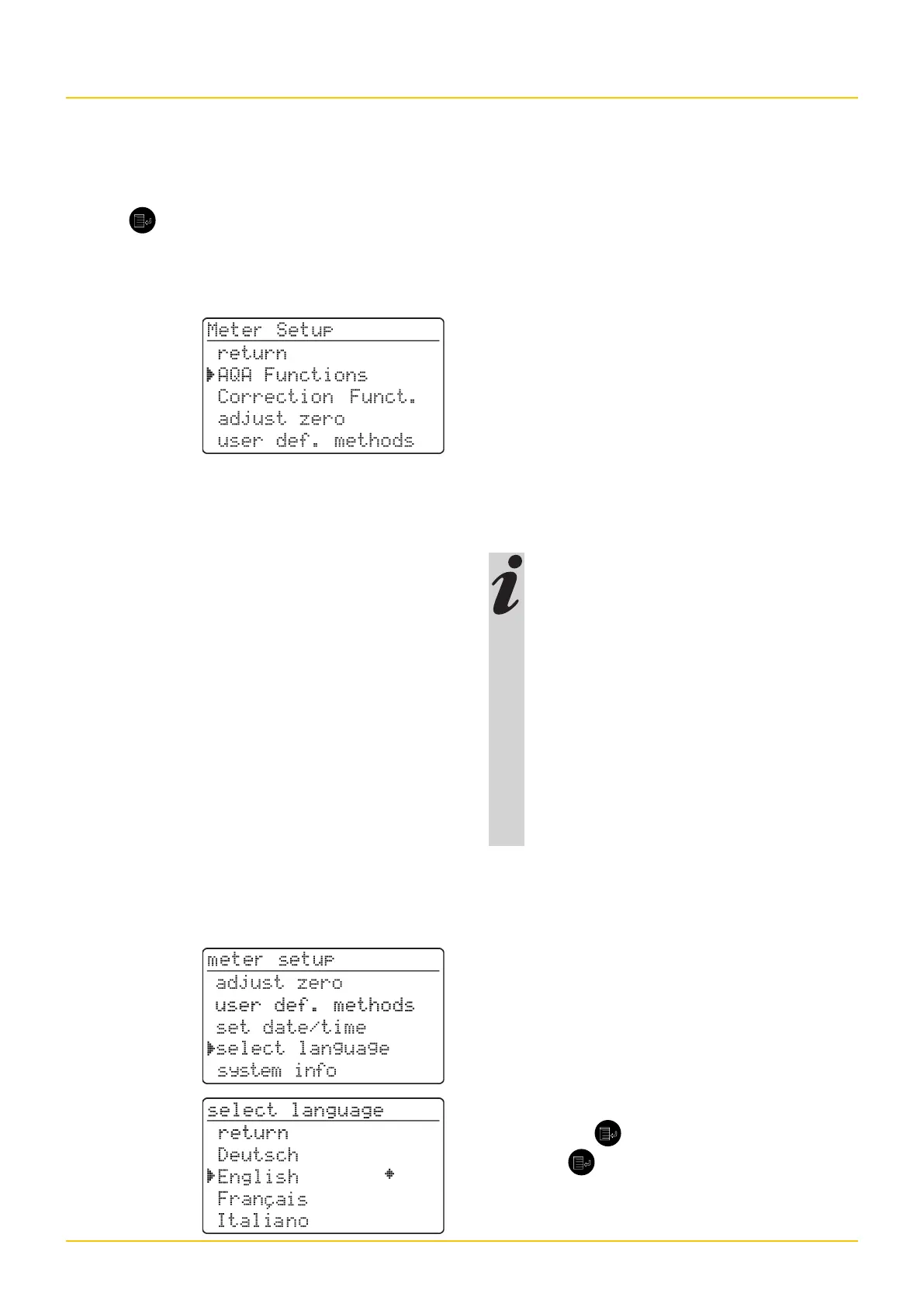
The following display appears:
This chapter describes the following functions
of the meter setup menu:
• select language
• set date/time
Meter Setup
The following languages are stored in the pho-
tometer:
• Deutsch (German)
• English
• Français (French)
• Italiano (Italian)
• Português (Portuguese)
• Polski (Polish)
• Dansk (Danish)
• Svenska (Swedish)
• Español (Spanish)
• Nederlands (Dutch)
• Indonesia (Indonesian)
• Ceština (Czech)
• Magyar (Hungarian)
• Russkij (Russian)
• Türkçe (Turkish)
• Brasil (Brasilian)
This is the order in which the available
languages appear in the select lan-
guage menu.
The languages are listed in the lan-
guage of the respective country in the
photometer.
When Russkij is selected as the lan-
guage, the Cyrillic alphabet is used for
the user guidance. Method designation
and ID numbers are always displayed
in Latin script.
For output to the RS 232 C interface,
Cyrillic characters are converted to
Latin characters according to GOST.
Selecting the language
– Call up the select language menu item.
– Select a language, e. g. English
– Confirm with
.
– Press the key again:
Return to the meter setup submenu.
The displays appear in English.


 To Next Page