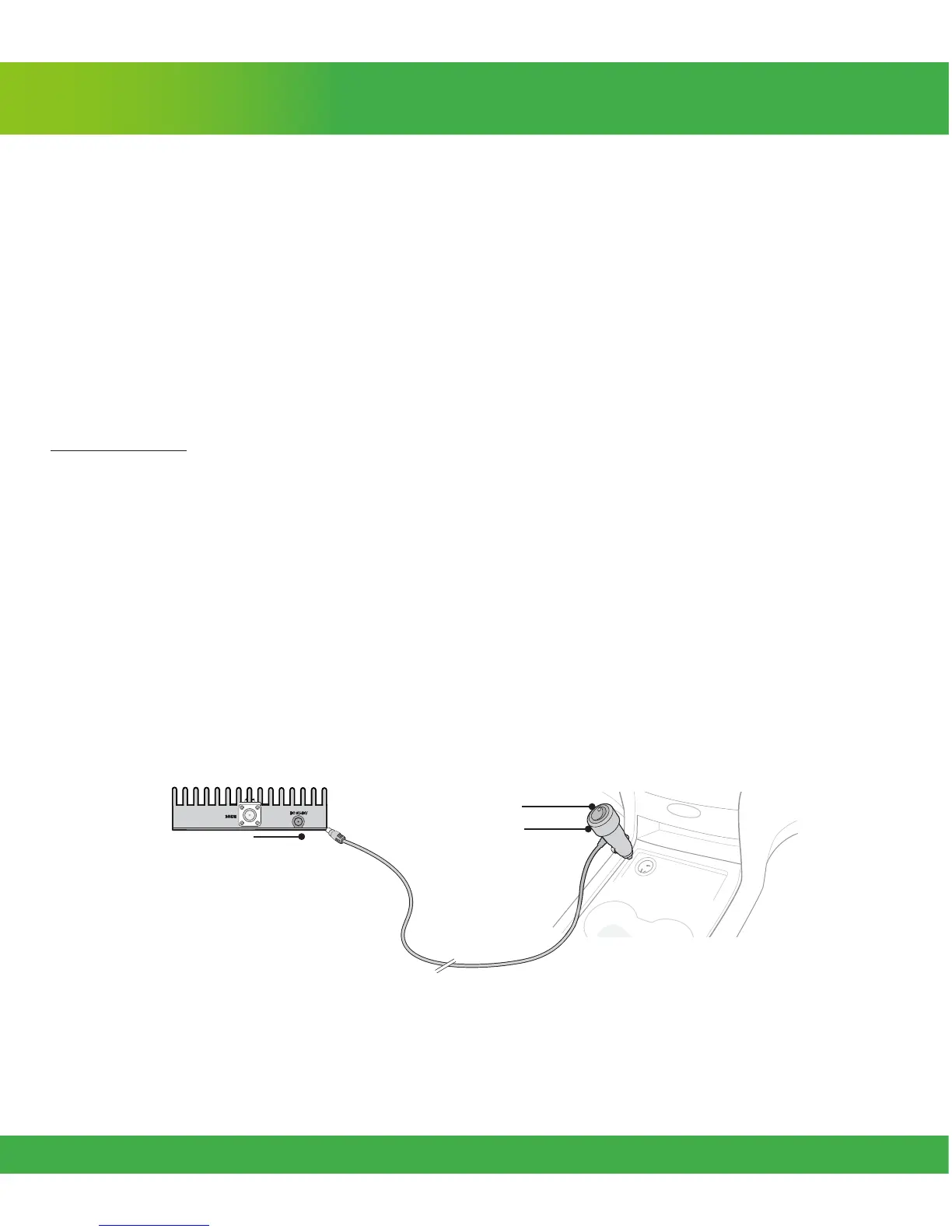
DC Power
Adapter
Power Switch
Power
Connector
Step 4. Connect Power
Connect the power cord connector to the signal booster and insert the other end into your cigarette
lighter adapter
1
. The Power LED illuminates to show that the signal booster is ready for use. The Alert
LEDs ash 5 times to show the frequency band is operational.
Place a call in a location you have previously experienced poor signal and conrm that your phone
is receiving a boosted signal.
Note: When your car is off, turn the power switch to OFF to keep the booster from continuing to draw
power from your vehicle.
[1] WARNING: The booster is rated for 5-15V input voltage. DO NOT use the booster with a higher voltage power supply. This can damage
the booster and/or cause personal injury.












 To Next Page