6
Step 1. Make sure you have positioned the booster close enough to an existing
electrical outlet.
Step 2. Make sure you have sucient cable length between proposed outside antenna
location and booster connector.
Step 3 Make sure you have sucient cable length between proposed inside antenna
location and booster connector. Additional cable may be purchased from your dealer,
if needed.
Installation Overview
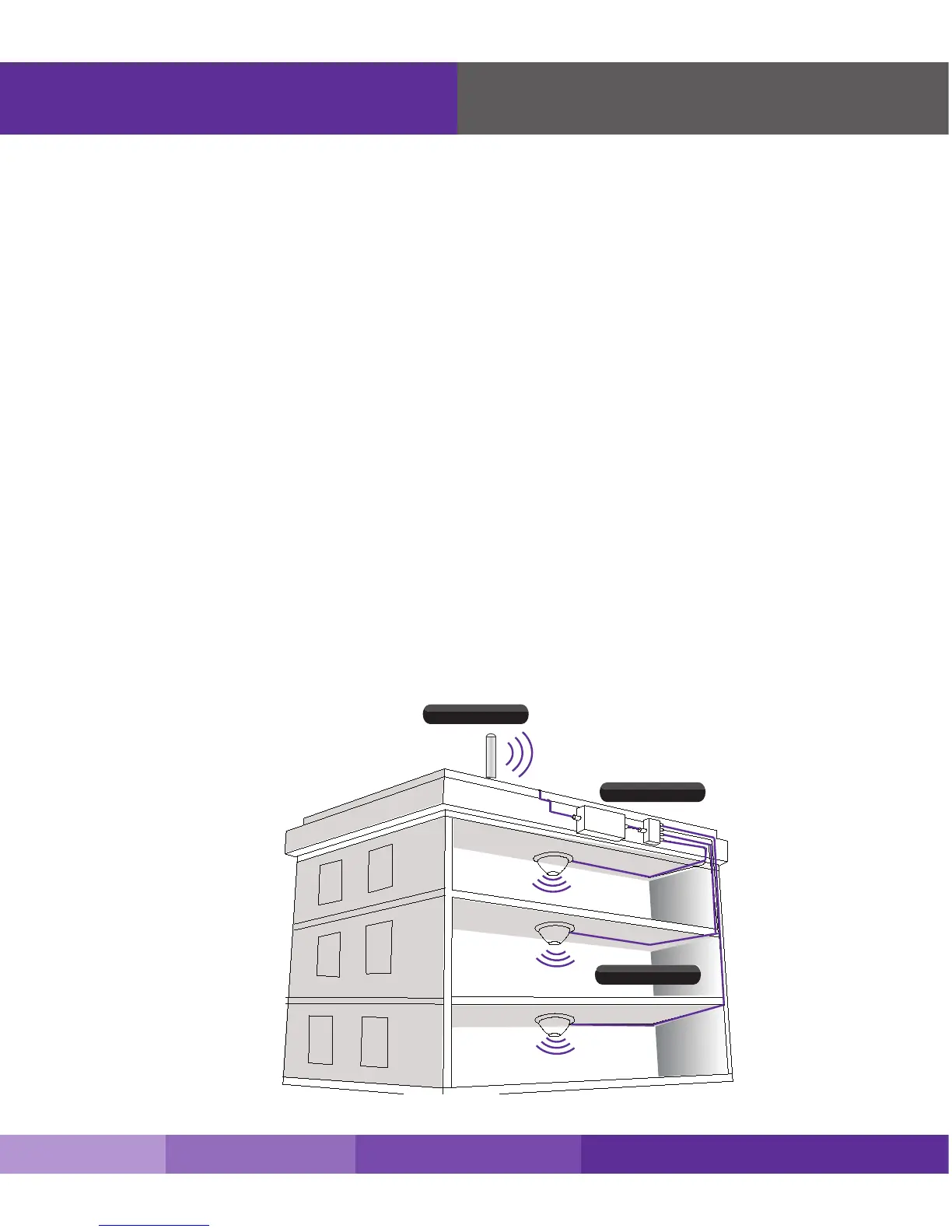
Step 1. Find the outside area that has the strongest signal. (See page 7 for directions as needed)
Step 2. Install the outside antenna in the area identied in step 1. (See page 8-9 for directions as
needed)
Step 3. Install the inside antenna. (See page 10-11 for directions as needed)
Step 4. Mount the signal booster, connect the outside and inside antenna cables to the signal
booster, and connect the booster to an AC power source. (See page 12-13 for directions
if needed)
Step 5. Congure gain settings on the signal booster if needed. (See page 14 for directions as
needed)
Before You Install
Outside Omni
Fusion5
Inside Domes
Outside Omni
SureCall | 48346 Milmont Drive, Fremont CA 94538 | 1-888-365-6283 | sales@surecall.com











 To Next Page