14
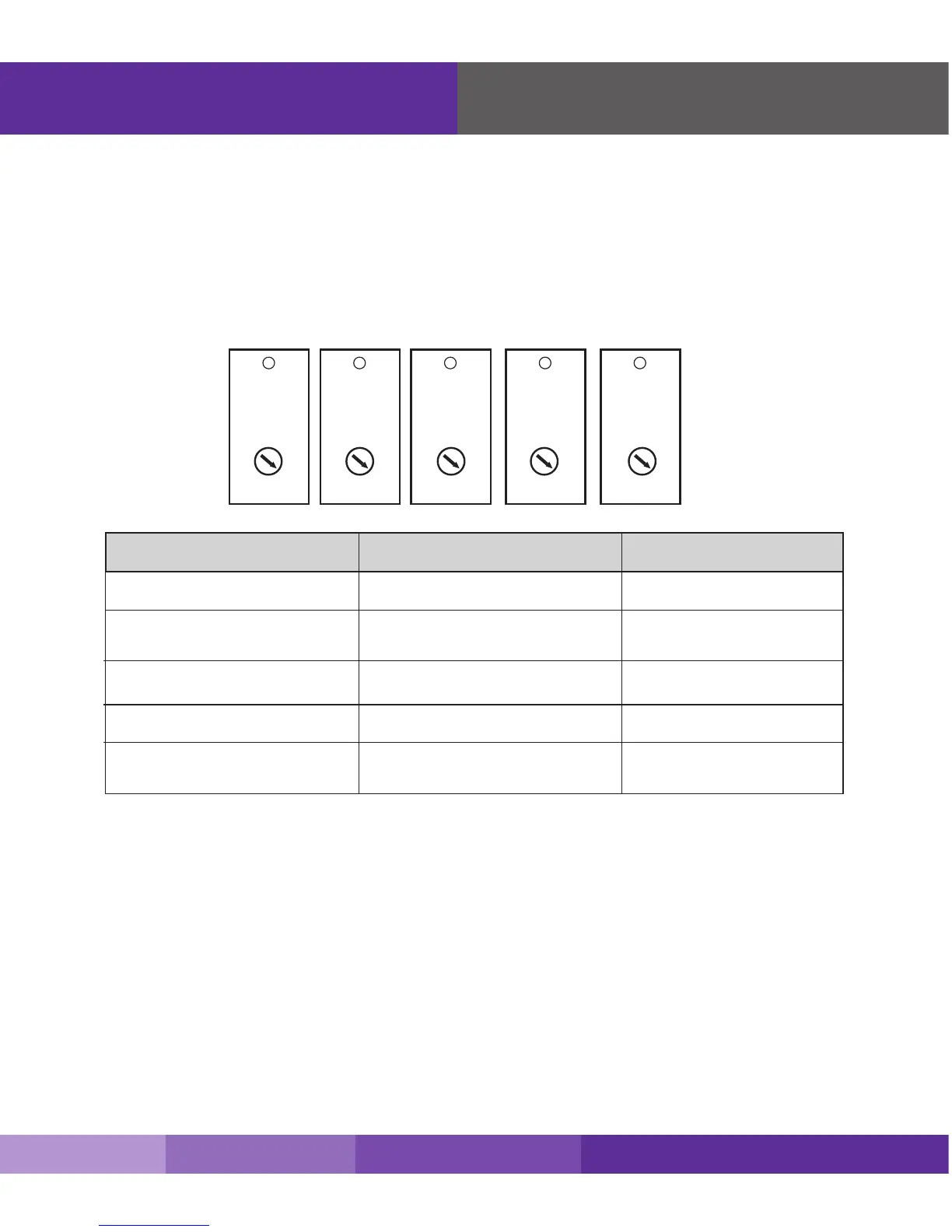
Step 5. Congure Gain Settings
1. Find the PCS, Cellular, and LTE/AWS dials on top of the signal booter.
2. Set the dials according to the coverage area and the distance between the indoor and
outdoor antennas (see next page)
If you Want to Improve Coverage
1. Find a location that receives a stronger signal and relocate the outside antenna to that
location.
2. Increase the distance between the outside and inside antennas.
3. Be sure your signal booster’s dB gain is turned up to maximum gain on each dial.
Installing Your Hardware
Note: As you can see from the table above, acquiring the recommended indoor and outdoor antenna separation optimizes coverage signicantly. Any
reduced antenna separation reduces the booster’s cellular signal capabilities.
Alert
LTE-A
dB Gain dB Gain dB Gain dB Gain dB Gain
OFF OFF OFF OFF OFF
39 39 40 47 46
44 44 45 52 51
49 49 50 57 56
54 54 55 62 61
59 59 60 67 66
64 64 65 72 71
Alert
LTE-V
Alert
CELLULAR
Alert
PCS
Alert
AWS
If Coverage Area is ...
3000 - 6000 square feet 60 - 80 feet
50 - 75 feet
40 - 60 feet
35 - 50 feet
30 - 35 feet
2000 - 4000 square feet
1500 - 2000 square feet
1000 -1500 square feet
1000 square feet and below
And Antenna Separation is ... Set All Dial to ...
65
(default setting)
60
60
60
60
WARNING: Do not adjust the uplink and downlink dB attenuation settings more than 20dB.
This could cause the booster to shut down
SureCall | 48346 Milmont Drive, Fremont CA 94538 | 1-888-365-6283 | sales@surecall.com











 To Next Page