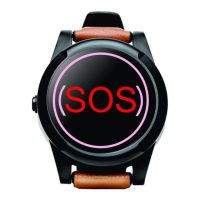
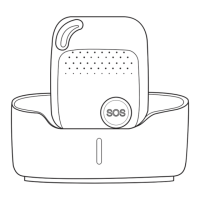
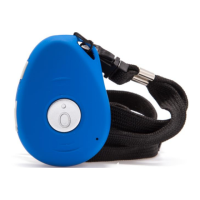
SureSafeGO 24/7 Monitored
7. Automatic Fall Detection
How it works:
The device must sense a specific change in height and pendant angle, and must also sense an impact. The alarm must fall at least 1 meter, and angle change
over 45 degrees. The authorized numbers will be alerted by text message without the user pushing SOS button when the fall sensor is activated.
When the SureSafeGO detects a fall, the pendant will start to beep. The fall detection can be cancelled by either pressing the SOS button or returning the
pendant to a standing position before the beeps stop.
Very Important: Due to the varied nature of falls, not all falls will be detected. We strongly recommend that the user pushes the SOS button if possible. Also,
wearing your SureSafeGO on your wrist significantly reduces its ability to detect falls. See Automatic Fall Detection disclaimer for more details.
Example: FL1
After sending FL1 to the SureSafeGO, the device will send a text message alert to all authorised numbers when a fall is detected.
To turn off this function, please send FL0
The default is OFF.
8. Check Programming
Command: STATUS
The device will reply e.g. A+447712345678 B+447712345678 C+447712345678; Speed: 0,100km/h; GEO:0,0,0; VB:1,10S; MV:1,100; LED:0; TZ:2.0; LI: 1; PS:1;
DS:0,3M; FL:1; Bat: 95%; SMS:0;LOCK:0
In the above example this shows that A1, B1 and C1 are all programmed with the telephone number +447712345678, Automatic Fall Detection is ON, Power
Saving Mode is ON and the battery is at 95% (highlighted for illustrative purposes).
The number “0” implies that the function is turned off; whilst “1” indicates that the function is turned on.


 To Next Page