SureSafeGO 24/7 Monitored
Activating an SOS Alarm
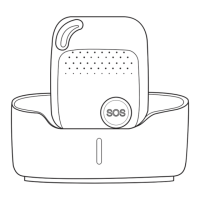
Press and hold the SOS button for 3 seconds until the device vibrates, and then green light will start to flash rapidly to confirm the request. After that, an SOS
Alarm "Help me!" text message will be sent to all authorized phone numbers. It will then dial the 3 authorized numbers in sequence. If the SureSafeGO fails to
connect to the first number, it will call the second one. If the second number fails to be connected as well, the alarm will call to the third number. If the alarm
fails to connect to all 3 numbers, it will start to dial the numbers again after 5 minutes. This will continue until one of the nominated numbers answers the call.
To end the call, press the SOS button.
Making a Normal Phone Call
To make a call, press and hold the side button for 3 seconds and you will hear a beep. The green light will flash rapidly to confirm the request, and then it will
dial the second number (by default). To end the call, press the SOS button.


 To Next Page