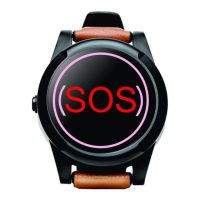
SureSafeGO 24/7 Monitored
SIM Card Installation (where necessary)
If you purchased a SureSafeGO with a SIM card included then please refer to the Quick Start Guide for more information on the SIM card and how to top it up
if necessary.
If a SIM card is not included in the package, a Micro SIM card can be obtained from any mobile phone provider that supports the 2G network.
Installing The SIM:
- Unscrew the back cover and remove it.
- Insert SIM card (be sure to add credit to the SIM if required).
- Carefully put the cover back and tighten the screws. Ensure all wires are clear of the case here.
Device Charging
Fully charge for between 3-4 hours before first use.
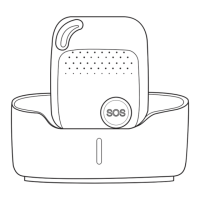
Charge using the docking station provided (or USB cable if preferred)
- Connect the Micro USB side of the cable to the docking station port and plug the USB cable into a power socket.
- Place the device on the docking station. It should gently click and vibrate when inserted correctly.
- When charging, the BLUE LED on the pendant will be solid. The device is fully charged when the BLUE LED is no longer solid.


 To Next Page