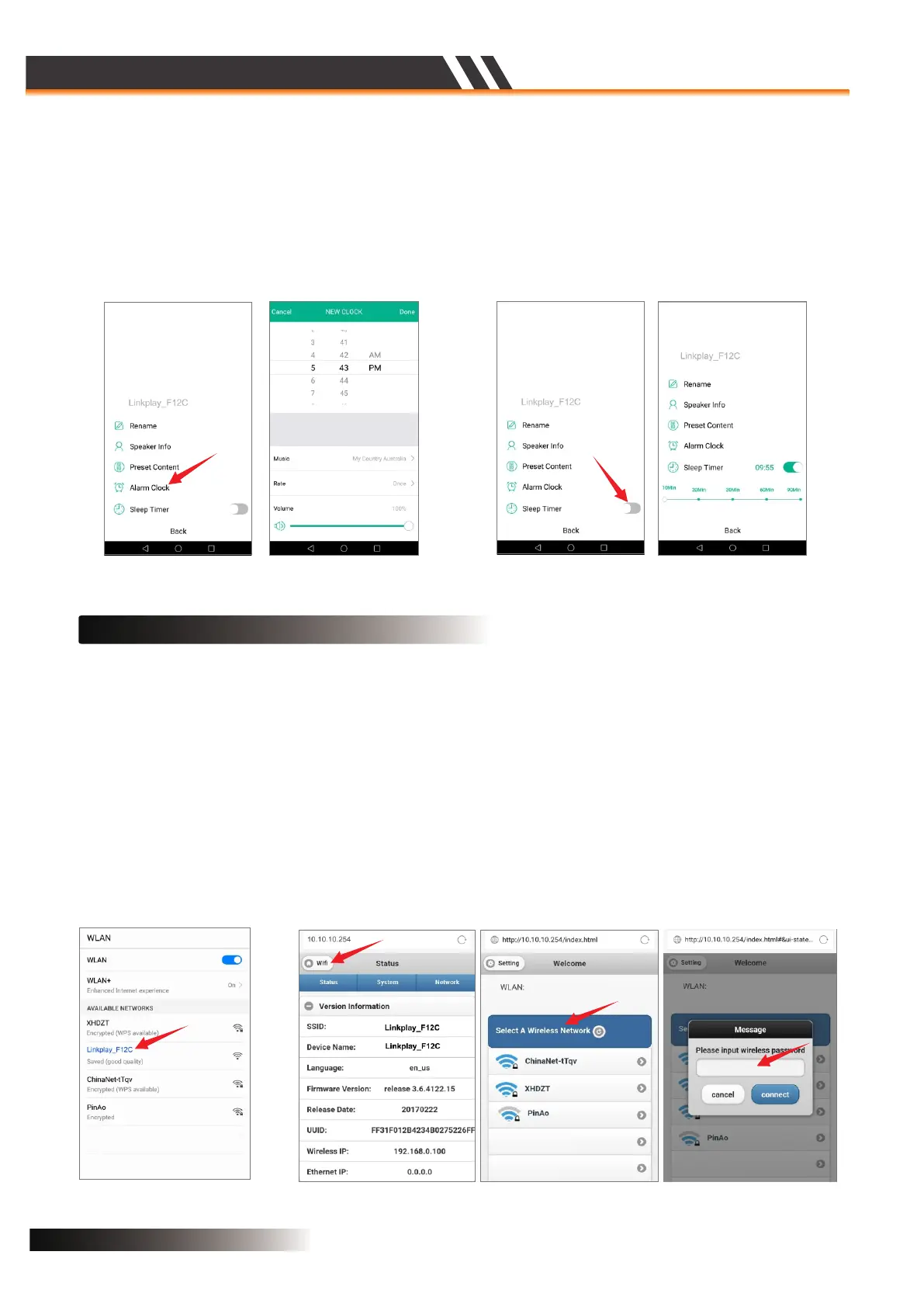
ALARM CLOCK(Figure 18)
Figure 18
The alarm lets you wake up to your own music from the iTunes library or your subscribed music services.
You can set several alarms and specify for each alarm which days they should wake you up and which
playlist to use.
Figure 19
SLEEP TIMER(Figure 19)
You can set a timer on your device and set a sleep timer for it to turn off.
WEB BASED WI-FI SETUP
• Open the Wi-Fi Discovery Menu on your Smartphone or Tablet and look for the Speaker Service Set
Identifier (SSID), ex. “Linkplay_XXXX”.
• Select to connect your device to the Speaker hotspot network
• Open a web browser on your Smartphone or Tablet and input ‘10.10.10.254’ into the URL bar. This will
lead you to the Speaker Wi-Fi setup page.
• Select your network from the list of available networks and input your home Wi-Fi password.
• Your device will disconnect from the Speaker network and the Speaker will then connect to your Wi-Fi
network.
• Your device will say “Connected” to indicate that your Speaker has successfully connected to your
Wi-Fi network.
Wi-Fi Discovery Menu
Connecting the speaker to Wi-Fi network
CONNECT SPEAKER TO WI-FI NETWORK (Figure 20)
Figure 20
ACTIVE SPEAKER SERIES
2CH WIFI CEILING SPEAKER
Page 9


 To Next Page