CHECK WI-FI STRENGTH
To achieve smooth streaming experience, your WiFi Speaker should have good network connection
with your connected router. When connected with Wi-Fi, please check the Wi-Fi strength when you
have problem with streaming experience. The steps to check the Wi-Fi strength are as follows:
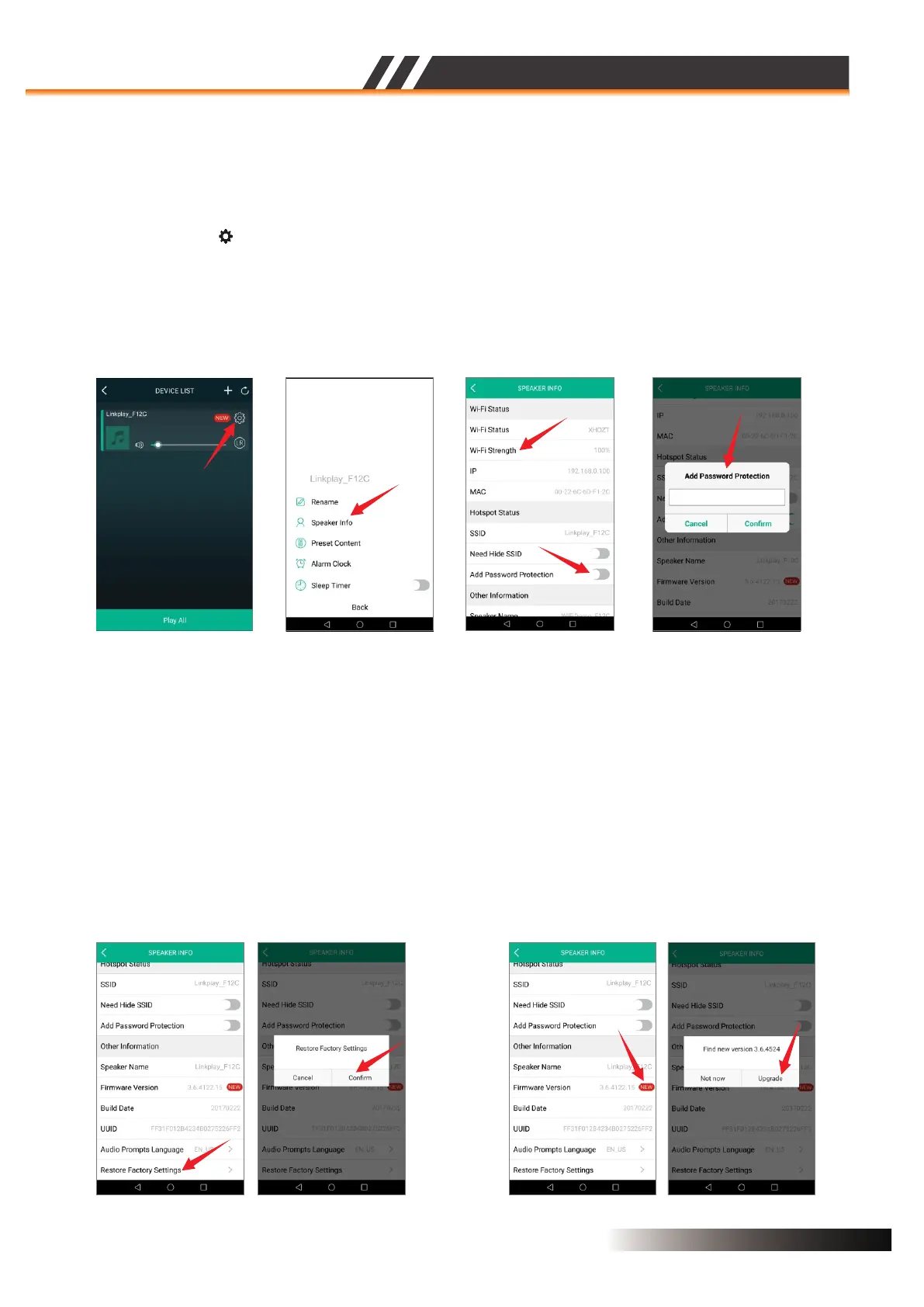
1. Enter the DEVICE LIST menu.
2. Select the gear ‘ ’ icon on the WiFi speaker you want to check, then you will see the Figure 13.
3. Select “Speaker Info” to see if your Wi-Fi connection is good enough as the Figure 14.
Figure 13 Figure 14
SPEAKER WI-FI PASSWORD PROTECTION
Figure 15
If you don't want the speaker to be public,you can encrypt it by enabling“Add Password
Protection”,
FACTORY RESET (Figure 16)
If you want to restore factory settings,select the“Restore Factory Settings” at the bottom of
SPEAKER INFO menu to confirm.
Figure 16 Figure 17
FIRMWARE UPDATE Figure 17 ( )
If you see a “New” icon next to the setting button, it means a new firmware is available for your unit.
In order to apply this firmware, tap on “New” and you will see a pop up message. Select upgrade and
wait until the device upgrade process finishes.
NOTE: Do not conduct any other operation via the phone or the speaker unit while the firmware update
is in progress.
Device List
ACTIVE SPEAKER SERIES
2CH WIFI CEILING SPEAKER
Page 8


 To Next Page
 Loading...