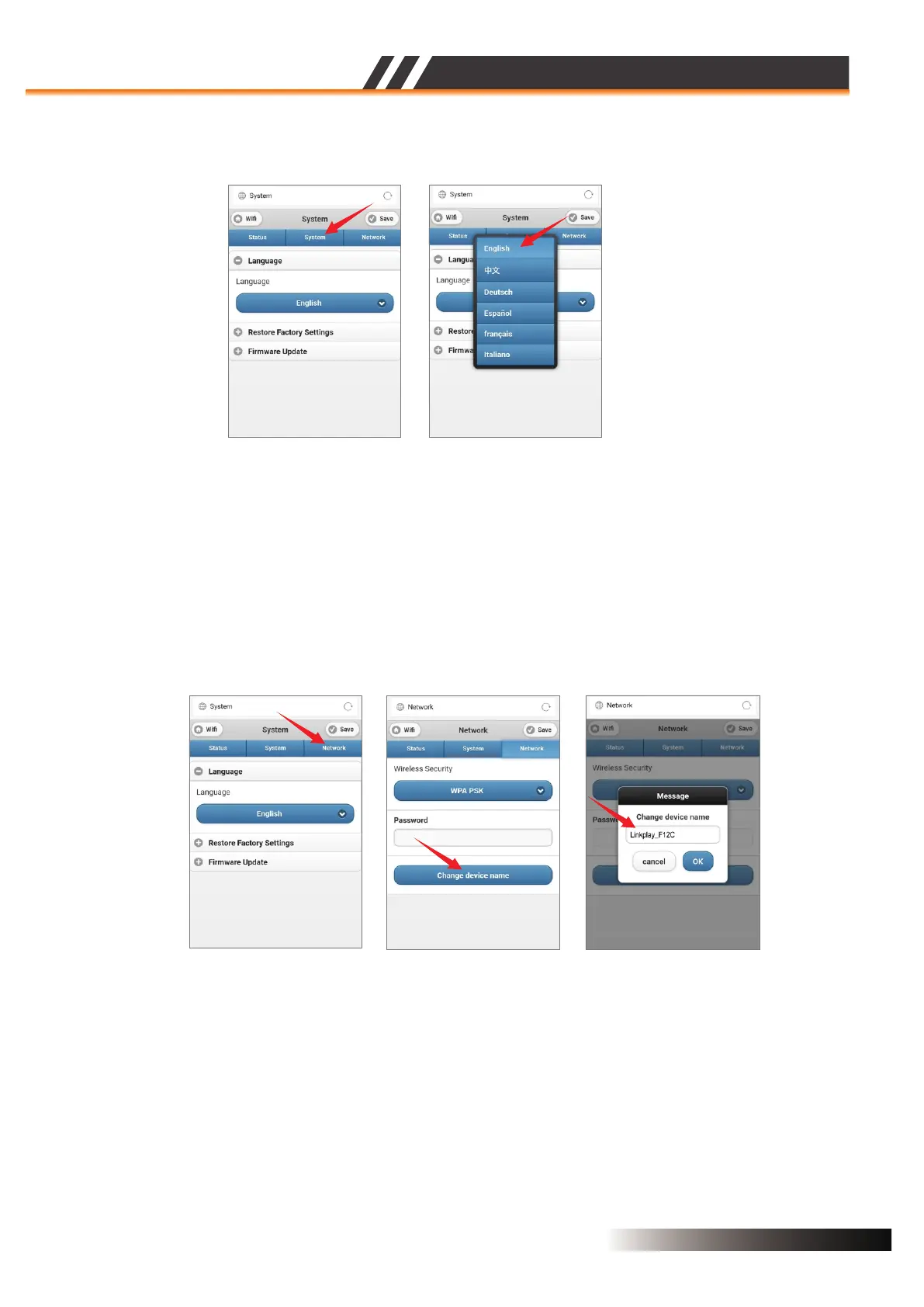
LANGUAGE SETUP (Figure 21)
You can click the “System” tab to select the language you want,then save it.
CHANGE DEVICE NAME (Figure 22)
The factory default device name is ex. “Linkplay_XXXX”,you can click the “Network” tab to “Change
device name” to be the one you want,and click “OK” then to “Save” it.
Figure 21
Figure 22
ACTIVE SPEAKER SERIES
2CH WIFI CEILING SPEAKER
Page 10


 To Next Page