WIFI & APP OPERATIONS
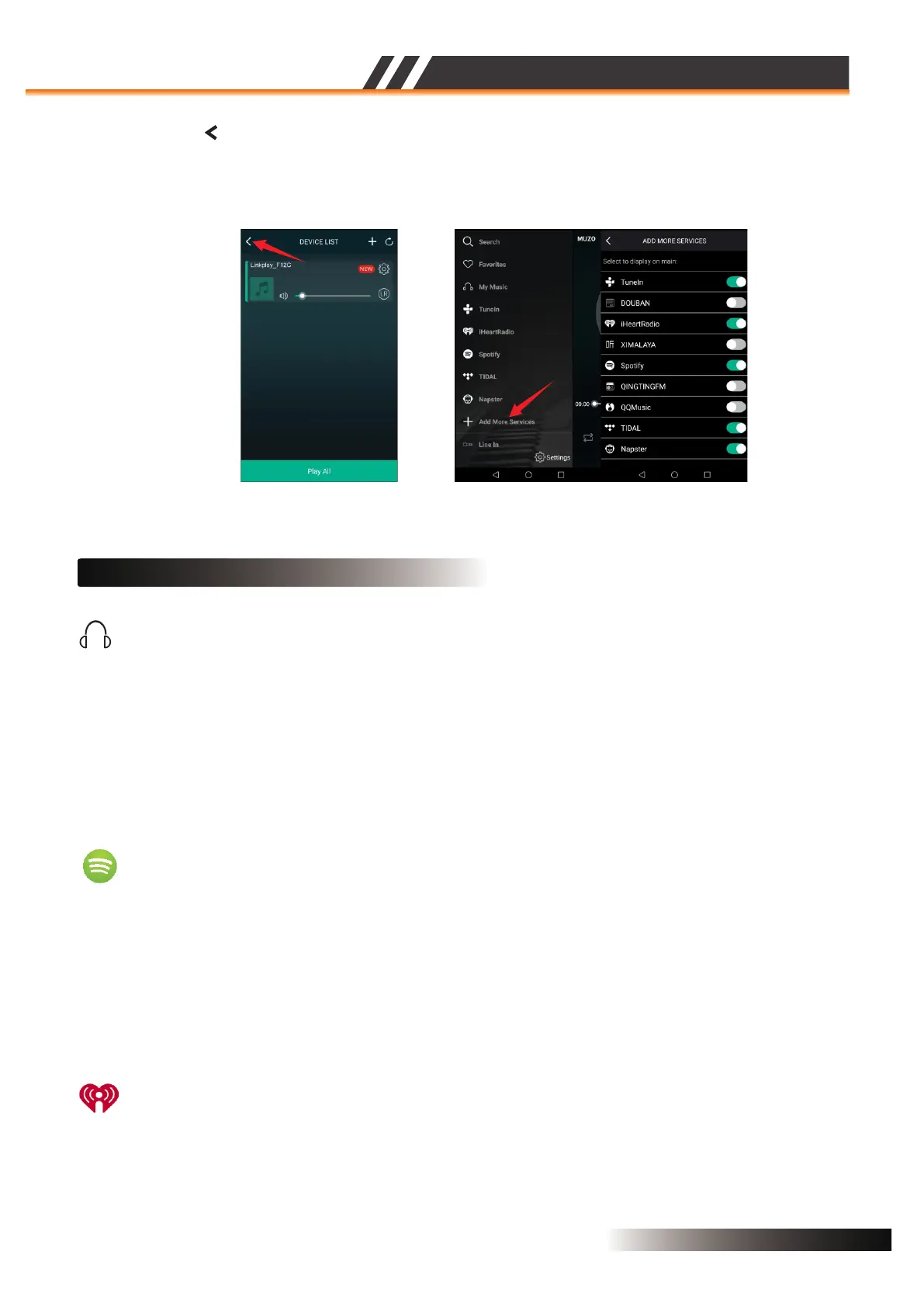
Figure 11
• Press the icon ‘ ’ to enter the main screen as the Figure 12,in this menu we can select ‘Add
More Services’ to configure which music services you want to display on your main screen list.
Now you can play and enjoy your music!
Figure 12
INSTRUCTIONS OF PLAYING MUSIC
Through ‘My Music’, you can access the music that you have saved on your iOS or Android device’s
internal storage. You can also access music stored in music server.There are other options such as
“recently played” and user created playlists etc.
In iOS, only music sync from your iTunes are accessible by the MUZO player. It is grouped by artists,
album, playlists, or track. In each category, it is in alphabetical order. On Android device, all the music
in the device is accessible, and it can be grouped by folder too.
My Music
Spotify
You can control music play through your Spotify app. Go to the Connect screen and select your
Speaker. For example, ‘Family Room’ Once you connect, you can stream Spotify to any room
connected with a WiFi speaker.
In order to use Spotify on your WiFi speakers you need to install Spotify on your connected Smartphone
or Tablet. Go to the App Store or the Play Store and search for the Spotify App. Install the App and login
into your account. If you do not have an account you will need to set one up.
iHeartRadio
iHeartRadio allows you to stream radio stations to your WiFi speaker. Enter the menu and select
‘iHeartRadio’. Select ‘Genre’ to choose the genre of radio you would like to listen to or select ‘Country’
and then the ‘Region’ to select localized radio stations.
ACTIVE SPEAKER SERIES
2CH WIFI CEILING SPEAKER
Page 6


 To Next Page
 Loading...